
Zoho Forms – Drag & Drop Form Builder for Websites – Contact Forms, Payment Forms, Order Forms & More
by Zoho Forms on WordPress.org
Try Zoho Forms, the best WordPress contact form plugin! Create contact, payment & custom forms with a drag and drop builder. Get started for free!
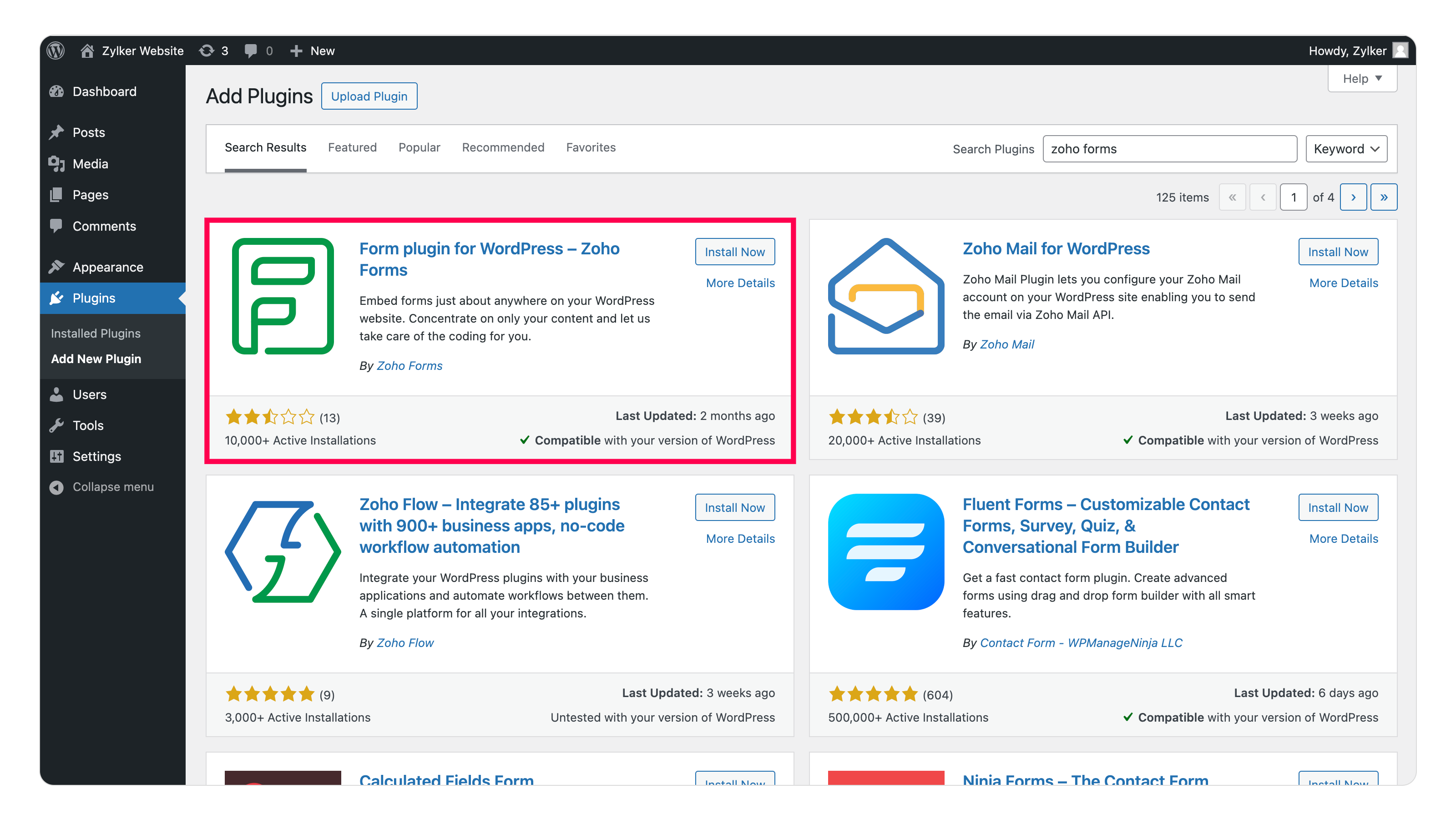
Search for Zoho Forms in the plugin search bar and then click on Install Now and Activate the plugin.
What is Zoho Forms
Zoho Forms is a powerful no-code form builder that lets you create and embed beautiful, functional forms on your WordPress site in minutes. Whether you’re looking to build contact forms, order forms, subscription forms, or payment forms, Zoho Forms makes it simple. Its intuitive drag-and-drop interface ensures that anyone—from beginners to expert developers—can create professional forms effortlessly, without writing a single line of code.
Why Choose Zoho Forms for WordPress?
Seamless Integration & Functionality
Zoho Forms integrates directly with WordPress, making it the perfect tool for building, customizing, and embedding responsive forms that adapt to all devices and browsers. With features like lead tracking, payment processing, and workflow automation, Zoho Forms enhances user engagement, lead generation, and customer interactions—all from your WordPress site.
Beyond Forms: Scale, Support & Flexibility
Zoho Forms offers a free forever plan with basic features, ideal for small websites or startups, and it scales with your business as your needs grow. Backed by 24/5 support and deep integrations with Zoho’s suite of products and third-party apps, it provides a full-service solution for businesses of any size.
Zoho Forms Features List
- Drag-and-Drop Form Builder to build your forms with no coding skills!
- Pre-built Templates that are customizable to save time on form creation.
- Conditional Rules & Formula Fields for smart dynamic forms that perform advanced calculations.
- Direct Integrations with Zoho CRM, Salesforce, Mailchimp, Zoho Campaigns, Zoho SalesIQ, and more to automate your workflows.
- Integrated Payment Gateways to accept payments through your forms via gateways like PayPal, Stripe, Razorpay, Paytm, and more.
- Security & Compliance offering encryption, SSL, GDPR, HIPAA, and WCAG compliance.
- Advanced Customization to customize every aspect of your form—fonts, colors, borders, backgrounds, and more.
- Instant Notifications via email, SMS, WhatsApp, and push notifications on every form submission.
- Advanced Form Approvals to build complex approval workflows on form submission.
- Multilingual Forms to reach a broader audience and ensure accessibility.
- Responsive Design across browsers to adapt seamlessly to different screen sizes and mobile-friendly.
- Real-time Analytics & Reports to monitor form submissions, traffic, and user behavior with built-in advanced tracking tools.
- Custom Domain & SMTP to add a professional touch with your own domain and SMTP settings for email communications.
- PDF Editor to automatically convert form submissions into PDFs for easy sharing and archiving.
- Document Merge to populate your form submissions into custom document templates automatically for contracts, invoices, certificates, and more.
- Form Audit to track every change made to your forms with detailed form audit logs.
- Geolocation to capture the respondent’s location with longitude and latitude coordinates.
- Save & Resume to let users save their progress and return to complete the form at their convenience.
- Edit Response to let users update their submissions even after submitting the form.
- Manage Form Attachments to efficiently handle uploaded files directly through the form.
- Auto-Trash submissions to automatically declutter your form responses.
Integrations
Zoho Apps
- Zoho CRM
- Bigin by Zoho CRM
- Zoho SalesIQ
- Zoho Desk
- Zoho Campaigns
- Zoho Sheet
- Zoho Sign
- Zoho Projects
- Zoho Recruit
- Zoho PageSense
- ServiceDesk Plus Cloud
- Zoho Cliq
- Zoho Marketing Automation
- Zoho Flow
- Zoho Analytics
Other Apps
Payment Integrations
- PayPal Standard
- PayPal Checkout
- Stripe
- Stripe Checkout
- 2Checkout
- Razorpay
- Authorize.Net
- Paytm
- Instamojo
- PayTabs
- Square
- Paystack
- Midtrans
Top-notch security for your online forms
- CAPTCHA: Safeguard your forms from spammers and bots with Zoho Forms’ built-in CAPTCHA, and Google CAPTCHA.
- Spam Control: Limit submissions to one submission per IP address or device, OTP verification to access form, double opt-in to confirm form submissions, and more.
- 256-bit SSL Encryption: Ensure secure data transmission with Zoho Forms’ 256-bit SSL (Secure Socket Layer) encryption, providing a SHA256 certificate for added protection.
- Field Encryption: Encrypt your form fields, securing submission data, ensuring maximum privacy and security.
- GDPR Compliance: Stay fully compliant with the EU’s General Data Protection Regulation (GDPR), ensuring your data collection practices meet the stringent privacy standards required for businesses in Europe.
- WCAG 2.2 AA Compliance: Adhere to Web Content Accessibility Guidelines (WCAG), ensuring your forms are accessible to all users, including those with disabilities.
- HIPAA Compliance: Securely collect and store sensitive patient health data using Zoho Forms’ HIPAA-compliant features, with a Business Associate Agreement (BAA) available upon request to meet healthcare data protection needs.
Form Templates
- Business Forms
- Construction Forms
- Medical Forms
- HR Forms
- E-Commerce Forms
- Education Forms
- Request Forms
- Non-profits Forms
- Personal Forms
- Lead Generation Forms
- Halloween Forms
- Intake Forms
Configuring your WordPress form
Here’s a step-by-step guide that will help you configure Zoho Forms for WordPress.
- Sign up or log in to your Zoho Forms account and create a form that suits your requirements.
- To add your Zoho Form to a WordPress page or post, click the + (Block Inserter) icon in the top left corner of your screen. In the search bar, type Zoho Forms and select the block from the search results.
- Once the plugin is added, click Access Zoho Forms to select an existing form or choose Embed using permalink to enter the form’s permalink.
- After selecting your form, you’ll see two embedding options: iFrame or JavaScript.
- If you choose the iFrame option, you can customize the form container’s width and height.
- If you select the JavaScript option, the form container’s width can be set manually, while the height will automatically adjust based on the number of form fields.
- In the end, you can also add parameters to your form’s URL to track form submissions or prefill form fields. Click here to learn more about the URL parameters in Zoho Forms.
Embedding forms in WordPress using Shortcode
Zoho Forms plugins are compatible with both the block editor and the classic editor plugin in WordPress. To embed in third-party editors like Elementor, SeedProd and more, you can make use of shortcode block/widget.
- To add a shortcode block to your WordPress page, simply click the + (Block Inserter) icon in the top left corner of your screen. In the search bar ,type Shortcode and select the block from the search results.
- You can then use the following shortcode format to embed your Zoho Form on your website.
[zohoForms src= width=100% height=600px urlparams=”” type= autoheight=]
Click here to learn more about appropriate shortcode formats.
Note: You can copy the form permalink from the Share tab in your form builder.
These setup instructions are for WordPress versions 5.0 and above.
Click here to learn more about Zoho Forms plugin for WordPress 4.9.9 & below.