
WP Sync for Notion – Notion to WordPress
by WP connect on WordPress.org
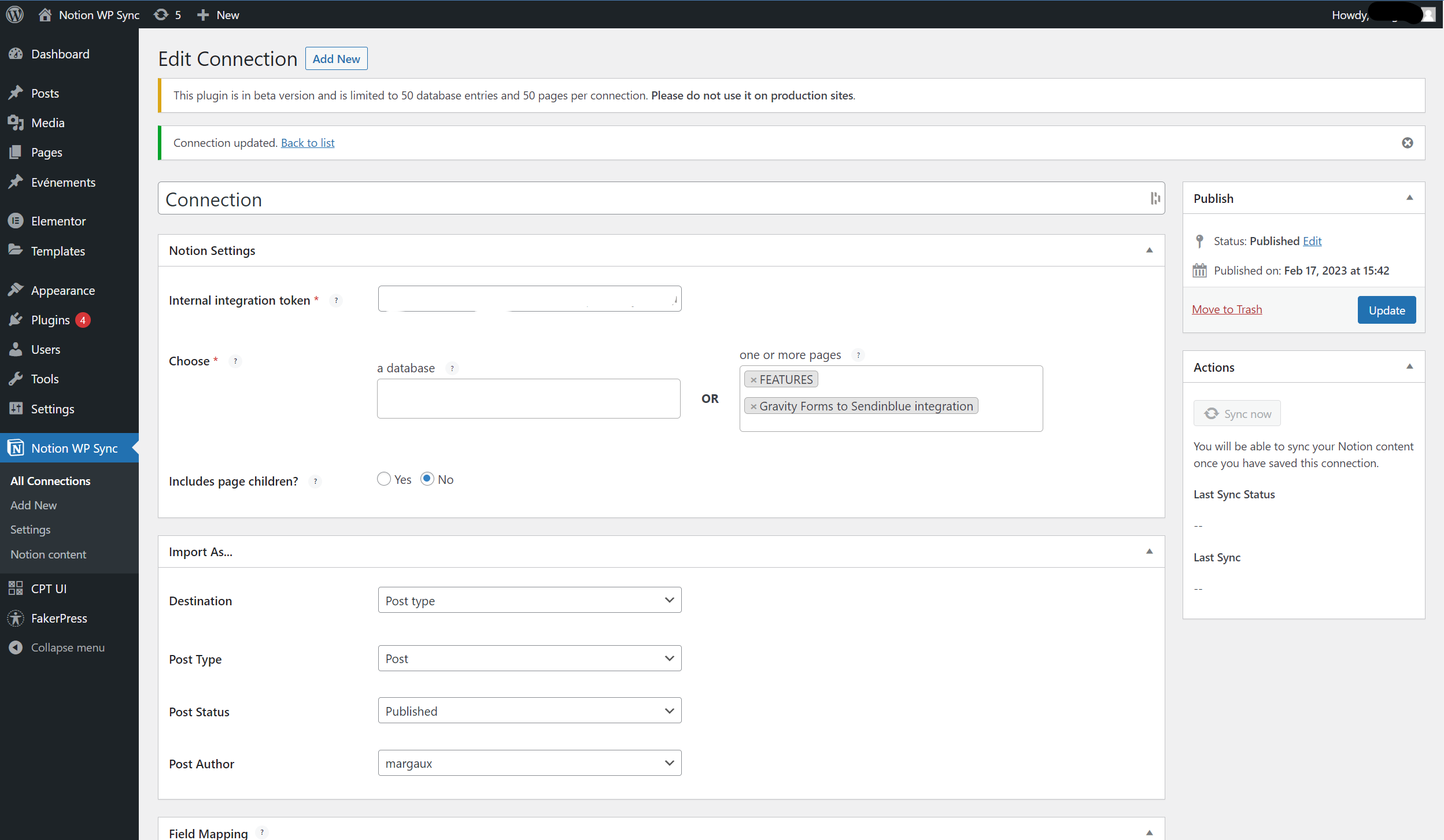
Edit connection
With our Notion to WordPress integration, WP Sync for Notion, you can publish content from Notion directly to your WordPress website and keep your pages in sync without Zapier or Make.
The free version allows you to synchronize Notion pages to WordPress with their content and structure preserved.
For advanced use cases, Notion WP Sync Pro+ unlocks powerful features such as database synchronization, field mapping, Custom Post Types, Advanced Custom Fields (ACF) support, and SEO integrations — ideal for professional and content-driven websites.
Learn more and compare features with the
Notion WP Sync Pro+ version.
Features
Connect Notion pages
- Sync Notion pages to WordPress
- Keep page content and supported blocks in sync
- Manual or automatic synchronization
Connect Notion databases (Pro+ only)
- Sync structured Notion databases to WordPress
- Map Notion database properties to WordPress fields
- Create content from databases instead of static pages
- Set up and publish unlimited connections
Database synchronization and property mapping are available in the
Pro+ version.
Display Notion content in WordPress
- Publish content as Posts or Pages
- Display content in Custom Post Types (Pro+)
- Assign Post Status and Author (Pro+)
- Advanced Custom Fields (ACF) support (Pro+)
These features make Pro+ ideal for headless CMS and editorial workflows.
See Pro+ features.
Keep your Notion design or customize it
- Supports most Notion blocks (text, lists, tables, images, columns…)
- Display content via Gutenberg block
- Use shortcodes with Elementor, Divi or any page builder (Pro+)
- Dedicated “Notion Content” Custom Post Type (Pro+ only)
Advanced synchronization & automation
- Manual or automatic synchronization
- Webhook-triggered synchronization (Pro+)
- Control sync behavior (add / update / delete)
- Designed for large-scale content imports (Pro+)
Advanced automation and scalability are available in the
Pro+ version.
How to unleash your plugin’s full potential?
WP Sync for Notion works great for syncing pages, but the Pro+ version unlocks its full power for professional use cases.
With Pro+, you can:
* Sync Notion databases instead of only pages
* Map database properties to WordPress fields
* Use Custom Post Types and Advanced Custom Fields
* Improve SEO with Yoast and upcoming SEO integrations
* Handle large imports and complex content structures
Compare Free and Pro+ features on the
official comparison page.
Troubleshooting
If you don’t see your pages, make sure they are shared with your Notion integration.
If needed, logs are available via FTP in the following folder:
/wp-content/uploads/notionwpsync-logs
Support
Open a ticket via the WordPress support forum


