PayPal Checkout Button
Payment Button for PayPal plugin (also known as WP PayPal) allows you to easily create PayPal Buy Now, Add to Cart, Donation or Subscription type buttons. It generates dynamic buttons using shortcodes that enable PayPal checkout on your WordPress site.
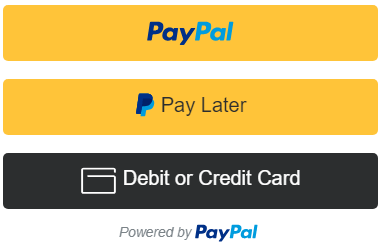
Your customers will be able to pay for your products using PayPal or Credit Card. This plugin makes it easy for you to set up your online e-commerce store. You do not need to spend days configuring products and settings. All you need to do is insert a shortcode into one of your web pages and your website will be ready to go live.
Payment Button for PayPal supports PayPal Sandbox. PayPal Sandbox is a simulation environment which allows you to do test purchases between a test buyer and a seller account. This is to make sure that your store can process PayPal transactions without any issues. It also helps you get prepared before selling to real customers.
Payment Button for PayPal Add-ons
- Buy Now Custom Amount
- Buy Now Discount
- Contact Form 7 Integration
- Custom Input
- Mailchimp Integration
- Product Variations
- Variable Price
- Variable Quantity
- Variable Subscription
- Custom Donations
- Order Export
Payment Button for PayPal Features
- Sell products or services using PayPal
- Create PayPal buttons on the fly in a post/page using shortcodes
- Accept once off payments
- Accept recurring subscription payments
- Accept donations from users
- Use multiple PayPal accounts to accept payments
- Allow users to add multiple items to the shopping cart and checkout
- View or Manage orders received via PayPal buttons from your WordPress admin dashboard
- Quick settings configurations
- Enable debug to troubleshoot various issues (e.g. orders not getting updated)
- Open PayPal log to see how IPN (Instant Payment Notification) is being received from PayPal
- Accept debit or credit card payments
- Accept recurring subscription payments on a daily, weekly, monthly or yearly basis
- Switch your store to PayPal sandbox mode for testing
- Sell in any currency supported by PayPal
- Charge shipping on your products or services
- Charge tax on your products or services
- Send a purchase confirmation email to your customer after a transaction
- Send a sale notification email to one or more recipients (e.g. the seller) after a transaction
- Accept payments with PayPal smart payment buttons
- Accept Pay Later Pay in 4 payments
Note: This is NOT an official PayPal product.
How to Use Payment Button for PayPal
Once you have installed this plugin you need to go to the settings menu to configure some PayPal settings (WP PayPal -> Settings).
PayPal Checkout Settings
These settings apply to the “[wp_paypal_checkout]” shortcode button. It uses the PayPal Checkout payment method.
- Client ID: The client ID for your PayPal REST API app
- Currency Code: The default currency code for payments
- Return URL: The redirect URL after a successful payment
- Cancel URL: The redirect URL when a payment is cancelled
PayPal Payments Standard Settings
These settings apply to the “[wp_paypal]” shortcode button. It uses the PayPal Payments Standard payment method.
- PayPal Merchant ID: Your PayPal Merchant ID
- PayPal Email: Your PayPal email address
- Currency Code: The default currency code
Payment Button for PayPal Emails
Payment Button for PayPal plugin comes with an “Emails” tab where you will be able to configure some email related settings.
Email Sender Options
In this section you can choose to customize the default From Name and From Email Address that will be used when sending an email.
Purchase Receipt Email
When this feature is enabled an email sent to the customer after completion of a successful purchase. Options you can customize here:
- The subject of the purchase receipt email
- The content type of the purchase receipt email. The default is “Plain Text”. But you can also set it to “HTML”
- The body of the purchase receipt email.
Sale Notification Email
When this feature is enabled an email is sent to your chosen recipient(s) after completion of a successful purchase. Options you can customize here:
- The subject of the sale notification email
- The content type of the sale notification email. The default is “Plain Text”. But you can also set it to “HTML”
- The body of the sale notification email.
You can use various email tags in the subject/body of an email to dynamically change its content. You can find the full list of available email tags in the WordPress PayPal plugin page.
Can the email messages be sent over SMTP? Absolutely. The following SMTP plugins have been tested:
- SMTP Mailer
- Gmail SMTP
- WP Mail SMTP
- Post SMTP
- FluentSMTP
- Easy WP SMTP
How to Create a PayPal Checkout Button
In order to create a PayPal Checkout button insert the shortcode like the following:
[wp_paypal_checkout description="test checkout product" amount="3.99"]
PayPal Checkout Shortcode Parameters
You can use additional parameters to customize your PayPal Checkout buttons.
- description – Description of the purchase.
- amount – The price of the product.
For more information check the PayPal Checkout documentation page.
How to Create a PayPal Payments Standard Button
In order to create a PayPal Payments Standard button insert the shortcode like the following.
PayPal Buy Now
Buy Now buttons are for single item purchases. In order to create a buy button you need to specify it in the button parameter of the shortcode.
[wp_paypal button="buynow" name="My product" amount="1.00"]
PayPal Add to Cart
Add To Cart buttons let users add multiple items to their PayPal shopping cart and checkout.
[wp_paypal button="cart" name="My product" amount="1.00"]
PayPal View Cart
View Cart buttons let users view items that were added to their PayPal shopping cart.
[wp_paypal button="viewcart"]
PayPal Donation
Donation buttons let you accept donations from your users.
[wp_paypal button="donate" name="My product"]
PayPal Subscription
[wp_paypal button="subscribe" name="My product" a3="1.00" p3="1" t3="M" src="1"]
Subscribe buttons let you set up payment subscriptions.
PayPal Payments Standard Shortcode Buttons Parameters
You can use additional parameters to customize your PayPal buttons.
- type – The type of button to render (e.g. “buynow”, “cart”, “donate” or “subscribe”)
- name – Description of the item.
- button_image – Your custom button image URL (e.g. button_image=”https://example.com/images/buy.png”).
- button_text – Your custom button text (e.g. button_text=”Buy Now”).
- number – The number of the item (Also known as SKU. e.g. number=”16″).
- amount– The price of the item (e.g. amount=”4.95″).
- currency – The currency of the item (e.g. currency=”USD”).
- quantity – Quantity of items to purchase (e.g. quantity=”2″).
- shipping – The cost of shipping this item. (e.g. shipping=”0.75″). If you specify “shipping” and “shipping2” is not defined, this flat amount is charged regardless of the quantity of items purchased.
- shipping2 – The cost of shipping each additional unit of this item (e.g. shipping2=”1.25″)
- handling – The handling cost of an item (e.g. handling=”2.5″)
- tax – The flat tax amount for an item (e.g. tax=”2.99″).
- tax_rate – The rate of tax for an item (e.g. tax_rate=”2.9″).
- locale – The desired locale of the PayPal site (e.g. locale=”GB”). This feature is useful if you want to render the payment page in a specific language.
- return – The URL to which the user will be redirected after the payment (e.g. return=”https://example.com/thank-you”).
- cancel_return – The URL to which PayPal will redirect the buyer if they cancel checkout before completing the payment (e.g. cancel_return=”https://example.com/payment-canceled”).
- no_shipping – This parameter allows you to control whether or not to prompt buyers for a shipping address (e.g. no_shipping=”1″). Allowable values: 0 – Prompt for an address, but do not require one (This is set by default), 1 – Do not prompt for an address, 2 – Prompt for an address, and require one.
- undefined_quantity – Allow buyers to specify the quantity of the item on the payment page (e.g. undefined_quantity=”1″). This option is only used with a Buy Now button.
- target – This parameter allows you to open a PayPal button in a new window or tab (e.g. target=”_blank”).
- shopping_url – This parameter allows you to customize the Continue Shopping URL for the View Cart button (e.g. shopping_url=”https://example.com/shop”).
- business – This parameter allows you to override the seller account specified in the settings. You can specify either your PayPal merchant ID or email address in it (e.g. business=”HV3QO52MBTT34″ or business=”rbg123@gmail.com”).
- form_class – Your custom CSS class to target the button form (e.g. form_class=”ppbtn”). Multiple classes are supported (e.g. form_class=”ppbtn ppbtn2 ppbtn3″).
PayPal Add to Cart Button/Shopping Cart Specific Parameters
- handling – Handling charges. This parameter is not quantity-specific, which means the same handling cost applies, regardless of the number of items on the order. (e.g. handling=”2.00″).
For detailed documentation please check out the Payment Button for PayPal plugin page.
Translation
If you are a non-English speaker please help translate the plugin into your language.