
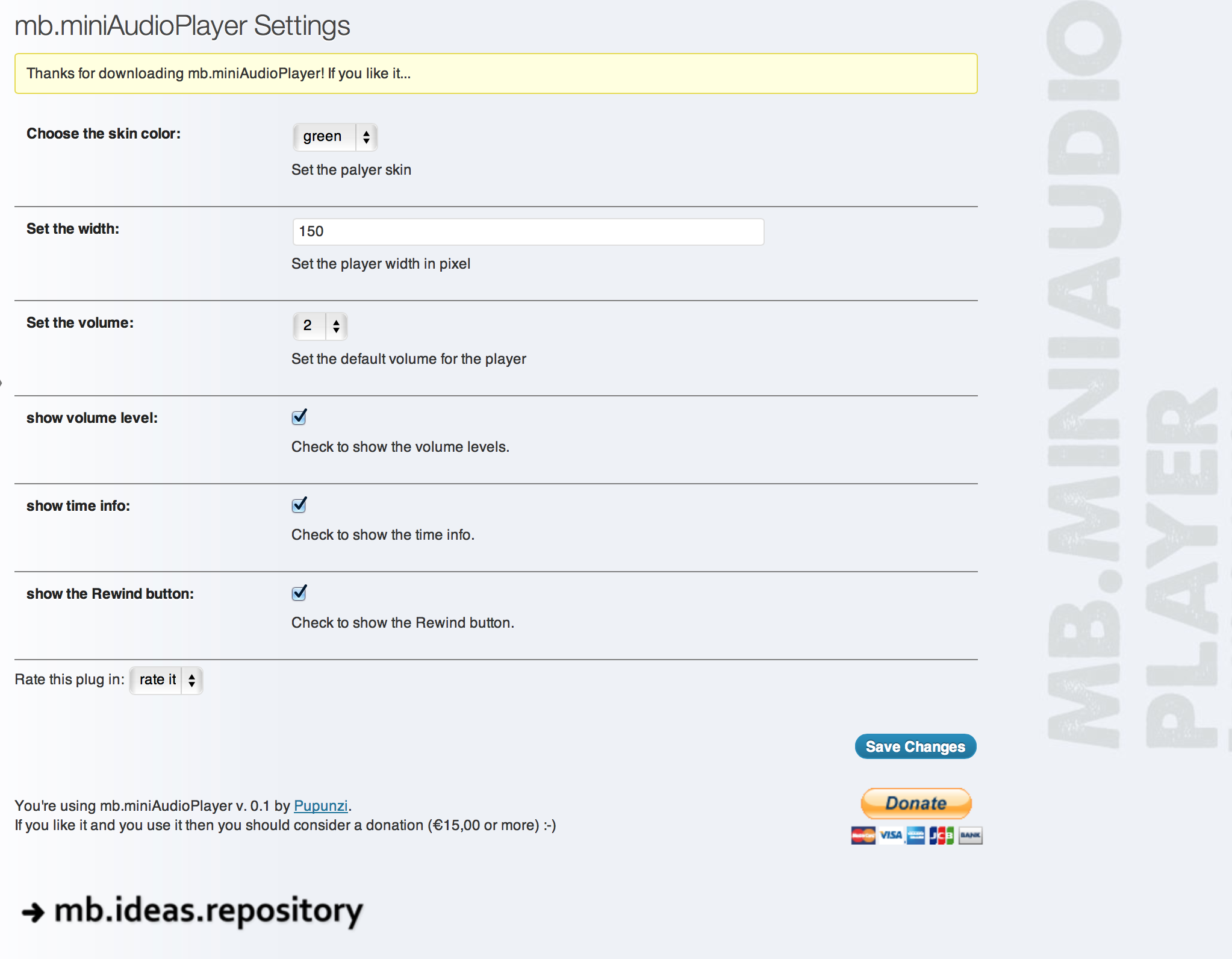
The settings panel.
This plug-in let you transform any mp3 file uploaded inside a post into an essential small HTML5 audio player with:
- volume control
- seeking control
- title bar
- rewind button
- mute button
- play button
Watch this video to learn how to customize your player using the on line Skin Maker too:
Important!
From version 1.5.8 the CSS has been changed; for all the one how have customized the skin they need to recreate their skin from here.
Links:
- demo: http://pupunzi.com/mb.components/mb.miniAudioPlayer/demo/demo.html
- video: http://youtu.be/B8Dr4aUNGgo
- pupunzi blog: http://pupunzi.open-lab.com
- pupunzi site: http://pupunzi.com
From version 1.4.x you can customize your player appearance by using the on-line miniAudioPlayer Skin Editor.
If you are using others HTML5 audio plugins (like Haiku) there could be conflicts with mb.miniAudioPlayer. You should deactivete the others befor using it.
Other WP plugins:
- wp-YTPlayer. A Chromeless video player to play your Youtube videos as background of any WP page or post.
https://wordpress.org/extend/plugins/wpmbytplayer/
How it works:
- Activate the mb.miniAudioPlayer plugin via the WP plugin panel;
- Edit a post or a page, click on the Upload/Insert media link and choose an mp3 file;
- place it into the post wherever you want to show the player.
- save the post and browse it; the player will show instead of the link at the file.
to change the player default settings go to the mb.miniAudioPlayer settings panel (you can find it under the “settings” section of the WP backend).
Options:
- @ width = (int) the width in pixel of the player once opened.
- @ skin = the color of the player interface (black, blue, orange, red, gray and green).
- @ volume = (int) the initial volume of the player.
- @ showVolumeLevel = a boolean to show or hide the volume control.
- @ showTime = a boolean to show or hide the time counter.
- @ showRew = a boolean to show or hide the rewind control.
- @ autoPlay = (available only for the TinyMCE editor plugin) a boolean to set in play the player once the page is loaded.
- @ downloadable = a boolean to show the download button next to the player.
- @ excluded = a string containing the CSS class for audio links that should not be converted into player.
Ubuntu Chromium issue
Due to some codecs missing in the default Ubuntu Chromium install the player will not work. This problem can be resolved by simply installing that codecs via console:
sudo apt-get-install chromium-codecs-ffmpeg-extra
After that your player should work fine.


