
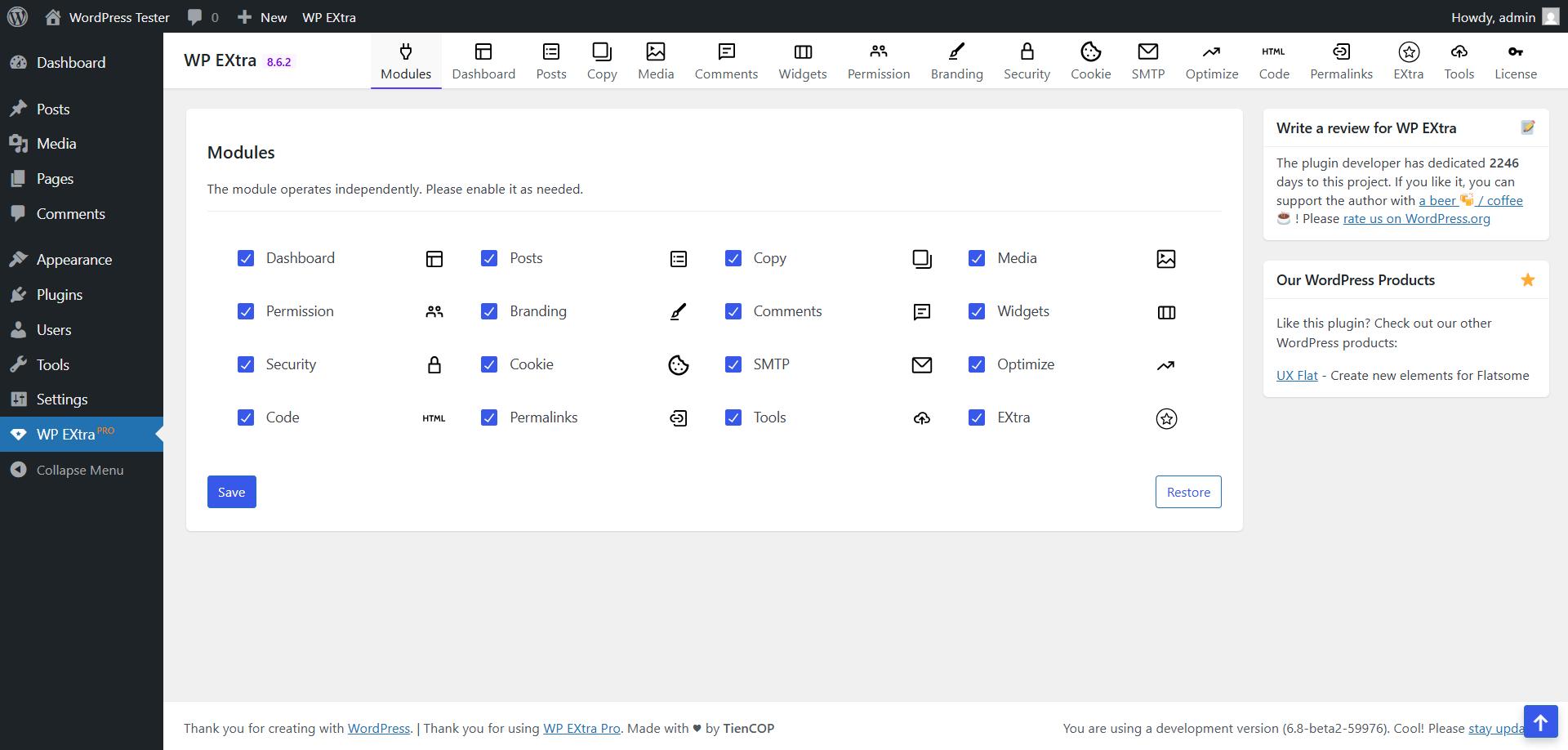
WP EXtra Dashboard.
🚀 Boost your website’s functionality, security and SEO with WP EXtra – the all-in-one tool for WordPress users!
Unlock all features with WP EXtra Pro.
FEATURES & MODULES
16 group (140 modules) in total: 100 free modules | 40 Pro modules
Many of the WP EXtra’s options can be applied by simply toggling them on. Here’s a quick look at a few we recommend utilizing:
🌟 Module Dashboard
Replace the default WordPress dashboard widgets with your own and give the WordPress dashboard a more meaningful use.
WP EXtra is a clean & lightweight plugin that was made to optimize the user experience for clients inside the WordPress admin area.
- Remove dashboard widgets
- Create your own widgets
- Remove “Help” tab
- Remove “Screen Options” tab
🌟 Module Posts
This plugin is intended for more advanced users that would like to change the default TinyMCE configuration in WordPress.
It makes it very easy to add, remove or change all TinyMCE settings for the classic editor and for the classic block in the block editor.
- Justify
- Unlinks
- [VA] Letter Spacing
- [Aa] Change Case
- Table
- Visual Blocks
- Search Replace
- Add rel=nofollow & sponsored
- Clean HTML
- Table of Contents
🌟 Module Media
- Automatically keep the all remote picture to the local media libary when you publishing posts, and automatically set featured image.
- Automatically add Image attributes such as Image Title, Image Caption, Description And Alt Text from Image Filename.
- Automatically resizes uploaded images (JPEG, GIF, and PNG)
- Disable thumbnail sizes, default WordPress sizes and theme/plugins image size and others image advanced control.
- And more powerful functional is waiting for you.
🌟 Module Comments
WP EXtra plugin blocks 100% of automatic spam messages in comments section and also blocks all trackbacks. No captcha required.
- Hide all comments
- Hide comments media
🌟 Module Branding
Make your client’s experience better when you use WP EXtra to rebrand the WordPress login page. Our plugin lets web developers and agencies make a custom login page for their clients to use every time they use WordPress.
- Customizes Admin URL
- Custom background image
- Custom branding logo
- Login box on the left or right
- Transparent login box
- Rounded corners
- Hide/change WordPress links
🌟 Module Site Admin
- Hide / Auto-hide admin bar on the frontend for all or some user roles.
- Customize the order of the admin menu and optionally change menu item title or hide some items.
- Hide plugins from the Plugins screen in the admin
- Add custom branding image above the admin menu
🌟 Module Security
Safeguard your WordPress application using our powerful site security toolset. Our comprehensive features are specifically designed to strengthen your website’s defenses against malware, exploits, and various malicious activities. With these tools at your disposal, you can ensure the utmost bot, malware and brute force protection for your website:
- Lock and Protect System Folders
- Hide WordPress Version
- Disable Themes & Plugins Editor
- Disable REST API access
- Disable XML-RPC access
- Disable Embed scripts
- Disable WLW Manifest scripts
- Disable Right Click
- Disable Image Dragging by Mouse
🌟 Module Cookie
WP EXtra is a simple that helps to display cookie notice on your WordPress website. It helps to show your complies with EU GDPR cookie law and CCPA regulations. It is a lightweight plugin that comes with three different layouts.
- Simple & light-weight.
- Choose placement to display notice.
- Custom message support.
- Color options for notice.
- Display/Hide close button.
- Set cookie expiration date.
🌟 Module SMTP
To access all the mail services you need professional mail addresses. The mail services you can use through this plug-in:
- MailGun SMTP [5,000 free email /per month for 3 months]
- Gmail SMTP [10000 free email/per month]
- Hotmail
- Yahoo
- AWS SES
- ZOHO Mail
- Sendgrid
- Sendinblue
- Outlook
🌟 Module Optimize
- Minify HTML will help in Compacting HTML code, including any inline JavaScript and CSS contained in it,can save many bytes of data.
- Instead of reloading the full page every time a user navigates your site, enable Turbolinks! Turbolinks will reload only the necessary parts of the site and even pull in additional JavaScipt and CSS.
🌟 Module Code
Customize your WordPress site’s appearance by easily adding custom CSS and JS code without even having to modify your theme or plugin files. This is perfect for adding custom CSS tweaks to your site.
- Text editor with syntax highlighting
- Print the code inline or included into an external file
- Print the code in the header or the footer
- Add CSS or JS to the frontend or the admin side
- Add as many codes as you want
- Keep your changes also when you change the theme
🌟 Module Tools
You can transfer the saved options data between different installs by copying the text inside the text box. To import data from another install, replace the data in the text box with the one from another install and click “Import”.
- Duplicate Post Type
- Duplicate Taxonomy
🔥 WP EXtra Pro
Lifetime Deal (LTD) is available at WP EXtra Pro.


