The WP Express Checkout plugin allows you to sell any type of products and services from your WordPress powered site easily using fast checkout options from PayPal and Stripe. Install the plugin, configure some basic settings, create a few products and you are ready to sell products and services from your site. The checkout process is quick and easy.
This plugin gives you shortcodes to generate customizable payment buttons that allow customers to pay for items instantly via a payment popup window. Customers can pay using PayPal, Stripe, or a credit card. It uses the newest/latest Checkout APIs for both services.
Additionally, this plugin provides a product block that seamlessly integrates with the WordPress block editor, enabling you to easily incorporate products into your website.
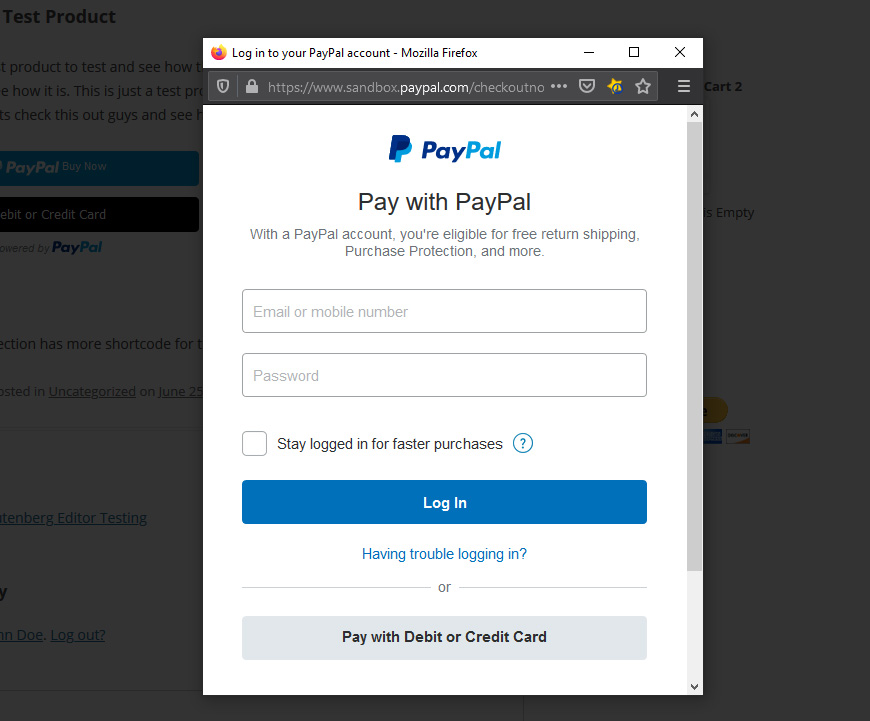
The PayPal checkout takes place in a payment popup window and the customer never leaves your site. It creates a fast and elegant checkout experience.
This is ideal for users who want a lightweight and simple solution for selling products or services via PayPal and Stripe.
Checkout Demonstration
Great for Selling Digital Downloads
If you want to sell digital products using PayPal or Stripe then you will love the simplicity of this plugin. You can configure it to expire the download links after it has been used a few times or after a certain period of time.
Works with PayPal’s Buy Now Pay Later Feature
This plugin works with PayPal’s Pay in 4 (Buy Now, Pay Later) feature also. It lets your customers pay later in 4 installments.
Basic Setup and Usage Video
Usage Documentation
View configuration and usage details on the WP Express Checkout plugin’s documentation page.
Features
- Offer fast, secure checkout using both PayPal Checkout and Stripe Checkout from the payment popup.
- Sell products or services using a quick and easy checkout process.
- Accept payments via PayPal (PayPal account, credit card, debit card, Pay in 4, Venmo etc.).
- Accept PayPal donations with minimum donation amount limit.
- Accept payments via Stripe (credit card and other payment methods).
- Support for Apple Pay, Google Pay, and other Stripe-supported payment methods.
- Sell downloads, files, or any digital goods.
- Sell music, video, ebook, PDF or any other digital media files.
- Shop page that will list all your products in a grid view. Users can browse your products and purchase it.
- Allow the customers to automatically download the file once the purchase is completed via PayPal or Stripe.
- You can deliver the digital downloads using encrypted download links that expire automatically.
- Ability to enable force download option on your digital products.
- Option to offer downloads via a non-web accessible local file path, instead of a URL, to enhance download security.
- Offer Buy Now Pay Later payment option to your customers (via PayPal).
- Accept Payments via Venmo (through PayPal) easily.
- View the transactions from your WordPress admin dashboard.
- Option to configure a notification email to be sent to the buyer and the seller after the purchase.
- Option to customize the purchase notification email on a per-product basis.
- Ability to set a product thumbnail for a product.
- Use a simple shortcode to add a payment button anywhere on your site.
- Create a payment button widget and add it to your site’s sidebar.
- Ability for a customer to enter an amount and pay what they want for a product.
- Ability to configure variable products. You can charge different amount for different options of the product.
- It can be used to accept donations on your site.
- Option to configure a minimum donation amount so the customers have to pay a minimum amount for donation.
- Option to customize the currency formatting.
- Stock control option. You can limit the number of quantity available for a product.
- Option to charge shipping for your items. Ability to set a shipping cost for each item separately.
- Option to charge tax for your items.
- Option to configure discount coupon codes.
- Option to give a free product using 100% discount coupon code (offer complimentary product).
- Option to configure terms and conditions before checkout.
- You can see all the orders within your WordPress admin dashboard.
- Option to customize the Thank You page.
- Option to create product categories and apply it to some products.
- Option to create product tags and apply it to certain products.
- Option to export the orders data to a CSV file.
- Ability to configure the download links to expire after X number of hours.
- Ability to configure the download links to expire after X number of clicks.
- Option to test it on PayPal Sandbox mode before going Live.
- Option to use manual/offline checkout
- Option to Integrate it with WooCommerce to offer product checkout via PayPal’s express checkout system.
The setup is very easy. Once you have installed the plugin, all you need to do is enter your PayPal and/or Stripe API credentials in the plugin settings and your website will be ready to accept fast payments via both services.
You can also accept payment using PayPal’s Pay in 4 feature (buy now pay later offering). Read the Buy Now, Pay Later Tutorial to learn more.
Optional WooCommerce Integration
There is also an option for WooCommerce. So you can use this plugin to add the new PayPal Express Checkout gateway to WooCommerce.
Please note that the integration with WooCommerce is entirely optional. It is important to highlight that this plugin is primarily designed for standalone use and does not depend on WooCommerce.
Shortcode
This plugin adds the following shortcode to your site:
[wp_express_checkout id="123"]
Where 123 is the product ID.
Or use the following shortcode to output product details and the express checkout payment button:
[wp_express_checkout id="123" template="1"]
Additionally, you have the option to utilize the product block for adding a product into the post or page editor.
Usage
View this usage documentation page for additional info.