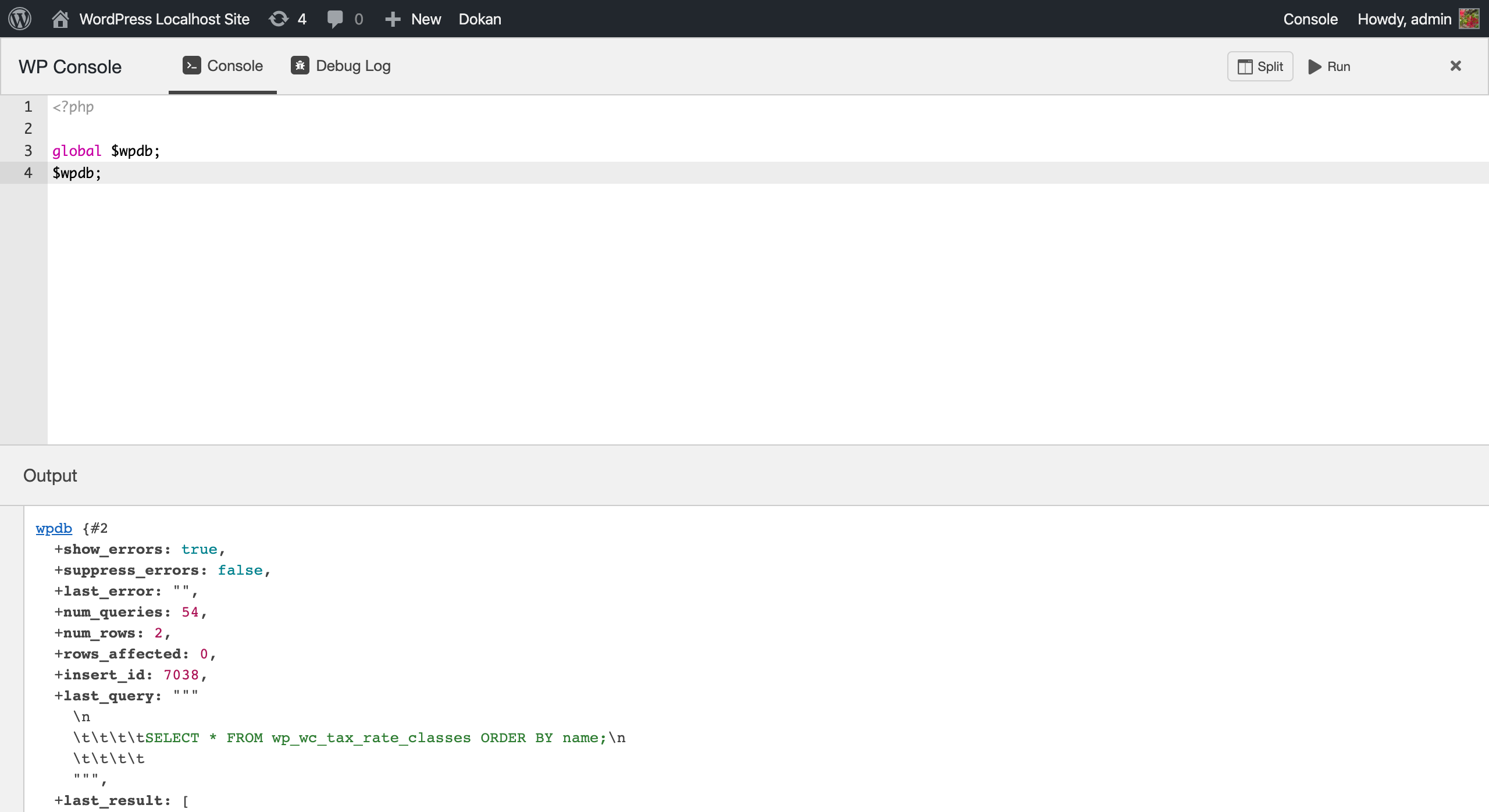
Basic input output
WP Console brings the renowned PsySH directly to your browser. PsySH serves as a runtime developer console, an interactive debugger, and a PHP REPL (Read-Eval-Print Loop).
To utilize WP Console, simply write your code within the code editor, then press Cmd-Enter (mac) or Ctrl-Enter (win/linux) to instantly view the output in your browser.
Moreover, you have the option to employ PsySH alongside wp-cli by executing the command wp shell. Notably, wp-cli comes with inherent compatibility for psysh. All that is required is the activation of WP Console to leverage this feature.
Features
- Powerful code editor powered by Ace Editor.
- Real-time autocompletion for PHP core and WordPress functions, complete with placeholders.
- Introducing
_dumpas a more versatile alternative tovar_dump, leveraging the capabilities of Symfony VarDumper. - Instant access to debug.log contents, with the added convenience of clearing them directly from your browser.
- Enhanced shell experience courtesy of psySH, facilitating advanced interaction through
wp shell. - Customizable code snippet functionality, compatible with VS Code supported code snippets. Explore examples like these WooCommerce snippets.
Please note that certain PsySH commands, such as ls, doc, show, and magic variables like $_, $__class, are not currently supported in the browser console.
👉 WP Console uses Gutenberg packages and components to ensure a seamless and user-friendly UI/UX.
Getting Started
To begin using the plugin, follow these steps:
- Activate the plugin within your WordPress setup.
- Look for a quick link labeled “Console” in the WP Admin Bar on the right-hand side (see the second screenshot below).
- Click on the “Console” link to access the WP Console panel.
Security Concern
WP Console explicitly verifies the presence of the manage_options permission to render the user interface and execute various functions. However, it’s important to note that this plugin is not intended for use on a production server.
Other Plugin
Working with the block or the block editor? Checkout CSS Class Manager – An advanced autocomplete additional css class control for your blocks.