
Add shipment tracking numbers to orders from the Edit Order page with carrier selection and tracking number fields.
Advanced Shipment Tracking (AST) helps WooCommerce store owners add tracking numbers to orders and automatically share them with customers. When you ship an order, your customer gets a tracking link in their email and on their My Account page — reducing “Where is my order?” support tickets and keeping shoppers informed from checkout to delivery.
Trusted by 60,000+ WooCommerce stores, AST makes order fulfillment faster and your customers happier.
Why Store Owners Choose AST
Whether you ship 5 orders a day or 5,000, AST fits into your workflow:
- Add Tracking Numbers Easily — Add one or multiple tracking numbers per order directly from the Edit Order page or the orders list.
- “Shipped” & “Partially Shipped” Statuses — Rename the default WooCommerce “Completed” status to “Shipped” and use “Partially Shipped” for split shipments, so customers always know what’s going on.
- Customizable Tracking Widget — A responsive tracking info display appears in order emails and on the My Account > Orders page. Customize colors, layout, and content with a live preview customizer.
- 850+ Shipping Carriers Worldwide — Predefined tracking links for carriers like USPS, UPS, FedEx, DHL, Royal Mail, Australia Post, Canada Post, Delhivery, ePacket, and hundreds more. View the full carrier list.
- Shipment Tracking REST API — Let third-party shipping services, ERPs, and label generators push tracking data to your orders via the WooCommerce REST API. API documentation.
- Bulk CSV Import — Upload a CSV file to add tracking numbers to hundreds of orders at once. Perfect for high-volume stores and dropshippers. CSV import guide.
Upgrade to AST PRO for Advanced Fulfillment
Need more power? AST PRO adds features built for high-volume and multi-channel stores:
- Shipping Service Integrations — Built-in connections with ShipStation, WooCommerce Shipping, Ordoro, Royal Mail Click & Drop, Sendcloud, Pirate Ship, Stamps.com, Printful, and more.
- Fulfillment Dashboard — Manage all shipments from a centralized dashboard.
- Item-Level Tracking — Assign tracking numbers to individual order items and quantities.
- Custom Email Templates — Enhanced, responsive email notifications with the built-in tracking widget.
- Auto-Detect Carriers — Automatically identify the shipping carrier based on the tracking number format.
- Custom & White-Labeled Carriers — Define your own shipping carriers with custom names, logos, and tracking URLs.
- Automated CSV Import via FTP/SFTP — Schedule recurring bulk imports.
- PayPal Tracking Sync — Automatically export tracking data to PayPal to reduce disputes and release payment holds.
- Priority Support — Get faster, dedicated assistance.
Works With Your Existing Plugins
AST is tested and compatible with popular WooCommerce plugins, including shipping label generators, email customizers (Kadence, YayMail, WP HTML Mail), custom order number plugins, multi-vendor solutions (Dokan), SMS notification plugins, and PDF invoice tools.
Translations
AST is fully translatable and already available in English, German, Hebrew, Hindi, Italian, Norwegian, Russian, Swedish, Turkish, Bulgarian, Danish, Spanish, French, Greek, Portuguese (Brazil), and Dutch.
Want to help? Submit a translation.
Documentation & Support
Step-by-step setup guides, tutorials, and developer code snippets are available in the AST documentation.
Need help? Visit the support forum.
Automate Tracking Updates with TrackShip
Want to go beyond adding tracking numbers? TrackShip for WooCommerce monitors your shipments in real time across 850+ carriers and proactively notifies your customers at every stage — in transit, out for delivery, and delivered.
With TrackShip you can:
- Reduce “Where is my order?” inquiries with automatic delivery updates via email and SMS.
- Offer a branded tracking page on your store instead of sending customers to carrier websites.
- Automate order status updates based on actual shipment events.
- Analyze shipping performance and delivery times.
More Plugins by Zorem
- Zorem Local Pickup Pro — Local pickup and store pickup for WooCommerce.
- SMS for WooCommerce — Send SMS order notifications to customers.
- Country Based Restriction for WooCommerce — Restrict products, shipping, and payment by country.
- Customer Email Verification for WooCommerce — Verify customer emails during registration.
- Sales By Country for WooCommerce — Visualize sales data by country.
- Zorem Returns — Manage product returns and RMA.
- Email Reports for WooCommerce — Automated email sales reports.
- View as Customer for WooCommerce — Preview your store as a specific customer.
Explore all plugins at zorem.com.
How It Works
- Install and activate AST.
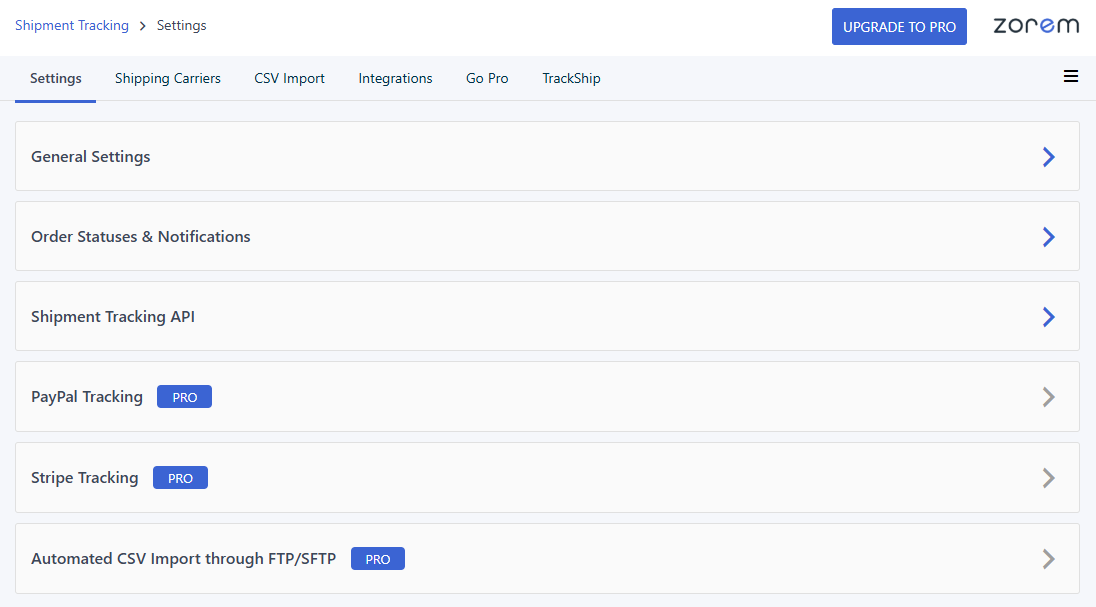
- Select your default shipping carriers from the settings page.
- Add a tracking number to an order — manually, via CSV, or through the REST API.
- AST automatically includes the tracking info and a “Track” link in the order email and the customer’s My Account page.
That’s it. No complex setup, no external accounts required.


