
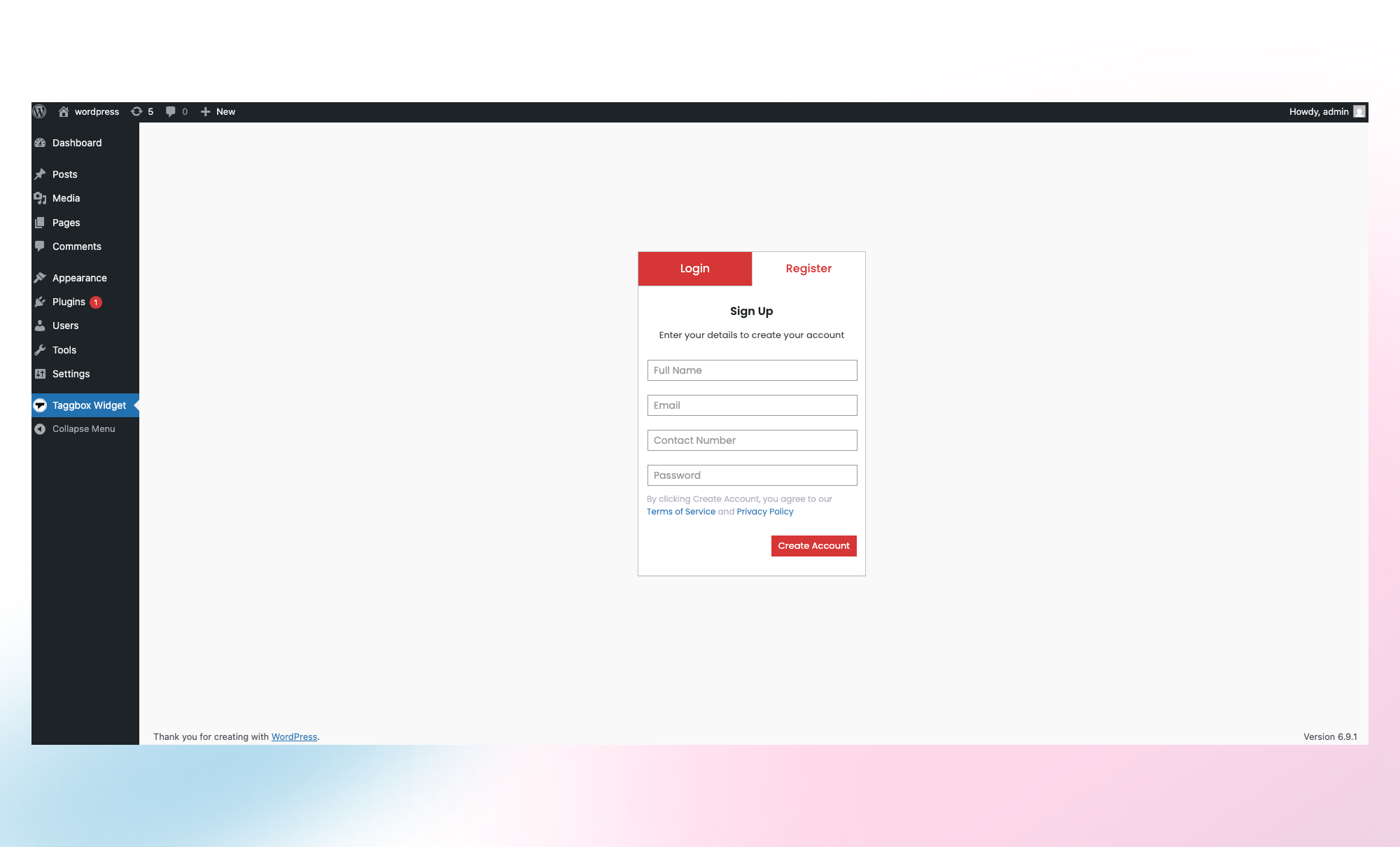
Register your account on Taggbox.
Collect. Curate. Publish.
Taggbox is a UGC (User-Generated Content) platform that works as a social media and reviews widget for WordPress. It allows you to collect, curate, and display user-generated content, reviews, and social media feeds directly on your website.
The plugin helps you embed content from various social media and review platforms into your WordPress site through a single dashboard. Instead of manually collecting and embedding posts or reviews, you can connect your source, configure your feed, and display it using the provided embed options.
Features
* Collect content from multiple social media platforms
* Aggregate reviews and ratings from supported review platforms
* Moderate and manage content from a centralized dashboard
* Embed social feeds and review widgets into WordPress pages and posts
* Customize display layouts to match your website design
Taggbox enables website owners to showcase social media content and customer reviews in one place, making it easier to manage and publish user-generated content on their WordPress website.
Top Social Media & Review Networks:
*Instagram Widget (Hashtag, Mention, Handle, Stories, Reels)
* Facebook Widget (Page, Album, Reviews)
* TikTok Widget
* YouTube Widget (Shorts, Playlists)
* Twitter (X) Widget
* LinkedIn Widget
* Pinterest Widget
* RSS Widget
* Vimeo Widget
* Flickr Widget
* Google Reviews Widget
* Yelp Widget
* Airbnb Widget
* Facebook Reviews Widget
* Amazon Reviews Widget
How It Works – 4 Simple Steps
1. Collect: Select your source, from social media platforms, to get started.
2. Customize: Select a theme, layout, and design that aligns with your brand.
3. Moderate: Choose which posts or reviews to embed and remove duplicate and negative UGC with our moderation features.
4. Publish: Copy the shortcode and paste it on your WordPress site.
No coding required. Everything updates automatically.
Key Features
- Customizable Widgets – Customize layouts, fonts, colors, and themes to match your website design.
- Content Moderation – Filter and manage posts with duplicate removal and moderation tools.
- Analytics – Track engagement and performance metrics.
- Multiple Widget Types – Display social feeds, videos, and reviews in one place.
- Fast & SEO-Friendly – Optimized for speed, responsiveness, and search visibility.
Benefits of Using Taggbox
- Boost Credibility – Display real customer content and reviews to build trust.
- Increase Conversions – Turn user content into shoppable experiences.
- Save Time – Automatically collect and update social media content.
- Enhance Engagement – Keep your site fresh with live social feeds.
- Stay On-Brand – Fully customizable widgets to match your website style.
- SEO Benefits – Add fresh content that improves search visibility.
- Build Community – Encourage customers to share and engage with your brand.
The Big Win
With Shoppable UGC, you’re not just showcasing content. You’re transforming it into your most persuasive, cost-free sales tool, blending authenticity and action in just two clicks.
This isn’t just content. This is commerce powered by trust.
Embed Social Media Widgets on Your WordPress Site with Taggbox.
How to embed an Instagram Hashtag Widget on a WordPress Website?
- Open the Taggbox app and register with us.
- Quickly head over to the ‘Social Network’ option and go to the ‘Content Gallery’ section.
- Click on Add widget & select network as Instagram Business to collect the Instagram Hashtag widget.
- Select your Instagram widget & choose ‘Hashtag’ as the source type to collect Instagram hashtags according to your preferences.
- Choose a Theme (Recommended – Story Theme), then personalize the Instagram widget style using card-style settings & use our auto-pilot feature, which filters the Instagram widget to display only relevant & genuine Instagram content on your WordPress website.
- Click on the Customize and Publish section to preview the Instagram widget or Instagram Hashtag widget & then copy the ShortCode to embed the Instagram widget on WordPress.
- Paste the shortcode on your desired page or post & update it to embed the Instagram Hashtag Widget successfully.
- If you head over to the Home bar, you can also check your top-performing galleries, as you have multiple and choose where you’d like to publish your gallery.
How to Embed an Instagram Reels on your WordPress Website?
- Open the Taggbox app and register with us.
- Select the ‘Social Network ‘ section and choose Instagram as your source. Then, head over to the ‘Content Gallery’ section.
- And click on the ‘Add Feed’ Section.
- Furthermore, select “Reel” as the source.
- Now, choose a Theme (such as Story Theme) and customize and moderate your Instagram widget.
- Click on the Customize and Publish section, and preview the Instagram Reel widget, & Copy the code to embed Instagram Reels on WordPress.
- Paste the shortcode on your desired page or post & update it to embed the Instagram Reels Widget successfully.
How to Embed a Facebook Widget on a WordPress Website?
- Open the Taggbox app and register with us.
- Quickly head over to the ‘Content Gallery’ section.
- And click on the ‘Add Feed’ Section.
- Select the network as Facebook to collect Facebook widgets.
- Select your Facebook widget filter connection type from: Facebook Page, Facebook Page, Reviews, Facebook Album, etc, to fetch Facebook widgets as per your preference.
- Now, choose a Theme (such as Story Theme) and customize and moderate your Facebook widget.
- Click on the Customize and Publish Section to preview the Facebook widget & Copy Shortcode to embed the Facebook widget on WordPress.
- Paste the Litecode on your desired WordPress page or post & update it to embed the Facebook widget successfully.
How to Embed a TikTok Widget on your WordPress Website?
- Please register with us and open the Taggbox app.
- Click on the Collect Content section and name your ‘gallery’. Save it.
- Choose TikTok as a source from the ‘All Network’ or ‘Social Network’ tab.
- Now, enter the TikTok widget type & click on the “Create widget” button
- All the posts will be fetched & displayed in the moderation section.
- Choose a theme like photo gallery, video slider, or photo slider
- Now choose the post you want to display on your TikTok widget.
- You can also turn all your Tiktok content shoppable by heading to the ‘Apps & More’ section and clicking on the ‘Shoppable’ tab.
- Click on Customize and Publish & copy the litecode.
- Paste it on the backend of the website where you want to display the TikTok widget.
Note: The ‘Shoppable’ feature is only available for advanced plans, not the free plan.
How to Embed a YouTube Widget on your WordPress Website?
- Open the Taggbox app and register with us.
- Quickly head over to the ‘Content Gallery’ section.
- And click on the ‘Add Feed’ Section.
- Select the network as YouTube to collect YouTube Videos.
- Select your YouTube widget filter connection type from options such as YouTube Channel, YouTube Playlist, YouTube Shorts, and more, to fetch YouTube videos according to your preferences.
- Choose a theme, personalize the YouTube Gallery Widget style, and filter YouTube videos to display on your website.
- Click on the Display tab Section to preview the YouTube Gallery & Copy ShortCode to Embed YouTube Video Gallery Widget on WordPress.
- Paste the code on your desired page or post & update it to embed the YouTube Video Gallery successfully.
How to Add a Twitter Widget to a WordPress Website?
- Open the Taggbox app and register with us.
- Quickly head over to the ‘Content Gallery’ section.
- And click on the ‘Add Feed’ Section.
- Click on “Add widget & select “Twitter” to collect Twitter widgets.
- Select your Twitter widget filter connection type from: Twitter handle, Twitter hashtag, Twitter List, Twitter Favorites, Twitter Advanced (Query), etc., to fetch Twitter widgets as per your preference.
- Choose a Theme from 10+ Layouts, Personalize Twitter widget style & filter Twitter widgets as per your requirement to display only relevant & genuine Twitter widgets on the WordPress website.
- Click on the Customize & Publish tab and preview the Twitter widget, as well as the litecode to embed it on your site.
- Paste the code on your desired page or post & update it, and then embed the Twitter Widget successfully.
How to Add a LinkedIn Widget to your WordPress Website?
- Open the Taggbox app and register with us.
- Quickly head over to the ‘Content Gallery’ section.
- And click on the ‘Add Feed’ Section.
- Choose LinkedIn to collect LinkedIn widgets.
- Select your LinkedIn widget filter connection type from: LinkedIn Company Page URL, LinkedIn Post URL, LinkedIn Profile to fetch LinkedIn Posts as per your preference.
- Select the theme and customize it. Moderate the post you want to display.
- Click on the Display tab & preview the LinkedIn Posts & Copy Shortcode to embed the LinkedIn widget on WordPress.
- Paste the code on your desired page or post & update it to embed the LinkedIn widget successfully.
Note: Company Page URL, Profile & Hashtag – For LinkedIn Widget users, this method is only available with the Advanced Plan.
How to Embed Google Reviews Widget on your WordPress Website?
- Please register with us and open the Taggbox app.
- Click on the Collect Content section and name your ‘gallery’. Save it.
- Choose Google as a source from the ‘All Network’ or ‘Review Network’ tab.
- Now, enter the Google reviews widget type & click on the “Create widget” button
- All the posts will be fetched & displayed in the moderation section.
- Choose a theme like Review Carousel, Box, List View, Rating Badge, Vivid, etc.
- Now choose the post you want to display on your Google widget.
- Click on Customize and Publish & copy the litecode.
- Paste it on the backend of the website where you want to display the Google reviews widget on WordPress website.
We have Multiple themes to choose from:
Social Themes
- Modern Card
- Reels
- Gallery Slider
- Classic Card
- Reel Shop
- Horizontal Slider
- Social Card
- Classic Photo
- Horizontal Columns
- Square Photo
- Widget Theme
- Collage
- Single Post
- Story Theme
- Slider
- Vivid
- Ticker
Review Themes
- Review Carousel
- Review Box
- Review List
- Rating Badge
- Badge
- Moder Card
- Classical Card
- Social Card
- Horizontal Columns
- Widget Theme
- Vivid
Our Support
We’re known for quick, helpful support. With 24/7 customer service, we promptly resolve any issues to meet customer expectations. Check topics or ask a new question here: Support Forum
If you still can’t find the answer, feel free to email us support@taggbox.com
To find out more about who we are & what we do, here are some useful links:
Taggbox official website
Blogs
Templates
Privacy Policy
Terms of Service
External services
1. Intercom
This plugin connects to Intercom, a third-party customer communication platform, to provide customer support and assistance within the plugin dashboard. The Intercom widget allows users to contact the Taggbox support team directly from the plugin interface.
What the service is used for
The Intercom widget is used to provide customer support and help users communicate with the Taggbox support and customer success teams.
What data is sent and when
When the plugin dashboard loads, the Intercom widget may collect and process limited technical information required to operate the support service. This may include:
* Browser information
* Device information
* Usage data related to plugin interaction
* Technical data required to load the support widget
No personal data is sent unless the user voluntarily provides information through the support chat.
Data is only transmitted when a user opens the plugin dashboard where the Intercom support widget is loaded.
Service Provider
Intercom, Inc.
Service Links
- Intercom Terms of Service
https://www.intercom.com/legal/terms-and-policies - Intercom Privacy Policy
https://www.intercom.com/legal/privacy - Taggbox Privacy Policy
https://taggbox.com/privacy-policy/ - Taggbox Terms of Service
https://taggbox.com/terms-of-service/
2. Tagembed API
This plugin connects to the Tagembed API, a service operated by Taggbox, to allow users to create widgets, connect social media sources, and display collected content on their WordPress website.
=What the service is used for=
* Create and manage widgets
* Connect social media and review sources
* Collect and aggregate social media content
* Retrieve and display that content on the website
=What data is sent and when=
The plugin sends requests to the Tagembed API when users interact with the plugin dashboard. This may include:
* Account information required to create or access a Tagembed account
* Widget or feed configuration details
* Website domain information
* Requests required to retrieve feed content
Data is transmitted when:
- A user creates or logs into a Tagembed account through the plugin
- A user creates or manages a widget or feed
- A widget loads on the website to display content
Service provider
Taggbox (Tagembed service)
Service links
- Privacy Policy: https://tagembed.com/privacy-policy/
- Terms of Service: https://tagembed.com/terms-of-service/
- Taggbox Privacy Policy: https://taggbox.com/privacy-policy/
- Taggbox Terms of Service: https://taggbox.com/terms-of-service/


