
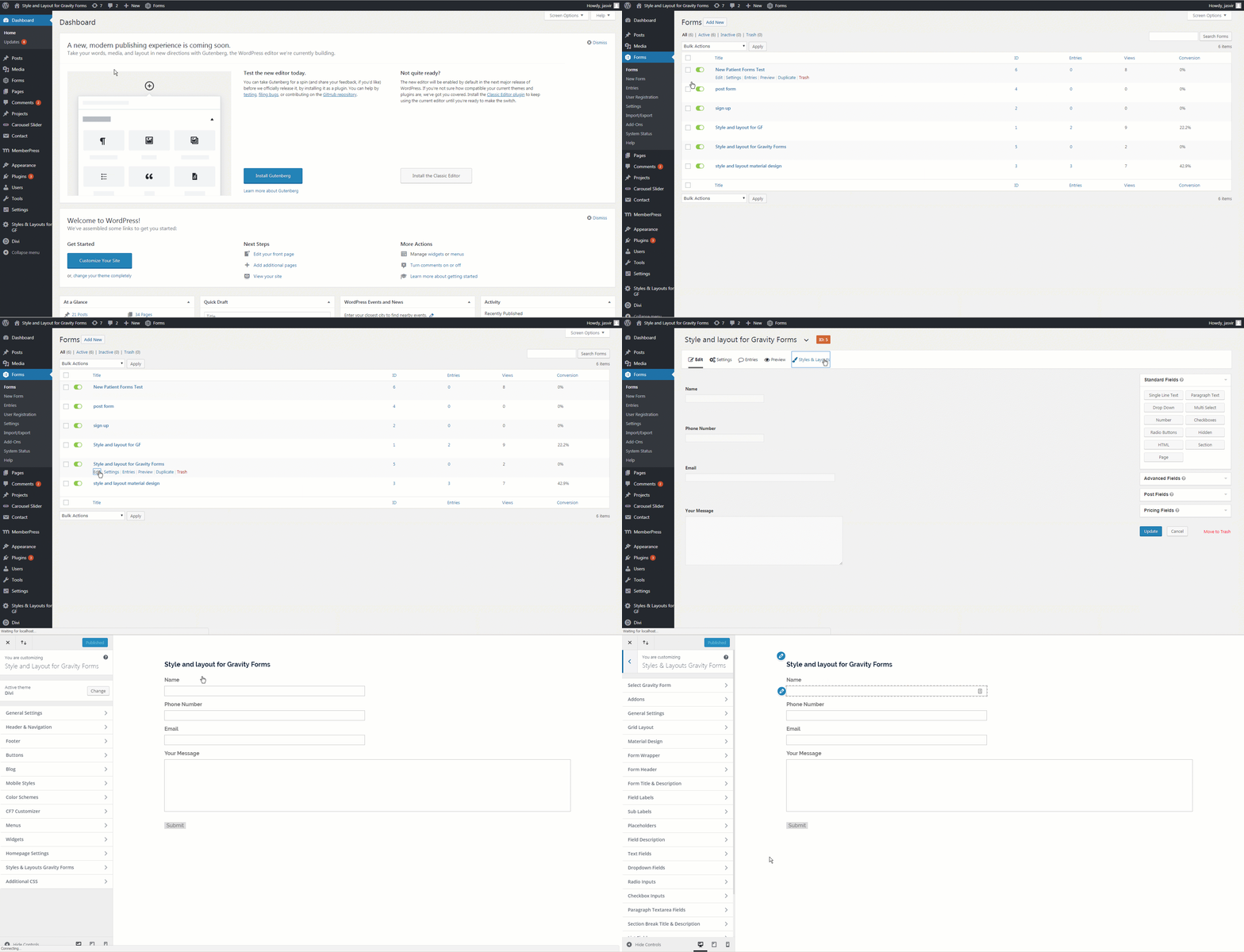
Open Customize window
Introducing Gravity Booster formerly Styles and Layouts for Gravity Forms. It is your all in one solution for styling, customizing and protecting your forms. It you lets you create beautiful designs as well as protect against spam submissions for Gravity forms. It provides you and easy to use interface for designing forms that works with all themes and builders. It is compatible with Divi, Elmentor, Visual composer, Thrive Architect Beaver Builder, Astra, GeneratePress, Oxygen Builder, Avada theme, OceanWP theme, Genesis Framework, The7, Salient and more. The design changes you make with this Gravity Forms Styler plugin are instantaneously visible so, you can see how the form looks in real time.
With Gravity Booster you can not only design forms but use advance spam submssion filtering like keyword blacklisting, email blacklisting, restricting forms to specific user roles. All of this without writing a single line of code.
Styles & Layouts for Gravity Forms Premium Addons:
- AI for Gravity Forms
- Material Design
- Checkbox & Radio Styler
- Bootstrap Design
- Theme Pack
- Tooltips
- Field Icons
- Custom Themes
- Addon Bundle
Powerful Anti-Spam Features (New!)
Gravity Booster now includes built-in spam protection tools to keep your forms clean and secure:
Keyword Blocking
Block spam messages by setting specific keywords (e.g., “SEO service”, “backlink”, etc.). Any form submission containing these will be automatically blocked.
Email Filtering
Deny or allow submissions based on full email addresses or specific email domains. Easily block fake or disposable emails like mailinator.com, etc.
Role-Based Access Control
Restrict form visibility to specific WordPress user roles. You can limit form access to certain roles, ensuring the right users see the right forms.
This functionality helps drastically reduce unwanted form submissions, particularly those caused by bots or spammy marketers.
This Gravity Forms styler comes with 150+ options to customize various parts of form like form wrapper, form header, form title and description, submit button, radio inputs, checkbox inputs, paragraph textarea, labels, section breaks, descriptions, text inputs , dropdown menus, labels, sub labels, placeholders, list fields, confirmation message, error messages and more.
You can set CSS options like background color, font size, font family, borders, width, text alignment, margin, padding, font color, text decoration, text case, font weight, line height and more for all the sections. You are no longer required to use custom CSS codes to create the perfect Gravity Forms design template. The designs created with this plugin will work even if you change your theme. This is only Gravity Forms styler plugin you will ever need.
You can easily create responsive designs like having different font size, widths, line height etc on desktops, tablets and mobile phones.
You can set a different style for each form.
Premium Addons to Extend the Functionality
- AI for Gravity Forms
This addon will add AI capabilities in your Gravity Forms. You can generate AI text on form submission. You can optimize field labels. You can generate AI images on form submission with prompts that support merge tags. It also lets you use OpenAI’s vision capabilities to images uploaded using Gravity Forms File Upload field.
Checkout the below video to have a quick glance of AI for Gravity Forms addon
- Material Design : Online Demo
This addon will add material design to Gravity Form with single click of button. Checkboxes can be converted into material design compatible switch buttons with ripple effect. Color of material design theme can be easily changed using color picker.
Checkout the below video to have a quick glance of Material Design addon
- Checkbox & Radio Styler : Online Demo
This addon lets you change the design of checkbox and radio buttons. There are plenty of design options to customize color, animations and style. You can use solid colors, images , switches or fontawesome icons inside checkbox and radio buttons.
Checkout the below video to have a quick glance of Checkbox & Radio addon
- Bootstrap Design:Online Demo
Bootstrap Design for Gravity Forms removes all the complexity and adds bootstrap to your form with one click . This plugin uses Bootstrap 4. The bootsrap design will be applied to all fields, submit button, error & confirmation messages as well as progress bar.
Checkout the below video to have a quick glance of Bootstrap Design addon
- Theme Pack :
Theme Pack for Styles and Layouts for Gravity Forms has a collection of 30+ beautifully crafted themes. You will no longer need to change settings for each and every element of form. Gravity Forms Theme pack addon is highly configurable as you can modify the form design even after applying a theme. This addon has themes which uses gradient as background.
Checkout the below video to have a quick glance of themes addon
- Tooltips : Online Demo
Tooltips addon lets you add tooltips next to field labels in Gravity Forms from customizer. There are multiple colors, icons, animation effects, position options to make your tooltips look beautiful and resonate with your theme.
Checkout the below video to have a quick glance of Tooltips addon
- Field Icons : Online Demo
Field Icons addon lets you add images as well as fontawesome icons to Gravity Form fields. It supports image and fontawesome icons for phone, single line input, quantity, custom post fields, post tags, post title, date, email, website, address, name and number fields. It will automatically detect all the fields present inside the form and give you the option to set icons for them. You can also change the position of icons from left to right. It also comes with an option to set padding for icon fields so that the form text doesn’t overlap with the icon.
Checkout the below video to have a quick glance of Field Icons addon
-
Custom Themes :
Custom Themes addon for Styles and Layouts for Gravity Forms lets you save your own form designs as themes. You can create unlimited themes and apply them on unlimited forms. This addon will save a lot of time if you want to make two forms with same styling. You are free to modify the form design even after you have applied a theme. -
Addon Bundle:
Addon Bundle is a collection of all the addons of Styles and Layouts for Gravity Forms and you will get it a special discounted price.


