Sticky Menu & Sticky Header
by WebFactory on WordPress.org
Sticky Menu or Sticky Header sticks elements at the top of the screen when you scroll, or create a floating sticky menu or fixed widget.
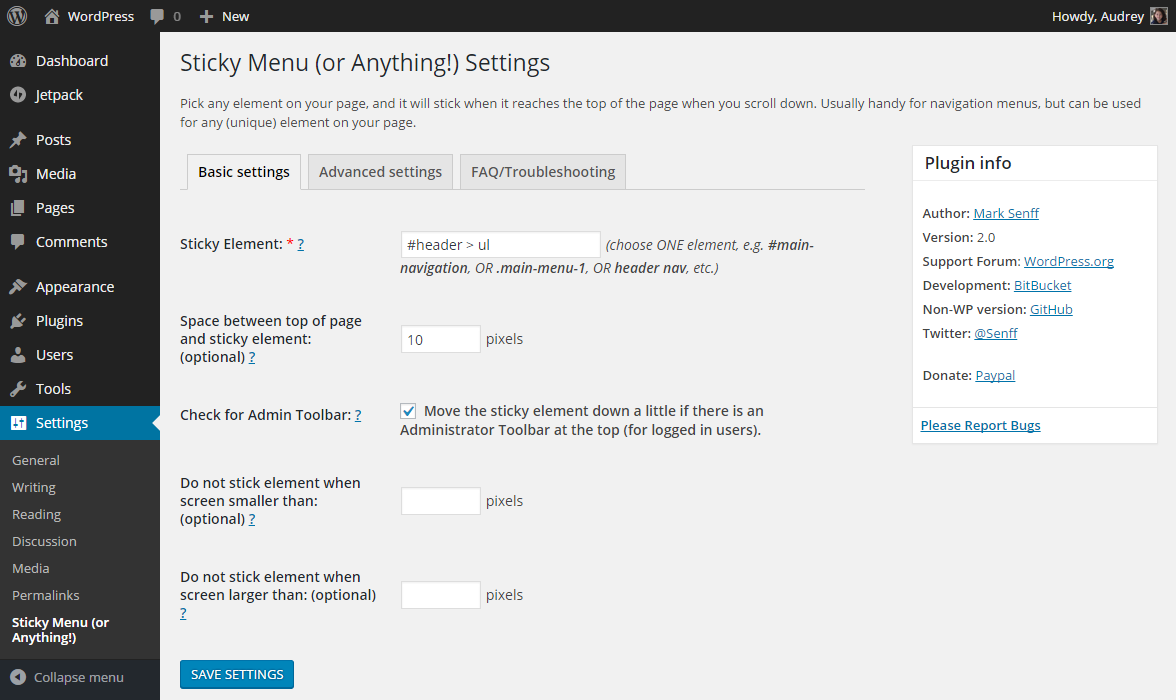
Basic Sticky Menu Settings screen
The WP Sticky Menu (or Sticky Header) On Scroll plugin allows you to make any element on your pages “sticky” as soon as it hits the top of the page when you scroll down. Although this is commonly used to keep menus at the top of your page to create floating menus, the plugin allows you to make any element sticky. Make a sticky header, stick menu, sticky widget (fixed widget), sticky logo, sticky call to action or a floating menu.
You just need to know how to pick the right selector for the element you want to make sticky, and you need to be sure it’s a unique selector. Sometimes a simple selector like “nav”, “#main-menu”, “.menu-main-menu-1” is enough. Other times you will have to be more detailed and use a more specific selector such as “header > ul:first-child” or “nav.top .menu-header ul.main”. If you don’t like messing with any code check out out the visual element picker in WP Sticky PRO.
Features
- Any element can stick: although common use is for navigation menus, or header the plugin will let you pick any unique element with a name, class or ID to stick at the top of the page once you scroll past it. Use it for sticky widget, sticky sidebar, sticky header, sticky menu, sticky header, sticky call-to-action box, sticky banner ad, etc. Need to make multiple elements sticky? Check out WP Sticky PRO.
- Positioning from top: optionally, you can add any amount of space between the sticky element and the top of the page, so that the element is not always stuck at the “ceiling” of the page.
- Enable for certain screen sizes only: optionally, you can set a minimum and/or maximum screen size where the stickiness should work. This can be handy if you have a responsive site and you don’t want your element to be sticky on smaller screens, for example.
- Enable only on some pages: sometimes you don’t want the element to be sticky on the entire site. WP Sticky PRO gives you the option to pick posts, pages, categories, tags and CPTs where you don’t want the element to be sticky.
- Push-up element: optionally, you can pick any other element lower on the page that will push the sticky element up again (for example a sidebar widget).
- Admin Bar aware: checks if the current user has an Admin Toolbar at the top of the page. If it has, the sticky element will not obscure it (or be obscured by it).
- Z-index: in case there are other elements on the page that obscure or peek through your sticky element, you can add a Z-index easily.
- Legacy Mode: in 2.0, a new method of making things sticky was introduced. In Legacy Mode, the old method will be used. See FAQ for details.
- Dynamic Mode: some issues that frequently appear in responsive themes have been address by adding a Dynamic Mode (Legacy Mode only). See FAQ for details.
- Debug Mode: find out possible reasons why your element doesn’t stick by switching on Debug Mode, and error messages will appear in your browser’s console.
Having problems with SSL? Moving a site from HTTP to HTTPS? Install our free WP Force SSL plugin. It’s a great way to fix all SSL problems.
GDPR compatibility
We are not lawyers. Please do not take any of the following as legal advice.
Sticky does not track, collect or process any user data on the front end or in the admin. Nothing is logged or pushed to any 3rd parties. We also don’t use any 3rd party services or CDNs. Based on that, we feel it’s GDPR compatible, but again, please, don’t take this as legal advice.