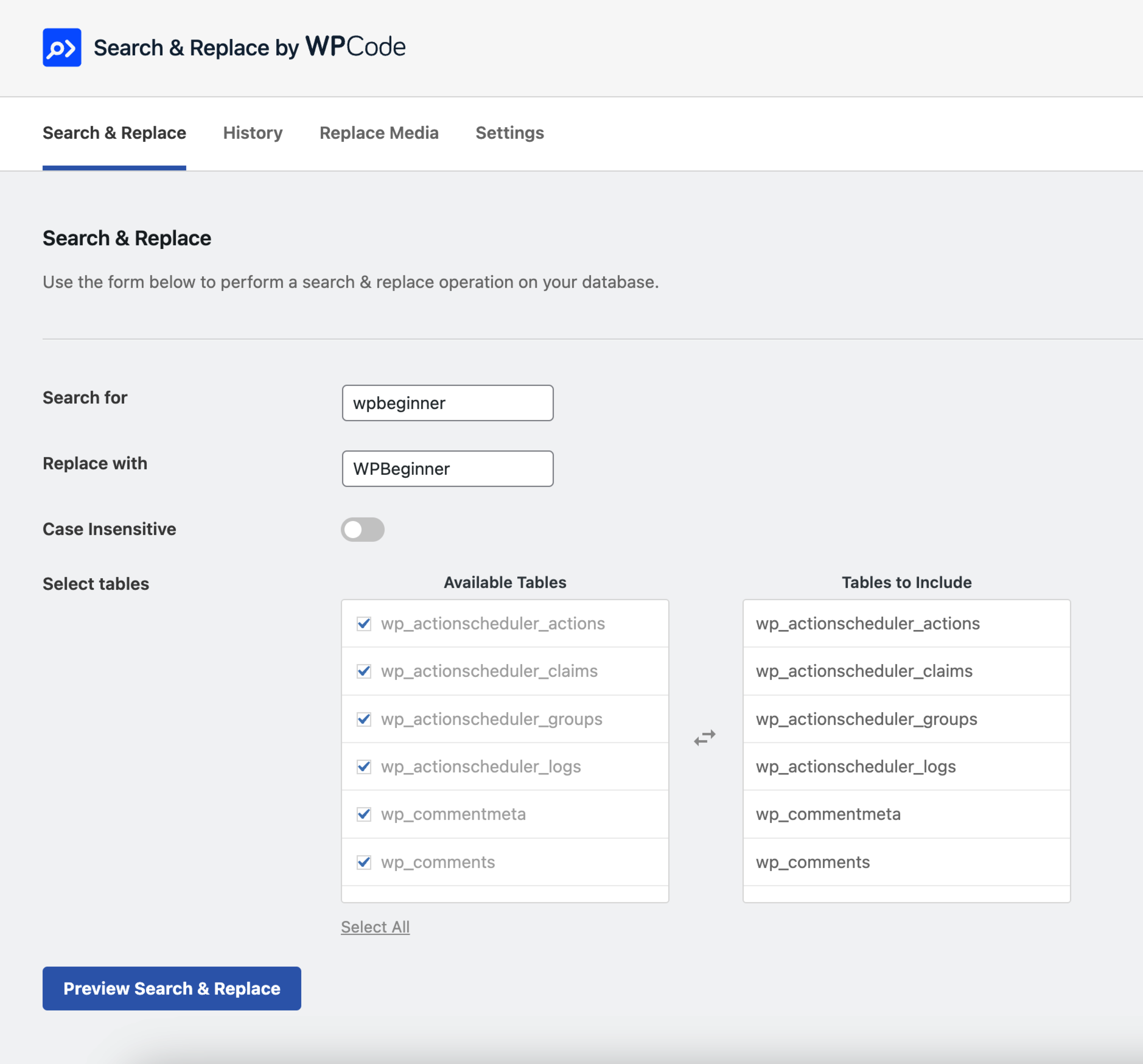
Find and Replace text screen.
Powerful Search & Replace for WordPress
Search & Replace Everything by WPCode enables you to efficiently manage your website’s content directly from the WordPress admin. This tool is essential for site migrations, content updates, or any situation where batch find and replace text and image replacements are needed.
With an intuitive interface, you can perform detailed find and replace operations across your entire database. Select specific tables, toggle case sensitivity, and preview changes before committing. Serialized data is fully supported. Designed to handle large websites, this plugin operates smoothly without the need for external tools.
Features Include
- Text Replacement – Find and replace text across multiple database tables with support for serialized data and options for case-sensitive search.
- Replace Image – Directly replace images from the media library, automatically regenerating thumbnails to ensure visual consistency.
- Replace Media – Manage and replace media files of various formats across your entire site.
- Preview Changes – Always see a “dry-run” preview of the changes to ensure accuracy before applying them.
- Large Sites Supported – Optimized for performance, capable of handling large databases efficiently.
- Table Selection – Choose specific tables to search and replace text, ensuring that only the necessary data is affected.
Introducing Search & Replace Everything Pro
While Search & Replace Everything offers many powerful features for free, we have also created a Pro version that includes advanced features to further improve your workflows like the ability to undo Search & Replace operations and replacing images directly from the Gutenberg editor. Click here to purchase Search & Replace Everything Pro now!
Use Cases
- Site Migrations – Quickly update URLs or any site data when moving your site.
- Content Updates – Easily replace outdated information or bulk update content across posts, pages, and custom post types.
- Image Management – Replace outdated images and avoid duplicate uploads.
- Media Updates – Replace media files in any format across your site.
Tips for Using Search & Replace
Backup Your Database – While the plugin is safe to use, it’s always a good idea to make a backup before making changes.
Common mistakes to avoid when replacing text:
- Partial Matches – Ensure that you’re not replacing partial matches that could affect unintended content. For example, replacing “cat” could affect “category” or “concatenate”.
- Case Sensitivity – Be mindful of case sensitivity when replacing text. If you’re looking to replace “Cat” with “Dog”, ensure that you’re not affecting “cat” or “CAT”.
- URL Replacements – Always use the same format for both the search and replace values. For example if your search term has a trailing slash, ensure that the replacement term also has a trailing slash. E.g., “example.com/” to “example.net/” instead of “example.com/” to “example.net”.
Getting Started
After installing Search & Replace Everything by WPCode, look for the new menu item under WP Admin > Tools > WP Search & Replace. From there, you can start managing your content and perform find and replace operations for text or images across your entire website.