Safelayout Elegant Icons – WordPress icons
by safelayout on WordPress.org
Beautiful SVG icons, available in Block editor, Classic editor, Elementor and WordPress Menu. Beautiful "Icon Box" and "Social Share Icons" block.
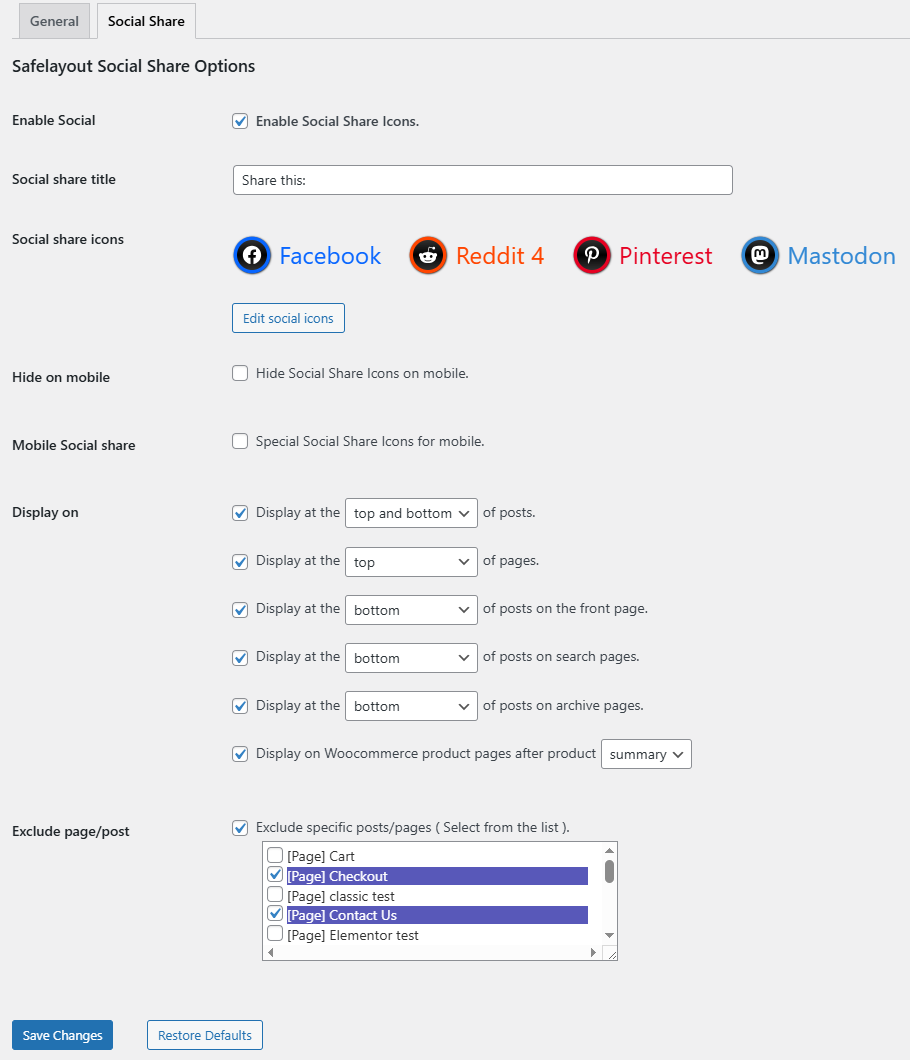
Social Share Icons
Safelayout Elegant Icons, adds an easy-to-use and powerful icon block to the WordPress Classic editor, Block editor, Elementor and WordPress menu.
With the help of Safelayout Elegant Icons, you can add high quality SVG icons to your WordPress website, and it helps you add beautiful social media icons to your website.
How to add icons to the navigation menu of your WordPress website.( Block Themes )
How to add icons to the navigation menu of your WordPress website.( Classic Themes )
How to add beautiful icons into the text.( Elementor )
How to add beautiful icons into the text.( Block editor )
Features
- Available in Block editor, Classic editor and Elementor.
- Ability to add icons to the menu. (Classic themes and Block themes)
- No icon fonts, just inline SVG.
- High quality SVG icons.
- Include “Social Share Icons” block.
- Include “Icon List” block.
- Include “Icon Box” block.
- Include “Box Ribbon” block.
- Include “Box Button” block.
- Include multi color icon packs.
- Many beautiful icon effects.
- Choose which icon packs to load.
- Adding icons to text blocks ( Paragraph, Heading, Button, … ).
- Gradient color for icon fill and stroke as well as background color.
- 38 Hover animation effects.
- Fully compatible with Full-Site Editing.
- Cross browser compatible.
- Fully customizable.
- Work with Any Theme.
Live Demo
Safelayout Elegant Icons Demo.
Pro Version
Safelayout Elegant Icons Pro is available. Upgrade to pro version and get full features!
Pro Version Icon Packs (4700+ icons)
- Themeisle (100 icons) https://themeisle.com/free-icons/
- WordPress Dashicons (337 icons) https://developer.wordpress.org/resource/dashicons/
- WordPress (285 icons) https://github.com/WordPress/gutenberg/blob/trunk/packages/icons/src/library/
- Flat color icons by Icons8 (312 icons) https://icons8.github.io/flat-color-icons/
- Linecons (48 icons) https://designmodo.com/linecons-free/
- Filled icon set by Icons8 (200 icons) https://icons8.com/
- Genericons Neue (103 icons) https://genericons.com/
- Font Awesome regular (163 icons) https://github.com/FortAwesome/Font-Awesome
- Font Awesome brands (467 icons) https://github.com/FortAwesome/Font-Awesome
- Font Awesome solid (1390 icons) https://github.com/FortAwesome/Font-Awesome
- Material Design (1261 icons) https://developers.google.com/fonts/docs/material_icons
- Meteocons – weather (47 icons) https://www.alessioatzeni.com/
Safelayout other plugins
Safelayout Brilliant Buttons – WordPress Button block