Advanced Datepicker – Restricts Date for Contact Form 7
by add-ons.org on WordPress.org
Restrict Dates is a Contact Form 7 add-on that restricts users from selecting specific dates in your Contact Form 7 date picker field.
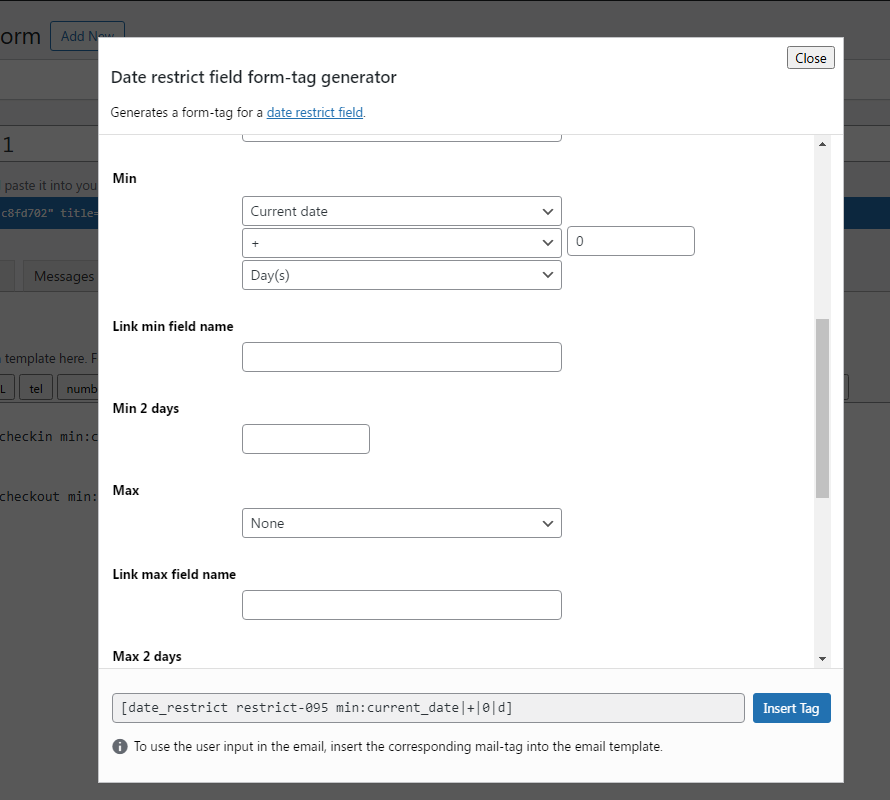
Backend settings
DEMO: https://demo.add-ons.org/demo-restrict-date-fields/
Document: https://add-ons.org/document-contact-form-7-restrict-dates-2/
Pro version: https://add-ons.org/plugin/contact-form-7-restrict-dates-fields/
The Restrict Dates feature allows you to control the dates users can select when filling out a form using Contact Form 7.
This tool is ideal for limiting date selections in the Date Picker field based on specific conditions, ensuring the dates chosen align with your requirements.
It enhances user experience and prevents errors in data entry
check in
[date_restrict checkin min:current_date|+|0|d weekdays:1|2|3|4|5|6|0 sync_max:checkout sync_min_number:2 sync_max_number:5]

check out
[date_restrict checkout min:current_date|+|0|d weekdays:1|2|3|4|5|6|0 sync_min:checkin sync_min_number:2 sync_max_number:5]
Features
- Min days: Allow admin to set minimum restrict date range
- Max days: Allow admin to set maximum restrict date range
- Weeks: Allow admin to set weekend/weekdays for the selected date range
- Exceptions: Allow admin to add exception dates for the selected date range
- 2 dependent dates: With min and max date
Exclude Specific Dates
Block users from selecting specific dates, such as public holidays, company off-days, or other unavailable dates. This is especially useful for booking forms or appointment scheduling.
2025-11-20|2025-11-21
or
2025-11-20to2026-11-21
Limit Date Range
Set a date range to restrict users to only select dates within a specific timeframe. For instance, you can limit users to choose dates from January 1, 2025, to December 31, 2025.
Exclude Days of the Week
Combine multiple rules for more complex restrictions, such as excluding certain days of the week, blocking specific dates, and limiting the date range—all customizable through a shortcode for each form.
Improved User Experience
By implementing date restrictions in your WPForms, you enhance the user experience. Users will only see and be able to select valid and relevant dates, reducing confusion and potential errors.
PRO VERSION
- 2 dependent datepickers with min and max date