Product Feed Manager by Conversios: Google Shopping, TikTok, Meta & 100+ Channels
by Conversios on WordPress.org
Create and manage WooCommerce product feeds with accurate data syncing for Google Shopping, Meta, TikTok, and 100+ channels to improve approval rates.
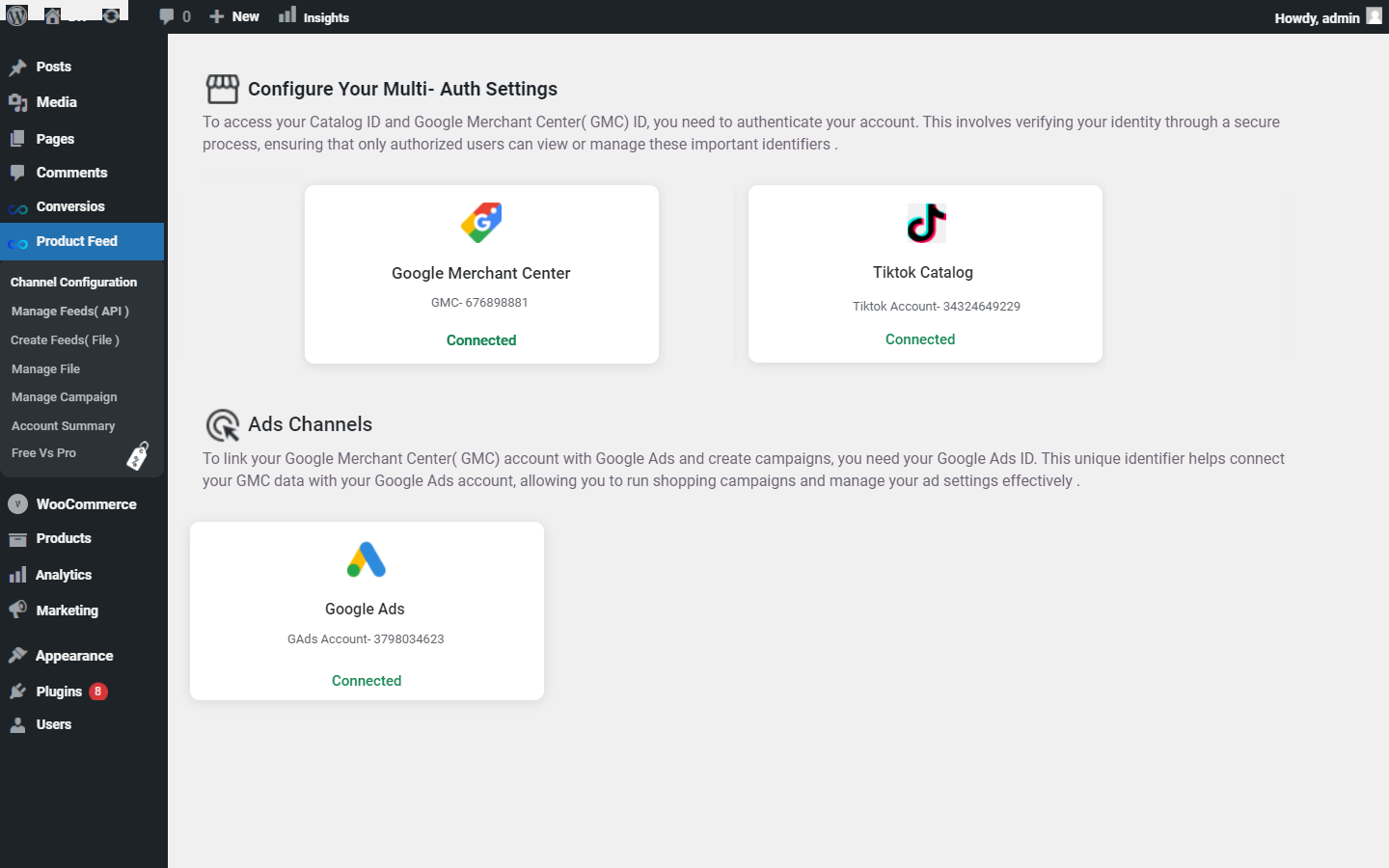
Multiple Channel Configuration Screen for Product Feed .
Conversios: Product Feed Manager for WooCommerce is the all-in-one solution to create and manage real-time product feeds for Google Shopping, Facebook (Meta), TikTok, Pinterest, Bing, Snapchat, and over 100+ marketing and marketplace platforms.
Easily generate high-quality product feeds using Google Content API, or export via XML, CSV, TSV, or TXT formats — no coding required.
This plugin is built for WooCommerce store owners who want to scale across multiple channels while keeping their product data accurate, synced, and fully optimized for every destination.
Key Features
- Generate product feeds in XML, CSV, TSV, and TXT formats for compatibility with various marketing platforms.
- Use 100+ pre-built templates across 200+ countries to speed up feed creation.
- Add custom attributes like Brand, GTIN, Age-group, Gender, and more without needing extra plugins or custom code.
- Automate feed generation and updates with scheduled intervals.
- Keep product data synced in real-time with Google Shopping, TikTok, Facebook, Bing, and others.
- Target specific products for feeds and campaigns using advanced filtering and flexible product selection.
- Map product categories and attributes per channel to meet different feed requirements.
- Ensure compatibility with popular WooCommerce plugins and themes.
- Easily manage large product catalogs without performance issues.
- Monitor real-time product approval status and resolve disapprovals quickly.
- Clean, user-friendly interface for smooth setup and feed management.
- Free onboarding, feed setup, and account audit included.
Expand your reach and boost your sales with our Product Feed Manager, supporting over 100 diverse marketplaces worldwide.
Supported Marketplaces
Expand your reach with support for over 100 global, specialized, and country-specific platforms.
Global Channels:
– Bing Shopping
– Pinterest
– Twitter
– Snapchat
– TikTok
– Yandex
– Shopping.com
– Polyvore (archived)
– Stylight
– Connexity
– Fruugo
Specialized Platforms:
– Vivino
– Fashionchick.nl
– Boetiek.nl
– Incurvy
– ManoMano
Country-Specific Platforms:
– United States: ShareASale
– United Kingdom: Fruugo UK
– Australia: MyShopping, Catch, Kogan
– Netherlands: Vergelijk, Kieskeurig, Beslist, Bol
– Belgium: Comparer.be
– Italy: Kijiji
– Czech Republic: Zbozi.cz, Heureka.cz
– Greece: Glami.gr, Bestprice.gr, Shopflix.gr
– Slovakia: Mall.sk
– Denmark: Katoni.dk
– Finland: Vertaa.fi, Hintaseuranta
– Sweden: Pricerunner, Prisjakt
– France: Fnac, Cherchons.com, Choozen.fr, Ciao.fr, Idealo.fr, LeGuide.fr, Priceminister.fr
What Users Are Saying
“We have been using this plugin for over a year. Operation was always at its best. While in the start-up phase, we requested and received all possible assistance in a very short time. We highly recommend trying this plugin.”
— @braincom75“Efficient plugin for syncing products in Merchant Center. Help docs can be better.”
— Ramnik Chavda
Setup and Configuration
Initial Setup:
After installation, go to the plugin settings in your WordPress dashboard. Follow the on-screen instructions to connect your accounts for Google Shopping, Facebook (Meta), Bing, and TikTok.
Creating a Feed:
1. Go to the Product Feeds tab.
2. Select the desired platform (Google Shopping, Facebook, Bing, TikTok).
3. Choose the products you want to include.
4. Configure feed settings such as format, country, and custom fields.
5. Click Generate Feed to create and sync your product feed.
Support
For assistance:
– Email – support@conversios.io
– WhatsApp – +91 72848 54854
– Documentation – Help Center
Privacy Policy
You can view our detailed privacy policy here.