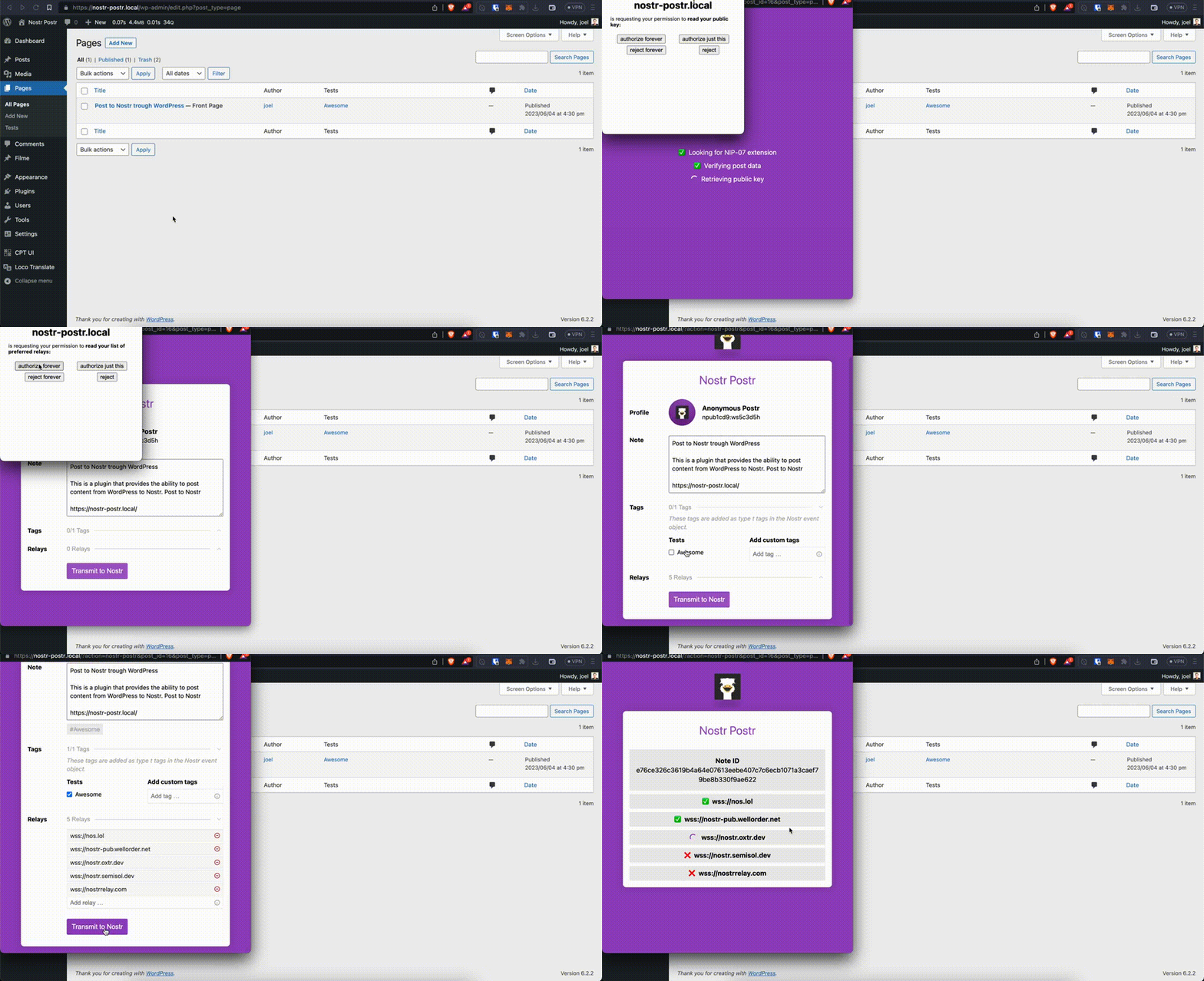
A preview of postring to Nostr with Postr For Nostr.
Share your WordPress Posts to Nostr with Postr For Nostr 🫂
Features
- This plugin works only with NIP-07 browser extensions. No need to save your private key in WordPress.
- Add your taxonomy terms to the note as tag type
t. - Manage relays before postring.
Demo
A demo WordPress installation with Postr For Nostr is available here.
Usage
Logged in users will find a Post to Nostr button in the admin column actions (where the Quick Edit action is located).
If you want to provide Postr For Nostr to your visitors, simply place a button somewhere in your template. Make sure to add the postr-for-nostr class, data-post-id and data-post-type attribute as shown below.
Filters
Post Type Filter
Per default post, page and all registered custom post types will be allowed to be nostr postred. The allowed post types are filterable with a filter hook:
add_filter( 'postr_for_nostr_post_types', function( $post_types ) {

    // unset('post_type');

    return $post_types;

}, 10, 1 );
Vendors
- nbd-wtf/nostr-tools: https://github.com/nbd-wtf/nostr-tools
License
Use this code freely, widely and for free. Provision of this code provides and implies no guarantee.
Please respect the GPL v3 licence, which is available via http://www.gnu.org/licenses/gpl-3.0.html