Post Snippets – Custom WordPress Code Snippets Customizer
by Saad Iqbal on WordPress.org
Create WordPress custom snippets shortcodes and reusable content and insert them in into your posts and pages.
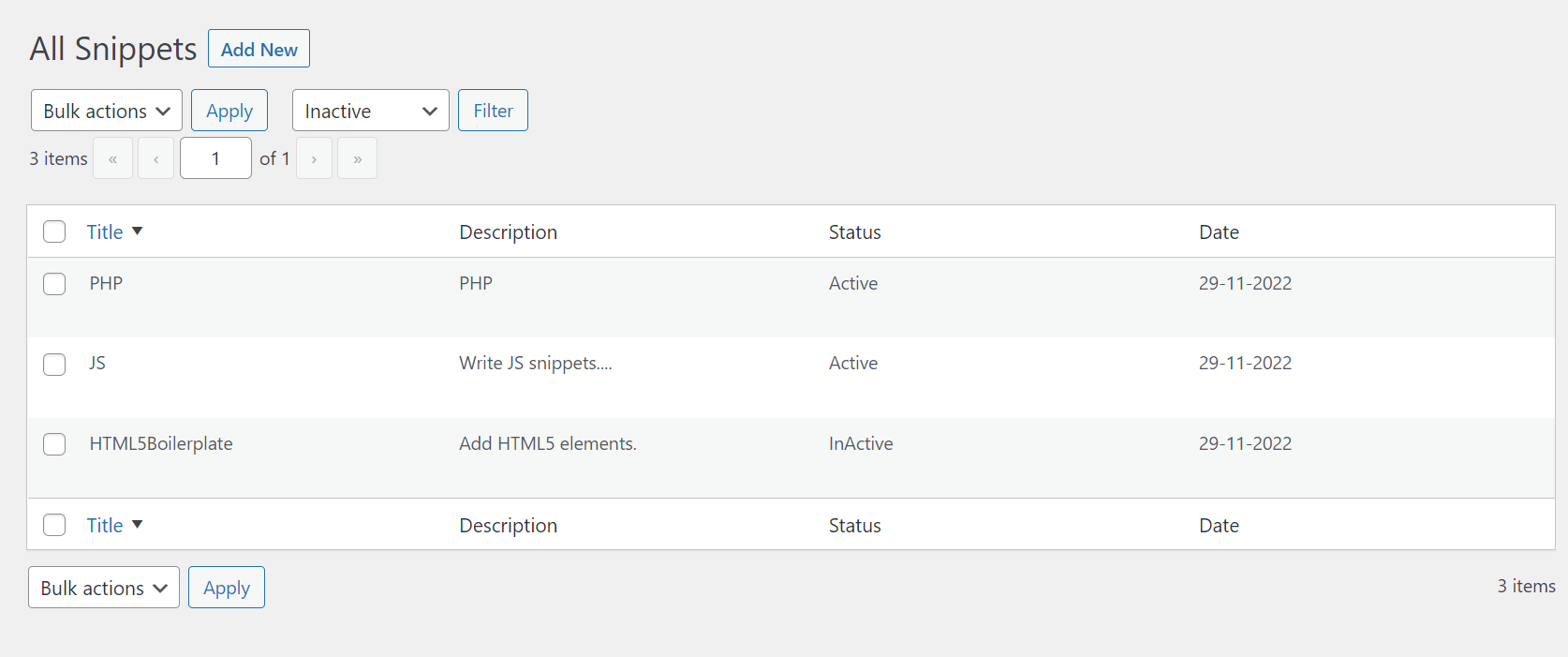
Settings > Post Snippets: the admin page where you create and manage snippets.
Create custom shortcodes and reusable content and insert them in into your posts and pages.
Post Snippets lets you build a library with snippets of HTML, PHP code or reoccurring text that you often use in your posts and pages. You can use predefined variables to replace parts of the snippet on insert. All snippets are available in the post editor via a button in the Visual mode. The snippet can be inserted as defined, or as a shortcode to keep flexibility for updating the snippet. PHP code is supported for snippets inserted as shortcodes.
Basic Features
- Insert All defined snippets is inserted from a button directly in the post editor.
- Shortcodes You can use this plugin to create your own custom shortcodes.
- PHP A shortcode snippet can optionally be processed as PHP code.
- Buttons The snippets can be found in the (visual) WordPress editor with a button and in the HTML editor with a quicktag.
- User-friendly Easy to use ‘Manage Snippets’ page where you can add, edit and remove snippets.
- Variables Each snippet can have as many custom variables as you like, which can be used on insert.
- Import/Export Snippets can be imported and exported between sites.
- Documentation Full documentation is available directly from the help panel in the plugin (top right in WordPress).
- Uninstall If you delete the plugin from your plugins panel it cleans up all data it has created in the WordPress database.
Premium Features
- Snippet duplication Easily duplicate shortcode snippets and insert them into posts and pages.
- Rich Text Editor Use Post Snippets’ built-in Rich Text editor to customize your snippets however you want.
- Snippets Order Change the order of your snippets simply by using the drag and drop functionality.
- Rest API Allow anyone the right to add, edit, update and delete any snippet without providing them admin access.
- Tags Use the tags feature to add multiple tags and filter different snippets by using tags.
- Cloud snippet Save, edit, download, and delete snippets directly on the cloud by using the cloud snippets feature.
- Gutenberg Block Editor Support Gutenberg block types can support any number of built-in core features such as name, icon, description, category and more.
- Snippet type Display the snippet types (PHP, JS, CSS) by adding a column in the snippet listing page.
- The Gutenberg editor integrates source code snippets block to insert and preview selected snippet’s code on the front-end without execution.
- Elementor editor adds a post-snippet block for inserting snippets with PHP execution, formatting, shortcode support, and a Post Snippet source block to showcase snippet source code.
Technical Documentation
To obtain more information, including instructions for plugin installation, we recommend referring to our technical documentation page on Post Snippets. Additionally, to stay informed about the latest plugin updates, enhancements, and relevant news, you can always visit our Post Snippets blog.
Support
To get your queries resolved related to Post Snippets, you can always take help from WordPress Support.
Pricing Plans
Post Snippets offers budget-friendly pricing options that complement your business needs. See the pricing plan details here.