
Pie Calendar – Events Calendar Made Simple
by Jonathan Jernigan on WordPress.org
Events calendar - the simple way. Easily display any WordPress post as an event on a flexible front-end calendar. Supports any post type.
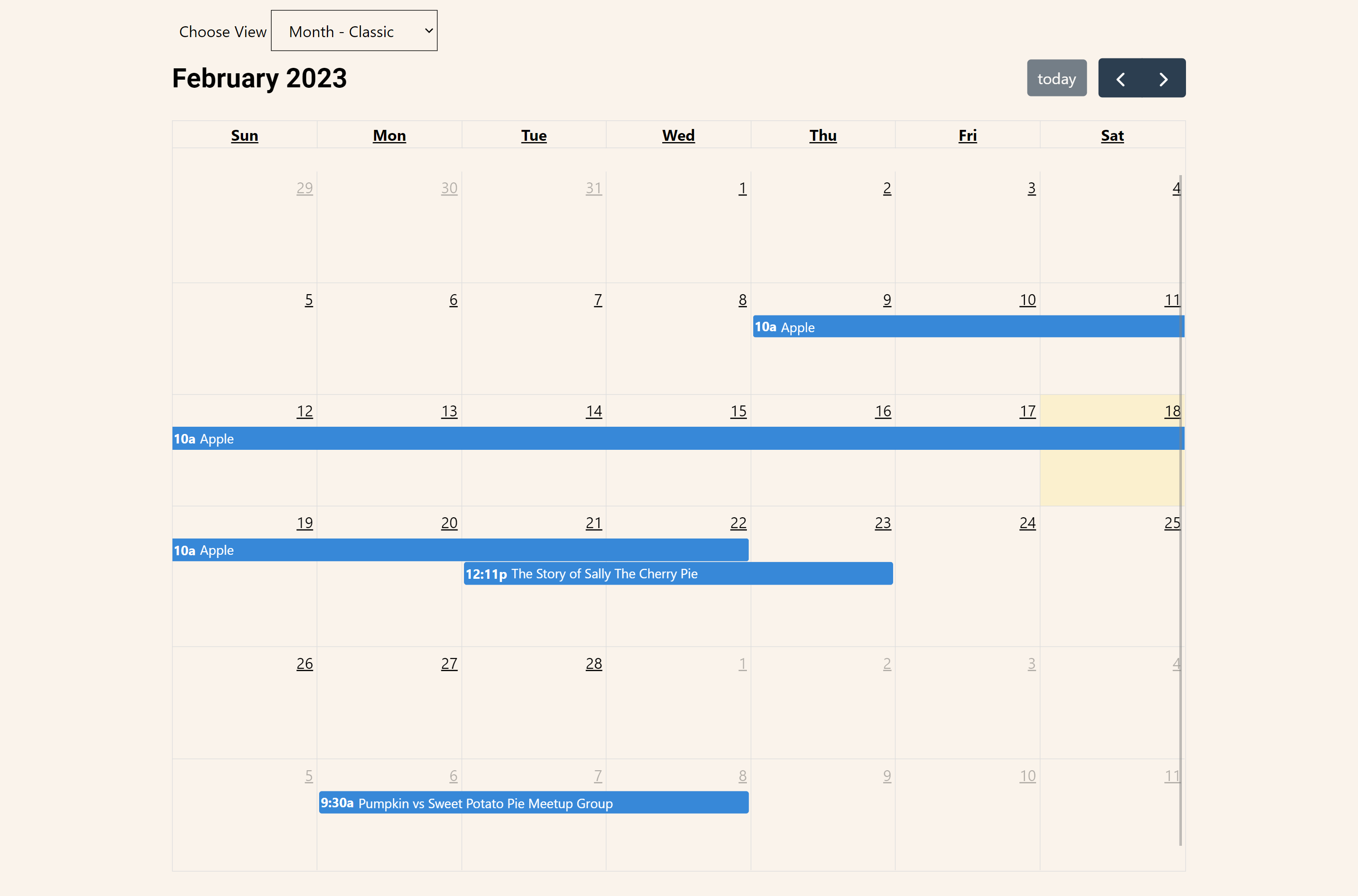
default
Create an event calendar in less than 4 minutes. Simple, flexible, and light-weight.
Pie Calendar lets you effortlessly turn any post on your WordPress site into an event, making it visible on a user-friendly front-end calendar. It doesn’t lock you into any post type – use the default WordPress posts or pages, or create your own Custom Post Type (CPT).
This plugin is crafted with careful thought, ensuring an event management system that’s lean, powerful, and incredibly flexible. Whether it’s a page, post, or CPT, any post on your site can be turned into an event and featured on your calendar in a matter of minutes.
Watch our 4-minute Quick Start Guide:
Create Events in Record Time
Work directly in the WordPress Editor with existing posts and interfaces you’re already familiar with.
There’s no external editor or custom interface to learn. In a matter of minutes, you can turn any post into an event on your calendar.
- Install the plugin.
- Edit any page or post and in the sidebar (Gutenberg) or below your post content (Classic Editor / non-Gutenberg), enable the “Show on Calendar” toggle.
- Set a start date and time, optionally set an end date, and optionally enable the “all day” event if you’d like.
- Add the [piecal] shortcode anywhere you want your calendar to appear.
Features
- Turn Any Post Into an Event: Within minutes, convert any post on your site into an event that appears on your front-end calendar.
- Works With Any Post Type or CPT: Use default WordPress posts or pages, or create your own CPT. Pie Calendar offers you total flexibility.
- Single, Multi-day, All Day Events: Set your events for a single day, span them across multiple days, or enable all-day events.
- Multiple Views: Pick from regular monthly calendar view, week views, list views, or even a single day view.
- Custom Field Support: Already have your own custom fields for Date and Time via Advanced Custom Fields or Meta Box? No problem! Pie Calendar can use custom fields for event date and time.
- Recurring Events (Pro): With flexible recurrence options, you can set your events to repeat as needed – every few days, weeks, or on a specific day every month.
- Color-Coded Events (Pro): Give your events a unique color to make them stand out on the front-end or for enhanced organization.
- WooCommerce & EDD Support (Pro): Transform any WooCommerce product or EDD Download into an event to create custom booking and event ticketing systems.
More Info
Once you’ve installed the plugin, go to any post or page and enable the “Show on Calendar” toggle.
Then, configure the options to your liking. Set a start date and time, optionally set an end date, and configure the all day event if you’d like.
You can do this to as many or as few posts as you’d like. Any post type will be supported, so long as your custom post types have supports: editor and supports: custom fields turned on. For clarity on this, watch the video embedded above.
Then, add the [piecal] shortcode anywhere you want your calendar to appear.
The shortcode accepts a few different parameters:
- type=”your-post-type”
Accepts a single value of any post type name to limit your calendar to only show that post type. - view=”dayGridMonth” is the default view you want selected when the calendar loads.
The possible views are ‘dayGridMonth’, ‘listMonth’, ‘timeGridWeek’, ‘listWeek’, ‘dayGridWeek’. - locale=”es” – accepts any two letter ISO 639-1 language code
The shortcode defaults to show all post types, dayGridMonth, and locale of en.


