Payment Plugins for Stripe Elementor – by Pay Addons
by Payment Addons on WordPress.org
Easily drag and drop to build any type of powerful Stripe payment form with Elementor's builder. Create one-time payments, recurring subscription …
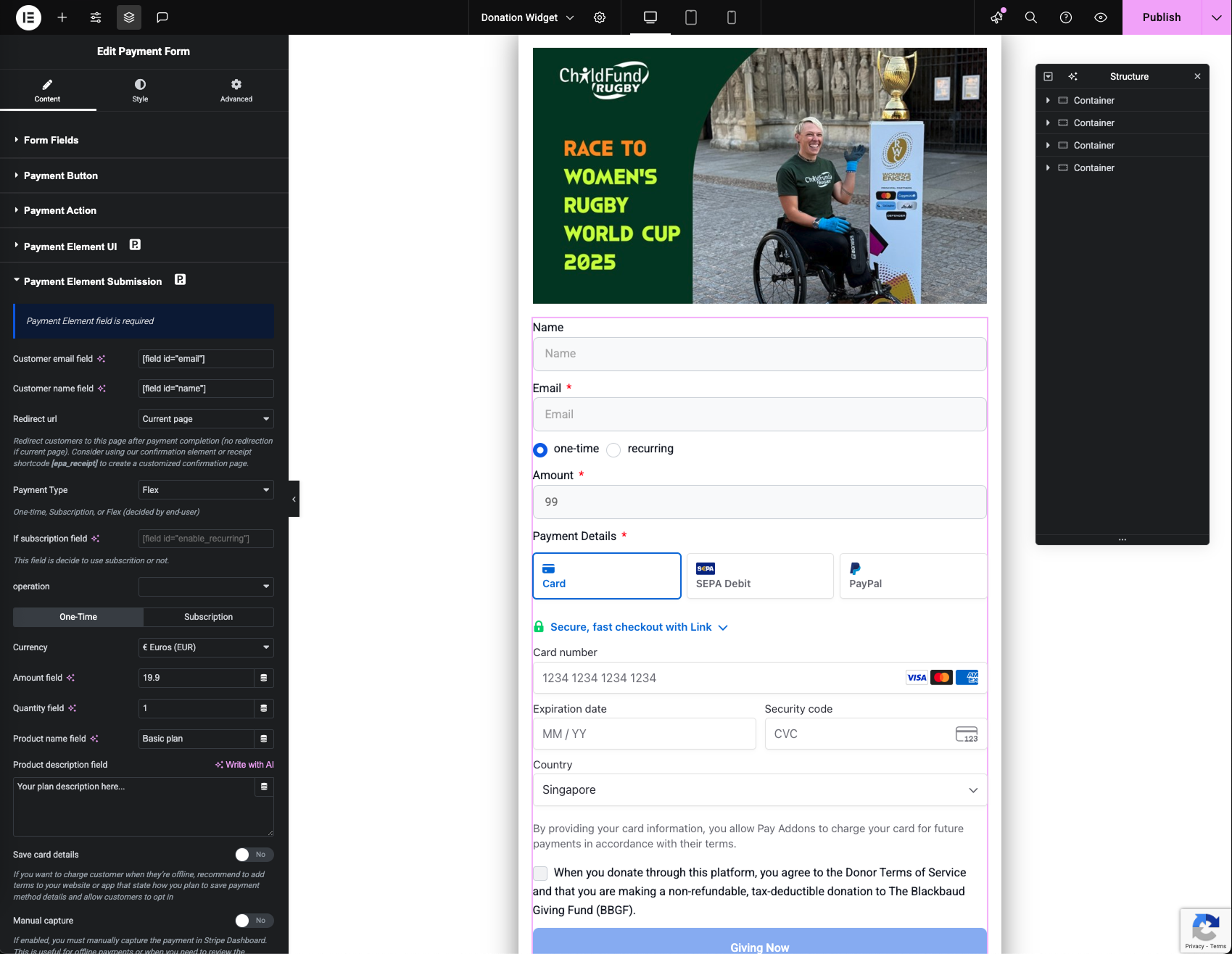
donation form edit preview
Pay Addons is the most complete Stripe payment plugin built exclusively for Elementor. Sell products, accept donations, run subscriptions, and collect payments — all without writing a single line of code.
Whether you use Elementor Free or Elementor Pro, Pay Addons has you fully covered.
🔀 Works With OR Without Elementor Pro
No Elementor Pro? Use Our Built-In Form Builder
Our included form builder gives you everything you need — no Elementor Pro required:
- 10+ Form Fields: Text, email, textarea, number, radio, select, checkbox, and more
- On-Site Credit Card Processing: Embed a credit card field directly in your form
- On-Site Multi-Method Payments: Accept 40+ payment methods via Stripe’s Payment Element
- Stripe Checkout Redirect: Redirect to Stripe’s secure hosted checkout after form submission
- Full Custom Styling: Complete control over fields, labels, buttons, and layout
- Decimal & Dynamic Pricing: Custom amount inputs and PHP-based pricing logic
Already Have Elementor Pro? Supercharge Its Forms
Add Stripe payment fields directly into your existing Elementor Pro forms — all native Pro features (reCAPTCHA, multi-step, conditional logic, email actions) continue to work:
- On-Site Credit Card Processing: Add a credit card field to any Elementor Pro form
- On-Site Multi-Method Payments: Add Stripe’s Payment Element (40+ methods) to any Pro form
- Stripe Checkout Redirect: Trigger a Stripe Checkout redirect on Pro form submission
- Recurring Subscriptions: Collect subscription payments directly through Pro forms
🧩 Widgets
Free:
* Checkout Button — One-click redirect to Stripe-hosted checkout. Supports one-time, recurring, coupons, and tax. (demo)
* Price Table — Pricing tables with direct checkout action, including subscriptions. (demo)
* Confirmation Summary — Display receipt details on your thank-you page after Stripe Checkout.
Pro:
* Checkout Redirect Form — Custom form with redirect to Stripe’s hosted checkout. Multi-method, coupons, tax. (demo)
* Checkout Credit Card Form — On-site credit card form with one-time and recurring support. (demo)
* Checkout Payment Element Form — On-site form with 40+ payment methods via Stripe’s Payment Element. (demo)
* Custom Confirmation Page — Redirect to your own branded receipt page using the [epa-receipt] shortcode with full merge fields.
📋 Demo Templates
Explore our full collection of pre-built payment templates at payaddons.com/elementor-demo/.
💳 Payment Methods
Visa, Mastercard, Apple Pay, Google Pay, Alipay, WeChat Pay, Afterpay, Klarna, ACH, iDEAL, SEPA, Bancontact, EPS, P24, Giropay, Affirm, Grabpay, OXXO, Multibanco, FPX, and 40+ more.
PayPal available for European Stripe accounts. (Learn more)
✨ More Features
- 30+ Templates — Pre-built payment page templates: donations, subscriptions, events, products, and more
- Advanced Subscriptions — Daily / weekly / monthly / yearly billing, setup fees, occurrence limits
- Multi-Currency — 135+ currencies worldwide
- Smart Notifications — Automated payment confirmation emails
- Transaction Dashboard — Full submission log and report overview
- Developer APIs — Hooks, filters, and custom extensions
- Dynamic Pricing — PHP code tags for custom price logic
- Dynamic Fields — Pre-fill fields from URL parameters
- Security — PCI DSS compliant, SCA-ready, GDPR compliant. Payment data is handled directly by Stripe.
🏆 Official Stripe Verified Partner
Pay Addons is an official Stripe Verified Partner with early access to new features — ensuring the most up-to-date and reliable Stripe integration for Elementor users.
External services
The plugin connects to Stripe’s API (https://api.stripe.com/v1/) to process payments and manage transactions. – JavaScript library: https://js.stripe.com/v3/. Service provider: Stripe, Inc.