
Page Restrict for WooCommerce
by Vlado Grcic on WordPress.org
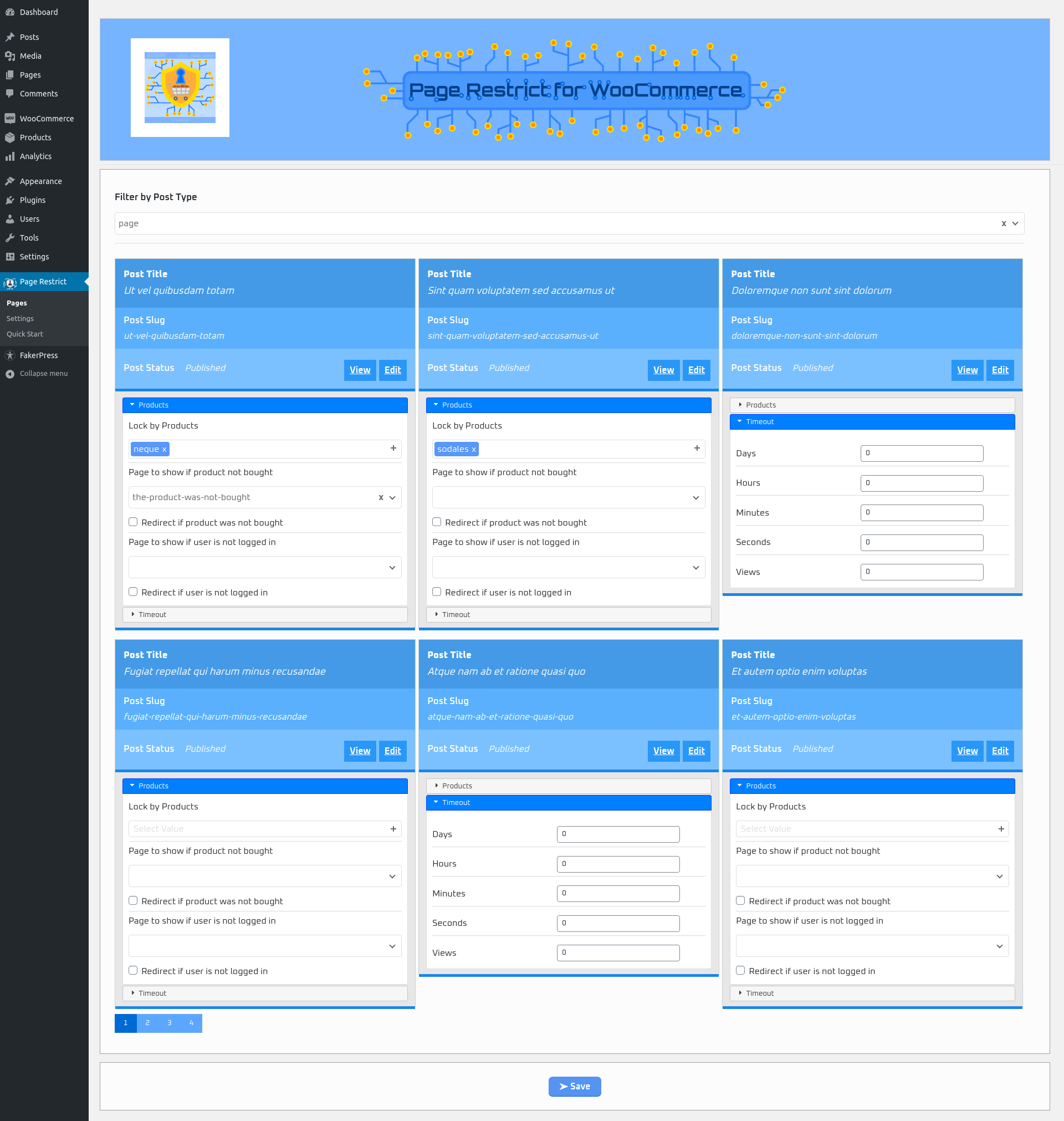
Plugin pages menu page
Page Restrict for WooCommerce is a plugin that sells access to pages, posts and custom post types through WooCommerce. It’s been built with Gutenberg in mind as well as the classic editor. You can restrict pages in two ways. Restrict an entire page or restrict sections on the page. In case you want to restrict sections on the page you can use blocks for the Gutenberg editor and using shortcodes for the classic or similar editors. If you want to restrict entire pages you can use enable the sidebar in the More tools & options in the Gutenberg editor or use the page metabox in the classic editor. You can also restrict all of your pages in one place in the Pages plugin menu.
Requirements
- WooCommerce to be installed and active
- Guest checkout needs to be disabled
- PHP 7.0.25+.
Features
- Restrict content from pages, posts and custom post types based on if they have purchased a specific WooCommerce product
- Restrict entire page or just sections of it
- Use one or multiple products to restrict it and choose whether you want to require the user to buy all of them to access or at least one of the products that restrict.
- Restrict by time – Set a time limit for the user after which they won’t be able to see the content.
- Restrict by views – Set a view count for the user after which they won’t be able to see the content ( currently only if you want to restrict entire pages ).
- Use other pages or posts for specific pages as Restricted Messages
- Use default pages or posts for all restricted pages as Restricted Messages
- Redirect to the chosen page instead of just showing the other pages content
- Built for use with the latest Gutenberg editor as well as the classic one
- Use either Gutenberg blocks or shortcodes to restrict sections on a page or post
- Plugin menu page to handle all pages you need to restrict in one place called Pages
- Plugin menu page to get an overview of all users that bought a product required to access an restricted page which either is still valid or already expired called User Overview.
- Similar feature to User Overview for the frontend for each user to have an overview of their pages where they bought products in order to access them.
- A Quick Start menu page to get you started on using this plugin
Blocks
page-restrict-wc/restrict-section
Section Restrict for WooCommerce – Restricts a section on the page using this grouping element.
page-restrict-wc/restricted-pages-list
Restricted Pages List – Shows a table of restricted pages for the current user which have had bought products for.
Shortcodes
[prwc_is_purchased products=”1,2″ days=”25″ hours=”2″ minutes=”45″ seconds=”15″ inverse=”false” defRestrictMessage=”Restrict Message” notAllProductsRequired=”false” defaultPageNotBoughtSections=”4″ defaultPageNotLoggedSections=”5″]
- Restricts the content using the chosen options.
- products – choose which products to restrict with. Add product IDs separated by a comma.
- Timeout options for this are days, hours, minutes, seconds.
- inverse – using the inverse option you can choose inverse=”false” to hide the content in order for the user to not see it. Choose inverse=”true” for the user to see it in order to show them instructions on what to do to access the desired content you chose using inverse=”false”
- defRestrictMessage – is the message you want to show if the user didn’t buy the product.
- notAllProductsRequired – set to true if the user doesn’t need to buy all products.
- defaultPageNotBoughtSections – you can choose a page to show instead of a message like in defRestrictMessage.
- defaultPageNotLoggedSections – you can choose a page to show if the user isn’t logged in.
[prwc_restricted_pages_list table=”time” disable_table_class=”false”]
- Shows a table of restricted pages for the current user which have had bought products for.
- Using the table attribute you can choose which table of restricted page you will show. It can show pages that are restricted either by time or view count.
- Using disable_table_class attribute you can choose whether to kepp or not to keep the default plugin style for the tables.
- You can show restricted pages that timeout either by time or view.
Coming soon
- Restrict categories
- Restrict authors


