Hide or Show Out-of-Stock Products for WooCommerce
by Charlie Macaraeg on WordPress.org
Control which out-of-stock WooCommerce products stay visible—turns off WooCommerce’s global hide and lets you allow specific sold-out items.
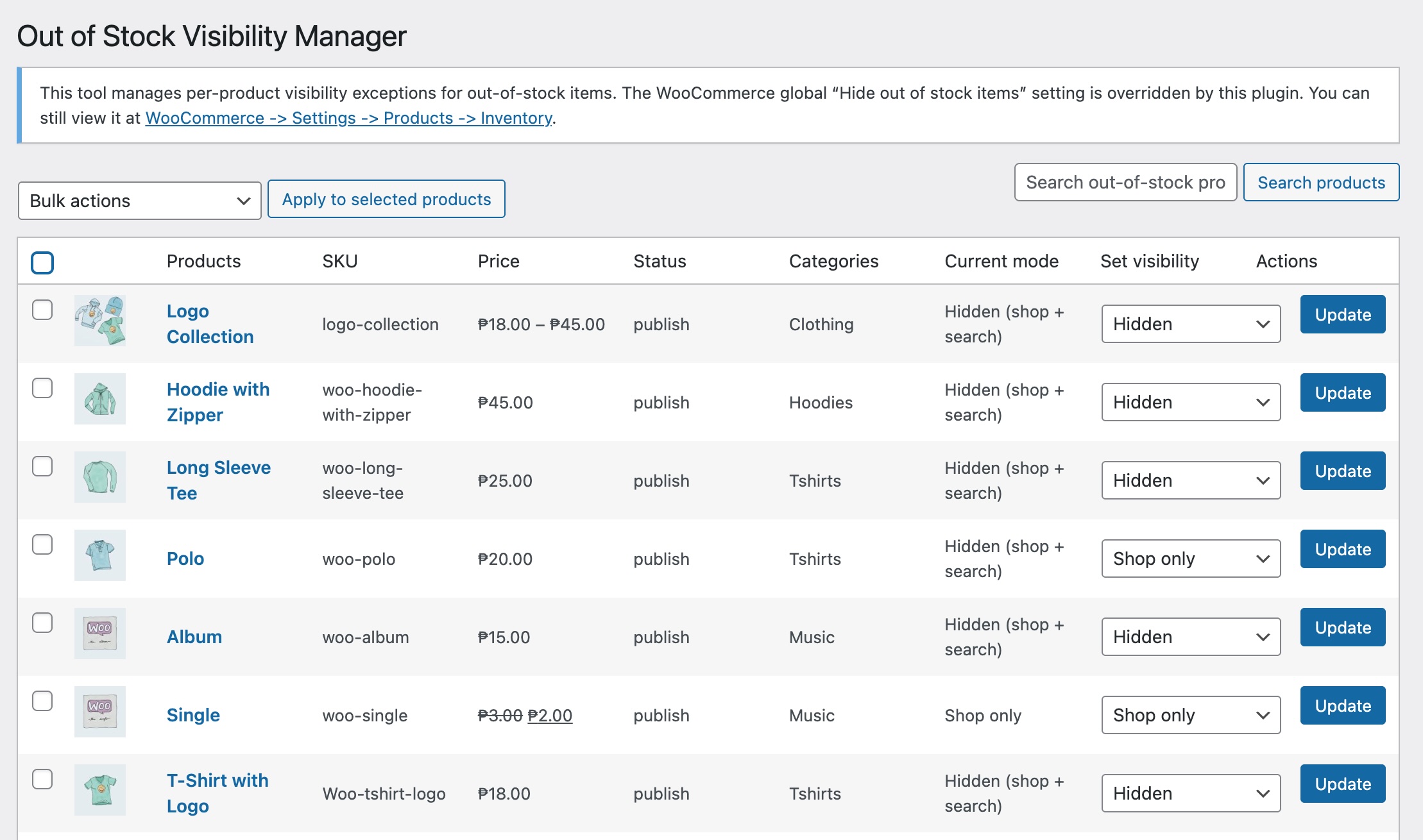
Out-of-stock products list with visibility controls
By default, WooCommerce hides all out-of-stock products when the global “Hide out of stock items” option is enabled.
This plugin turns off WooCommerce’s global “Hide out of stock items” setting. Out-of-stock products remain hidden by default, and you use the plugin’s per-product controls to allow selected sold-out products to appear (shop/search). A notice on the manager page reminds you that the global setting is overridden.
What this plugin does
- Choose visibility for out-of-stock products only
- Forces WooCommerce’s global “Hide out of stock items” setting off so per-product control applies
- Hide out-of-stock products by default; allow specific sold-out items to appear where you choose
- Control whether a product appears in:
- Shop + Search
- Shop only
- Search only
- Hidden everywhere
- Bulk-manage sold-out products with pagination and search
- Uses WooCommerce’s native
product_visibilitytaxonomy (safe & compatible)
Typical use cases
- Keep sold-out products visible for SEO
- Show catalog or discontinued items
- Keep seasonal or returning products searchable
- Avoid confusing customers while stock is unavailable
- Maintain a clean shop page without hiding everything
This plugin overrides the global hide toggle but still uses WooCommerce’s native product_visibility taxonomy for safe per-product exceptions.