Ollie Menu Designer
by Mike McAlister on WordPress.org
Create custom dropdown & mobile menus using WordPress blocks. Design rich, responsive navigation with any block content in the block editor.
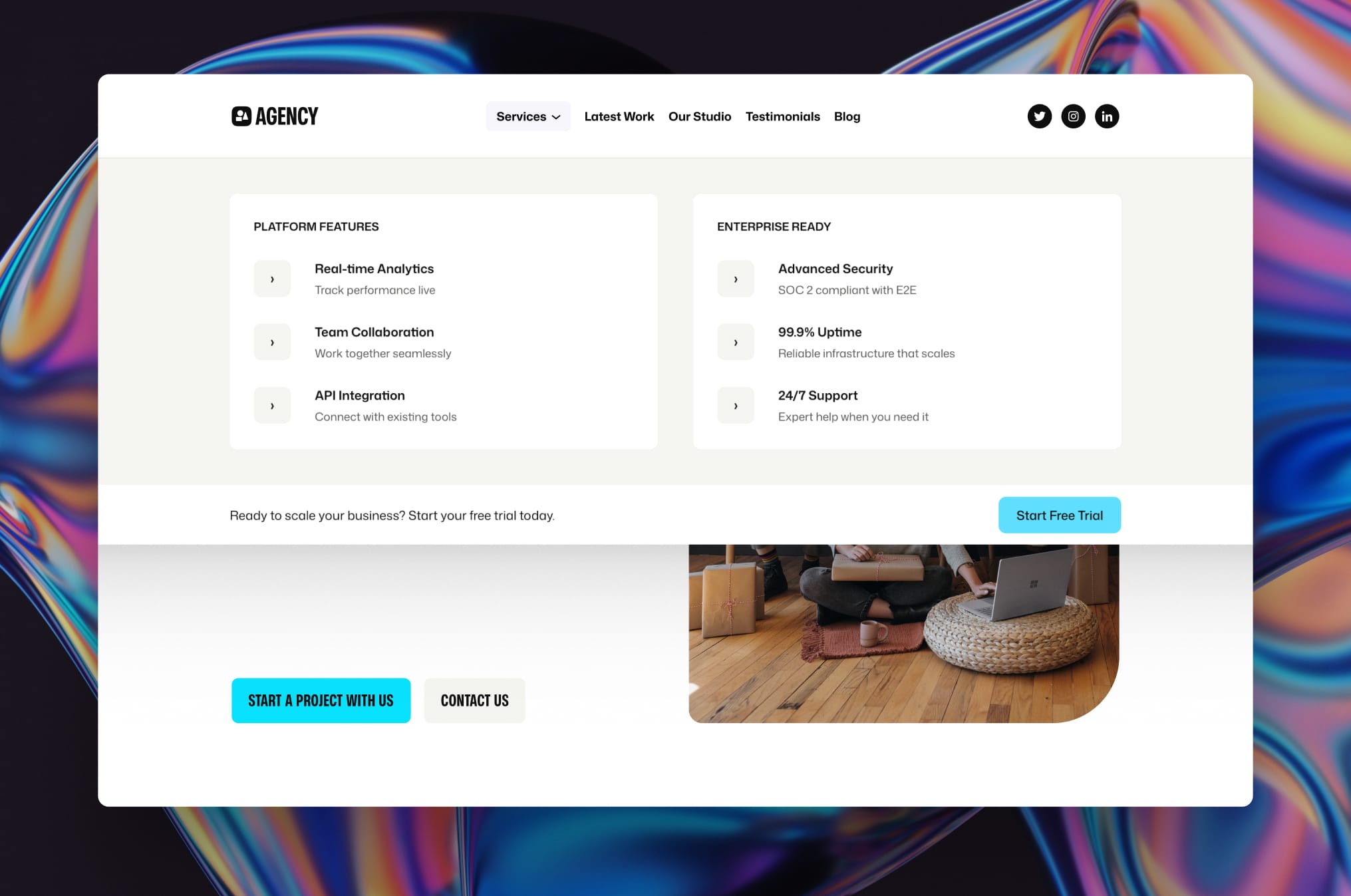
Create stunning full-width mega menus using WordPress blocks - no coding required.
Create stunning, content-rich dropdown, mobile, and mega menus using the WordPress block editor and full site editing. Ollie Menu Designer lets you build beautiful dropdown menus and mobile navigation with images, buttons, call-to-actions, and any other blocks – giving you the same creative freedom you have when designing your pages.
Menu Designer puts you in complete control of how your menus look and function. Best of all, if you’re using the free Ollie theme, you’ll get access to a collection of beautifully pre-designed menu templates to help you get started quickly.
Design Freedom
Create dropdown menus and mobile menus that match your vision using any WordPress block you can imagine. Whether you need multi-column layouts, featured images and galleries, rich text with custom typography, or buttons and call-to-action elements, Menu Designer gives you complete creative control. You can even include recent posts, product grids, search bars, forms, custom HTML, and literally any other block to build exactly the navigation experience your site needs.
- Multi-column layouts with images, text, and buttons
- Rich content like galleries, forms, and product grids
- Complete creative control with any WordPress block
Mobile-First Options
Your menus look great on every device with Ollie Menu Designer’s mobile-optimized approach. Design custom mobile menu experiences that replace default navigation with beautiful, touch-friendly interfaces. You have complete control over responsive behavior, including the ability to disable dropdowns on mobile with fallback URLs, set custom breakpoints, and ensure optimized performance across all devices.
- Fast, beautiful mobile menu designs with touch-friendly interactions
- Choose from several pre-designed menu patterns
- Optimized performance across all devices
Build faster with Ollie
Get started instantly with the free Ollie block theme, which comes packed with beautiful pre-designed menu templates and patterns built specifically for Ollie Menu Designer. Instead of starting from scratch, you’ll have access to professionally-crafted mobile menus, dropdown designs, and mega menu layouts that seamlessly integrate with Ollie’s design system. Simply install the theme, browse the menu pattern library, and customize the designs to match your brand – no design experience required.
- Pre-designed menu templates and patterns included
- Seamless integration with Ollie’s design system
- Professional designs ready to customize for your brand
Adding Mobile Menus with Ollie Menu Designer
We’ve created a full video tutorial on creating mobile menus.
- Navigate to Appearance Editor Patterns and edit your Header template part
- Click the Navigation block
- In the Navigation block Settings tab, find the Mobile Menu panel
- Click “Create a new one” or select from existing mobile menu templates
- Choose from pre-designed Ollie patterns or build custom with blocks
- Save your menu and select it in the Mobile Menu panel
- Customize background colors and menu icon in the mobile menu settings
Adding Dropdowns and Mega Menus with Ollie Menu Designer
We’ve created a full video tutorial on creating drop down and mega menus.
- Navigate to Appearance Editor Patterns and edit your Header template part
- Click Add Block and search for “Dropdown Menu”
- Name your dropdown and position it in your navigation
- In the Dropdown Menu block Settings tab, find the dropdown menu panel
- Click “Create a new one” or select from existing dropdown menu templates
- Choose from pre-designed Ollie patterns or build custom with blocks
- Save your menu and select it in the dropdown menu panel
- Configure additional customization settings
Adding Starter Patterns
You can create custom starter patterns for menu templates to give users quick starting points for their menus. This is especially useful for theme developers who want to provide pre-designed menu layouts.
How to Add Starter Patterns
- Create a
/patternsfolder in your theme or plugin directory - Add your pattern files (PHP format) to this folder
-
In each pattern file, ensure you include the following in your pattern header:
Block Types: core/template-part/menu
This ensures your pattern appears as an option when creating new menu template parts.
Requirements
- WordPress 6.5 or higher
- A WordPress block theme like Ollie that supports the WordPress navigation block