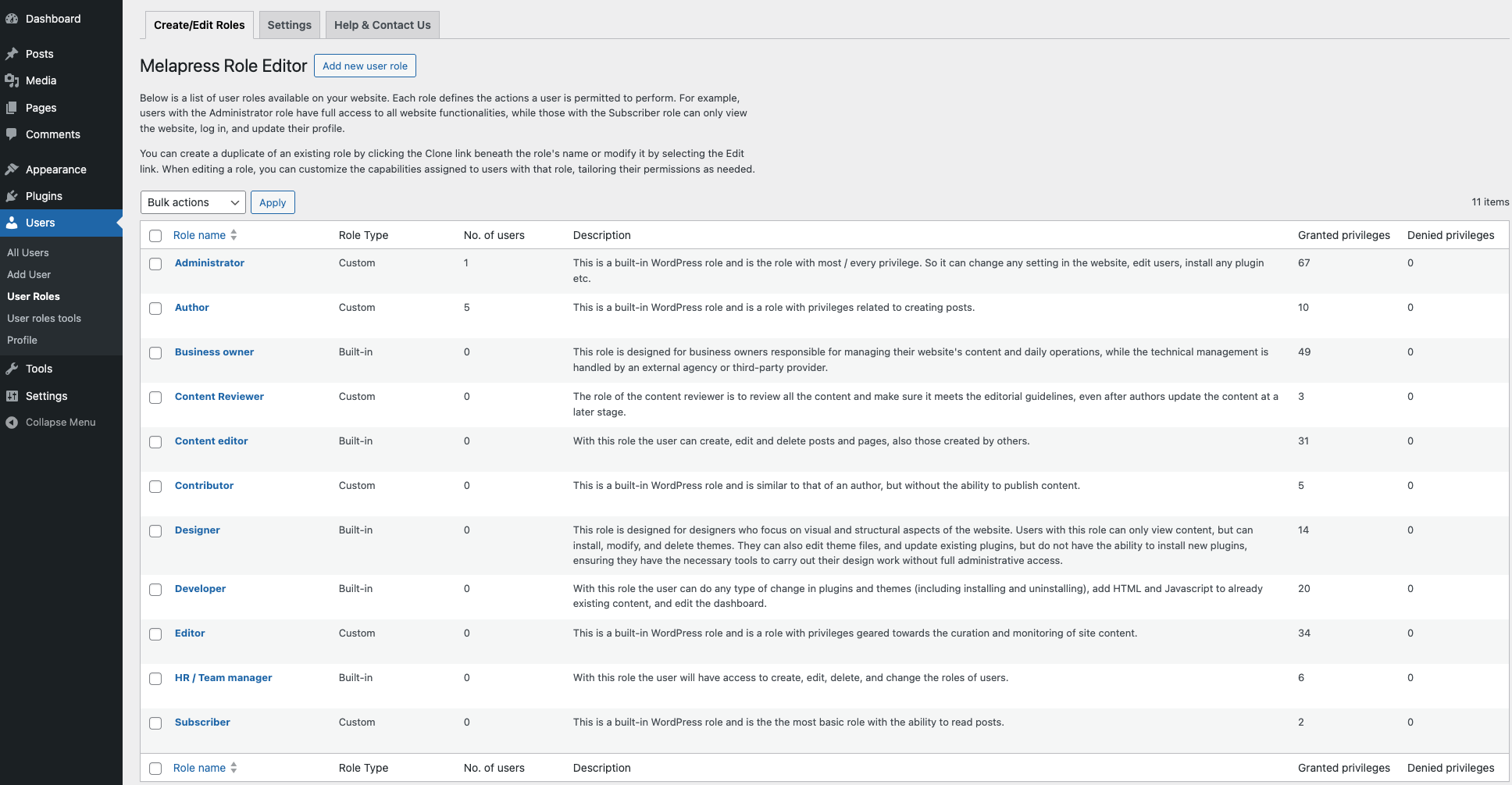
See all the WordPress user roles at a glance on your website, and edit each one individually. The plugin also includes several ready-made roles (such as Developer) to help you get started quickly without building everything from scratch.
Melapress Role Editor enables you to easily manage your WordPress user roles. Create, edit, and delete user roles like a pro thanks to the intuitive interface and wizards that hand-hold you every step of the way.
Melapress Role Editor comes with several features, including:
- Ability to create, edit, and delete custom user roles with ease
- Granular post-based permissions, enabling you to allow edit access to one post but not another
- Useful out-of-the-box custom roles
- Backup and restore user role configurations
- Auto-detect user role changes with restore prompt
- Add users to multiple roles
- Allow or Deny capabilities
- Out-of-the-box support for Easy Digital Downloads, WooCommerce, and Yoast SEO
- Capability of pretty names for easier referencing
Melapress Role Editor Benefits
Stress-free configuration with step-by-step wizards
Melapress Role Editor makes it easy to manage roles thanks to its intuitive interface and wizards that walk you through the entire process. By using wizards, you can rest easy knowing that all necessary steps have been accounted for and nothing was missed. Of course, you can also edit roles manually if you wish.
Increased security with auto change detection
Melapress Role Editor keeps a record of each role’s capabilities for security and reliability. It alerts you whenever there is a change so that you can choose to restore roles to the previous configuration or accept the changes, keeping you in the driver’s seat at all times.
Peace of mind with backups and restore
Not sure if planned role changes will pan out? Don’t worry – simply take a backup of the existing configuration from within the plugin so that you can always restore a known working configuration should something break.
Better guidance with out-of-the-box custom roles
Melapress Role Editor comes with a number of pre-configured roles designed to help you get started quickly. Modeled after common roles in the WordPress business, such as Business owner, Developer, and HR manager, each role has been designed to respect the principle of least privilege while giving you a head start in configuring new custom roles.
Simplify complexity with multiple roles and capability deny
WordPress environments can get pretty complex, so we added features to accommodate every scenario. You can assign users multiple roles to avoid creating additional roles. You can also explicitly deny capabilities to ensure the utmost level of security in complex scenarios.
MAINTAINED & SUPPORTED BY MELAPRESS
Melapress builds high-quality niche WordPress security & management plugins, including WP Activity Log, WP 2FA, Melapress Login Security, and others.
Visit the Melapress website for more information about the company and the plugins it develops.
Install the plugin from within WordPress
Managing roles is easy with Melapress Role Editor. Simply:
- Navigate to Plugins > Add New, from your WordPress dashboard
- Search for Melapress Role Editor
- Install & activate Melapress Role Editor from your Plugins page
Install the plugin manually (via file upload)
- Download the plugin from the WordPress plugins repository
- Unzip the zip file and upload the folder to the
/wp-content/plugins/directory - Activate melapress Role Editor through the Plugins page in WordPress
Translate the plugin in your own language
If you want to help us translate this plugin in your own language please contact us. We will credit all translators.