LWS Tools
by Aurélien LWS on WordPress.org
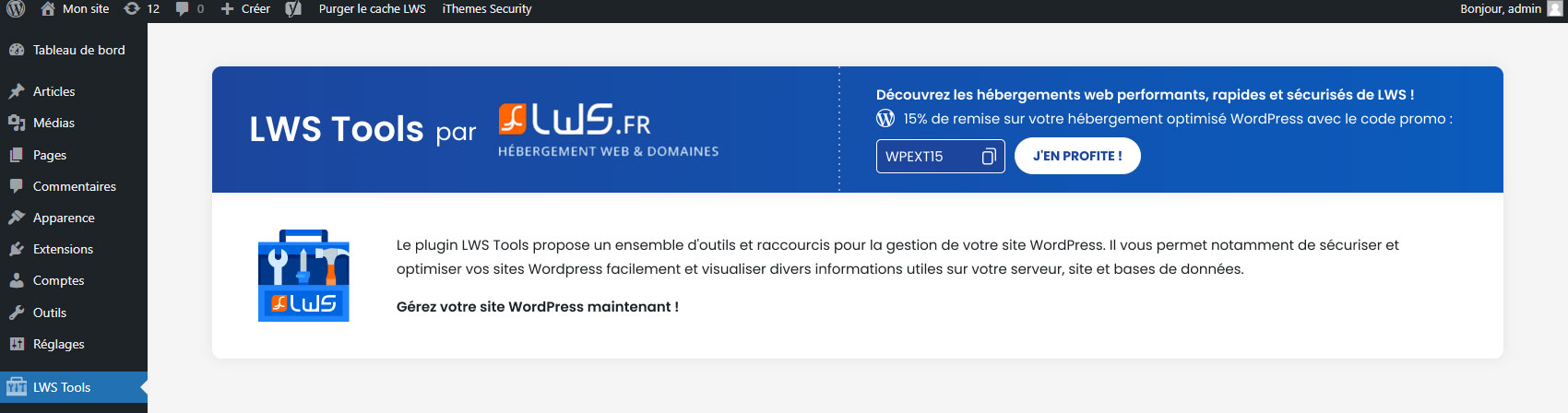
Accueil du plugin LWS Tools
With LWS Tools, get a hold on various tools and options to optimize your website. From deactivating emotes or hiding sensible informations to deactivating REST API!
You can access and change several parameters, get informations on your database and your server and even more.
WPilot – Your WordPress AI Assistant
Meet WPilot, your dedicated AI assistant for WordPress, available exclusively with LWS hosting. WPilot automatically analyzes your site, plugins, and theme to provide personalized advice and guidance. Whether you’re creating, updating, or optimizing your website, WPilot acts as your co-pilot, helping you troubleshoot common issues and make informed decisions about your WordPress site. This intelligent assistant understands your specific setup and offers tailored recommendations to enhance your website’s performance and functionality.
Notifications
Find an improved notification center allowing you to see at a glance what to update, what to delete, correct or adjust.
- Status of updates to the WordPress version, plugins, themes and translations.
- Unused plugins and themes can be removed in one click..
- Database prefix : customized or not.
- Validity of your SSL certificate (included with LWS web hosting plans).
Server information
View all the characteristics of the server on which your WordPress website is hosted:
- Environment, server information
- IP address of your device
- Server web port
- SSL certificate status (HTTPS)
- Server name
- Server IP address
- Protocol version
- PHP version
- Debug WP mode status (WordPress debug mode)
- Status of allow_url_fopen (file access functions)
- Server time zone
- Default encoding
- Uploading files
- Maximum execution time
- Maximum number of files per upload
- Maximum number of characters per entry
- RAM memory limit
- Maximum size of an item
- Maximum size of uploaded files
- PHP memory usage
Optimisation
Delete, reduce elements that are not useful to you. Or add minor features. Here are the features you can enable as you wish:
- Delete the Windows Live Writer manifest
- Reduce the number of revisions
- Delete author pages and associated links
- Prevent WordPress from disabling pingbacks of your own posts
- Use visitor browser emotes instead of WordPress emotes
- Remove Title 1 in Tiny MCE
- Remove shortlinks
- Add hidden ‘Medium Large’ image size
- Alternative cleaning of uploaded media
- Remove RSS feeds
- Remove links from RSS feeds
Security
Here are some functions that you can activate. These have a positive impact on the security of your site:
- Hide connection errors on WP-Login
- Hide the ‘WordPress Version’ meta from pages
- Disable the REST API
- Hide user pages from sitemap
- Hide user endpoints from REST API
MySQL Reports
Find a summary table of the WordPress data in your MySQL database. You can also repair and optimize your database directly from LWS Tools.
Other tools
In the last tab of the plugin, you have access to other useful functions:
- Disconnect all sessions except the active user (you).
- Clean up revisions that are older than a certain time (please specify)
- Delete trashed or unwanted comments
- Delete temporary data (transients) from the cache
- Reset the plugin configuration
- Keep the configuration even after deleting the plugin
This plugin is pre-installed when ordering one of these LWS webhosts: WordPress hosting, Classic shared web hosting and cPanel hosting
License
Released under the terms of the GNU General Public License.