Login for Stripe Customer Portal | Create an Account Login Page for the Stripe Customer Portal
by Brandon Ernst on WordPress.org
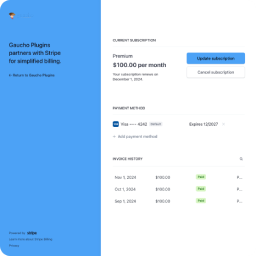
Create a customer login page for the Stripe Customer Portal directly from your WordPress site.

Settings page to configure Stripe API key, redirect URL, and customer portal slug
The Login for Stripe Customer Portal plugin simplifies the process for Stripe businesses to integrate the Stripe Customer Portal into their WordPress website. By offering a customizable login endpoint or embeddable form, the plugin makes it easy for customers to log in and access and manage their Stripe billing information securely.
Upon entering their email address, customers receive a secure login link, which is only valid for 1 hour. You can optionally restrict access only to your existing customers or allow new customers to register and add their information.
The Customer Portal is still hosted on Stripe, but the Login page is on your website, giving you more control over professionally branding the experience customers have on your site.
Key Features:
- Stripe API Integration: Allows WordPress site admins to connect their Stripe account via API and provide customer access to the Stripe Customer Portal.
- Customizable Endpoint: Admins can define a custom slug for the customer portal login page (e.g.,
yourwebsite.com/customer-portal/). - Shortcode Embeddable Form: Use the shortcode
[login-stripe-customer-portal]to put the login form anywhere on your site. - Secure Authentication: Users enter their email and are sent a secure login link to get access to the Stripe Customer Portal.
- Redirect URL: After logging out of the portal, customers are redirected back to a specified URL, which can be customized in the plugin settings.
Third-Party Service Disclaimer
This plugin integrates with Stripe to provide the customer portal functionality. It uses Stripe’s API to connect with and manage customer data securely. By using this plugin, you are consenting to the transmission of data to Stripe’s services.
Service Terms: Stripe Terms of Use
Privacy Policy: Stripe Privacy Policy
GAUCHO PLUGINS PORTFOLIO
Payment Page: Start accepting payments in a beautiful payment form in less than 60 seconds
Split Pay Plugin: Split WooCommerce payments across multiple connected Stripe accounts.
Login for Stripe Customer Portal: Create an Account login area for your Stripe customers.
Gyta Buyback: Create a trade-in / buyback business using WooCommerce.
Version Info: Show WP, PHP, MySQL & Web Server Versions in the WP-Admin Dashboard.
China Payments Plugin: Accept WeChat Pay and Alipay payments from Chinese customers.
Blocked in China: Check if your website is available in the Chinese mainland.
Speed in China: Check your website’s speed in the Chinese mainland – coming soon!


