
LLMS Central – AI Bot Tracker
by llmscentral on WordPress.org
Track AI bots (GPT, Claude, Gemini) visiting your site and manage your llms.txt file. See which AI systems are crawling your content.
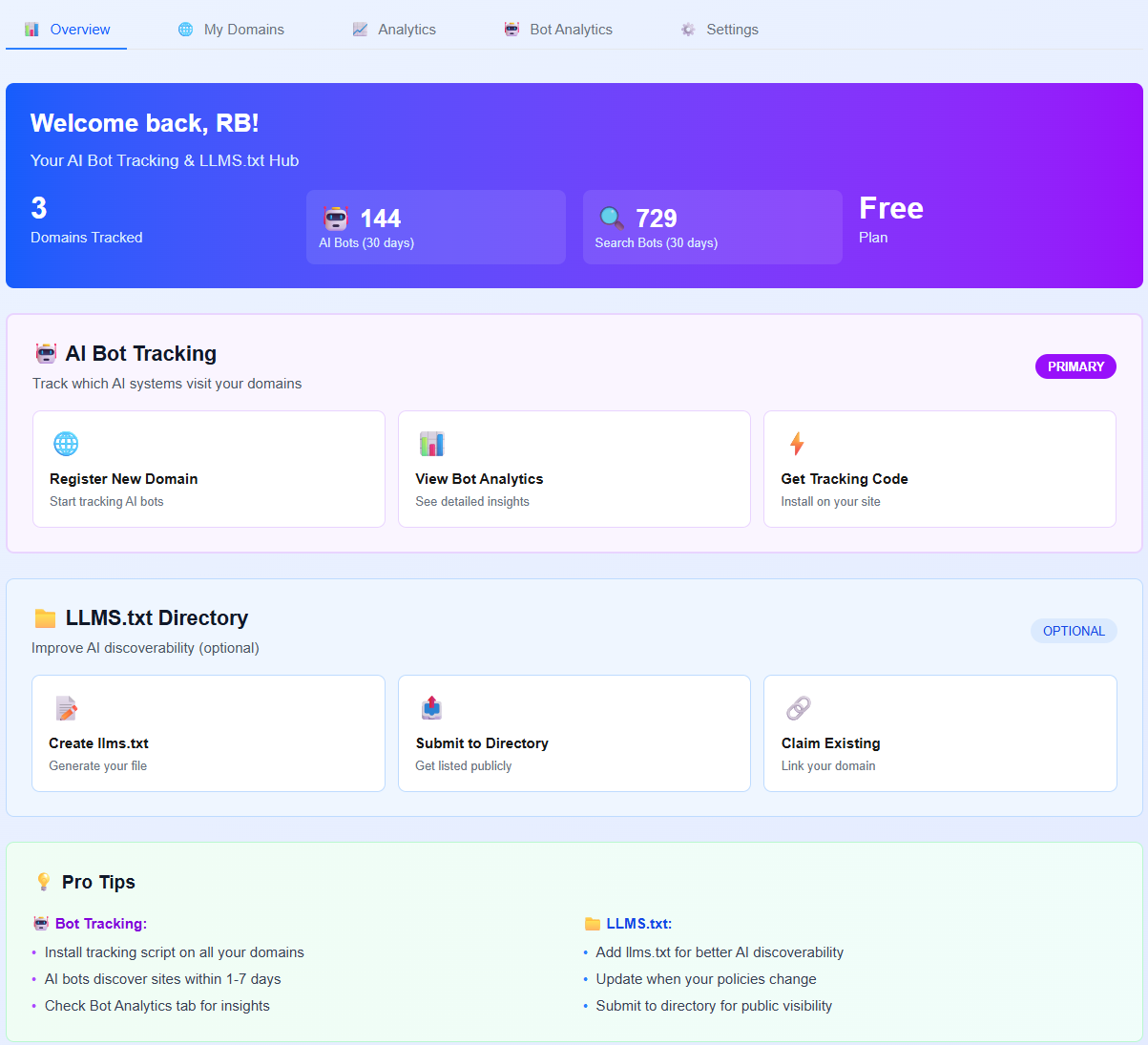
Admin settings page - Bot Tracking tab
LLMS Central Bot Tracker helps you understand which AI systems are visiting your website and gives you control over how AI companies use your content.
Features
- Track 16+ AI Bots – Monitor visits from GPTBot, Claude, Gemini, Perplexity, and more
- Real-time Analytics – See which AI bots are crawling your site and when
- llms.txt Management – Create and manage your llms.txt file (the “robots.txt for AI”)
- Privacy-Focused – Only tracks bot user-agents, no personal data collected
- Dashboard Widget – View AI bot activity right in your WordPress dashboard
- Easy Setup – One-click installation, no coding required
What is llms.txt?
llms.txt is like robots.txt, but for AI systems. It tells AI companies how they can use your content for training their models. With this plugin, you can:
- Allow or restrict AI training on your content
- Require attribution when AI uses your content
- Set commercial use policies
- Provide contact information for AI companies
Tracked AI Bots
- GPTBot (OpenAI)
- ChatGPT-User (OpenAI)
- Claude-Web (Anthropic)
- Google-Extended (Google)
- Perplexity Bot
- Bytespider (ByteDance)
- Cohere AI
- FacebookBot (Meta)
- Amazonbot
- And 8+ more AI crawlers
Privacy & Data Collection
This plugin is designed with privacy in mind:
Data Collection is OPT-IN ONLY:
No data is sent to external servers unless you explicitly enable tracking and provide consent in the plugin settings.
When Tracking is Enabled (with your consent):
* Bot user-agent strings
* Page URLs visited by bots
* Timestamp of visits
* Your domain name
Data NOT Collected:
* Visitor IP addresses
* Personal information
* Cookies or tracking identifiers
* Form submissions
* Human visitor data
You can disable tracking at any time, and no data will be transmitted without your explicit permission.
Use Cases
- Content Creators – Know which AI systems are using your content
- Publishers – Monitor AI bot traffic and set training policies
- Developers – Track AI crawler behavior on your site
- SEO Professionals – Understand AI bot impact on your site
- Business Owners – Control how AI companies use your content
Privacy Policy
This plugin sends data to LLMS Central servers (https://llmscentral.com) for analytics purposes.
Data Sent:
* Bot user-agent strings
* Page URLs visited by bots
* Timestamp of visits
* Your domain name
Data NOT Sent:
* Visitor IP addresses
* Personal information
* Cookies or tracking identifiers
* Form submissions
* Human visitor data
You must explicitly consent to this data collection by checking the consent box in the plugin settings. You can revoke consent at any time by disabling the plugin.
For full details, see our Privacy Policy and Terms of Service.
External Services
This plugin connects to the following external service:
LLMS Central API (https://llmscentral.com)
* Purpose: Send AI bot tracking data and retrieve analytics (OPT-IN ONLY)
* Privacy Policy: https://llmscentral.com/privacy
* Terms of Service: https://llmscentral.com/terms
* Data Transmission: Only when tracking is explicitly enabled by the user
This plugin does NOT send any data to external servers by default. Connection to LLMS Central servers only occurs when you:
1. Enable the “Bot Tracking” feature in settings
2. Accept the privacy policy and provide explicit consent
3. Check the consent checkbox
Without your explicit consent, the plugin operates entirely locally on your WordPress site.
Support
For support, please visit:
- Plugin Documentation
- Support Forum
- LLMS Central Dashboard (requires free account)
- Getting Started Guide
Before requesting support, please:
1. Check the FAQ section above in this readme
2. Ensure you’re using the latest version
3. Review the plugin settings in WordPress admin
4. Check the WordPress debug log for errors
5. Visit the WordPress.org support forum for community help
Credits
Developed by the LLMS Central team. Visit llmscentral.com to learn more about AI training policies and llms.txt files.