
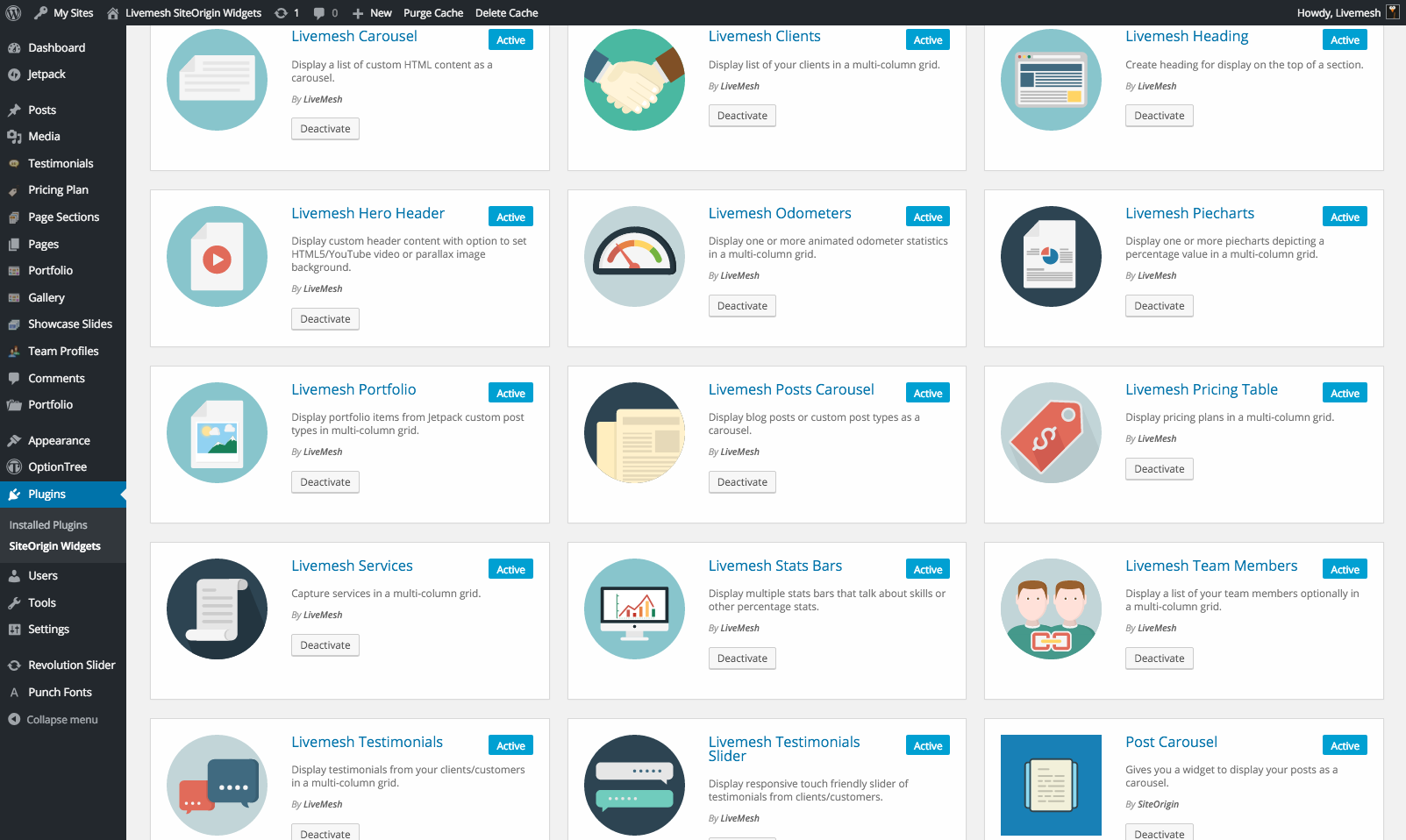
Enable widgets in Plugins > SiteOrigin Widgets > Disabled tab.
Livemesh SiteOrigin widgets features huge collection of premium, easy to use yet highly functional widgets that can be used in a page builder like SiteOrigin or in any widgetized area of your site. This is really a premium plugin that you can get for free.
This plugin comes with widgets for just about everything you need to build a professional website without switching to a premium theme – hero headers, services, team profiles, statistics, testimonials, clients list, portfolio/posts grid, carousels, varieties of tabs, accordions, buttons, icon lists, pricing plan and much more in the PRO version. All the widgets that help turn your free theme into a premium one with just a few clicks. Every premium page builder element you need is available for easy drag and drop into your page by just activating this plugin.
SiteOrigin Widgets Bundle plugin must be activated to use this plugin. After you activate the required plugins, enable our widgets by going to Plugins > SiteOrigin Widgets in your WordPress admin.
Although not required, Page Builder by SiteOrigin is recommended.
See the all of widgets in action here –
The plugin comes with the following widgets. Almost all of the widgets come with a dark version. –
- Services that capture what you can offer for your clients/customers.
- Portfolio Grid widget that displays portfolio/blog entries in a nice responsive grid. Masonry and packed options are supported.
- Blog Posts Grid that displays portfolio/blog entries in a nice responsive grid. Masonry and packed options are supported.
- Responsive Tabs that function seamlessly across all devices and resolutions. The plugin features never before choice of over dozen styles of tabs to choosen from a simple widgets editor dropdown.
- Accordion/Toggle that capture collapsible content panels when space is limited.
- Hero Header Widget that lets you display any type of header content with option to set Parallax, YouTube or HTML5 video background.
- Team Profiles extension to display all the team members.
- Odometers/Counters to show impressive numbers pertaining to your work or company.
- Bar charts widget to capture skills or any type of percentage stats with just a few clicks in SiteOrigin Page Builder or any widgetized area of your site.
- Animated Pie charts for visual depiction of percentage stats.
- Testimonials to tell everyone the good things you often hear from your clients/customers.
- Testimonials slider is a responsive touch enabled slider that cycles through testimonials.
- Post Carousel extension that displays your posts as a highly responsive carousel.
- Generic Carousel element that displays lets you present a list of HTML content in a carousel.
- Flat style buttons with rich set of customization options.
- Icon list widget that lets you use either images or icon fonts to create custom social icons list, capture payment options etc.
- Heading styles to capture effective headings for your page sections.
- Clients List extension to showcase the clients that you have handled.
- Pricing Plans to help get more sales.
The PRO version of the plugin comes with additional SiteOrigin widgets and advanced features added to elements above –
- Posts Slider that helps showcase your posts as a highly responsive, touch enabled slider.
- Posts Gridbox Slider that displays your posts as a slider of tiled post grids.
- Posts Multislider that helps showcase your posts as a highly responsive, touch friendly carousel.
- Image Slider to create a responsive slider of images with support for captions, multiple slider types like Nivo, Flex, Slick and lightweight sliders, thumbnail navigation etc.
- Image Gallery widget that lets you create a grid of images with options for masonry or fit rows, pagination, lazy load, lightbox support etc.
- Video Gallery to build a beautiful grid of videos to help showcase a collection of YouTube/Vimeo videos on your site.
- Image Carousel for a responsive carousel of images.
- Video Carousel for creation of a responsive carousel of YouTube/Vimeo videos.
- FAQ element to display a set of Frequently Asked Questions in a page.
- Features Widget for showcasing product features or services provided by an agency/business.
- Advanced Services with additional styles and animations for services widget.
- Countdown widget to display a countdown timer on your site pages such as those that feature events or under construction/coming soon pages.
- Lazy Load – The portfolio/post grid and image gallery widgets incorporate option to lazy load posts/images with the click of a Load More button.
- Pagination – Create a grid of posts or custom post types with AJAX based pagination support.
- Lightbox Support – The premium version of Livemesh SiteOrigin Widgets plugin comes with support for Lightbox for grid and carousel widgets.
- Customizations – Ability to choose custom font size, color or hover color for certain widgets. More coming.
- Custom Fonts – Ability to choose custom fonts from Google Fonts library for headings in heading widget and the hero header widget.
- Custom Animations – Choose from over 40+ animations for most widgets (excludes sliders, carousels and grid). The animations display on user scrolling to the element or when the element becomes visible in the browser window.
- Sample Data – Sample data that you can import into your site to get started quickly on the widgets and some sample layouts.
- Premium Support – The customers will have access to a support portal with queries attended to within 24 hours.
Important: You must activate widgets you need to use from Plugins > SiteOrigin Widgets so that they can be available to use..
You can view the change log for the Premium version of the plugin at https://livemeshwp.com/siteorigin-widgets/change-log/.
Support
The premium version of the plugin entitles you to quick support with replies posted within 24 hours (on week days).
Please submit your support query through our website contact form. This will create a support ticket in our support portal.


