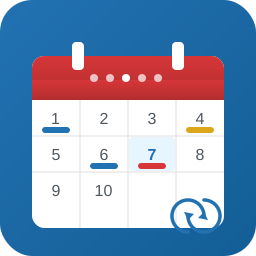
Kino Events Calendar
by Seth Ridley on WordPress.org

The event calendar in the sidebar
This event calendar ONLY WORKS ON WORDPRESS 3.0 and above.
For an earlier version of the calendar please visit https://plugins.svn.wordpress.org/kino-event-calendar-plugin/tag/v1.4/kino-event-calendar-plugin.zip
Once installed the calendar must be dragged into the side bar from Appearance > Widgets. The calendar will then show in the sidebar of every page.
You can easily select an Events page which shows all current and future events by entering the smartcode [events] into whatever page you like.
The admin area enables you to add, edit and remove events quickly and easily, and changing colours is a breeze. The Kino Events Calendar does not use blog posts to handle events but rather lets you add events manually. This flexibility makes integrating the calendar into client sites much more feasible, and the colour changing options allow for simple branding too.
See the Idaho Community College site for a working example.
The main updates are as follows:
- Added option to “Add End Date”.
- Added Fully featured TinyMCE Editor to allow links, and wide ranging copy editing.
- Search Engine Friendly URLs (SEF) on all event pages.
- Added option to choose a thumbnail for a post using the Featured Post utility.
- Events can now be set to be recurring.
- Events can now be set to be “All Day Events”.
- Events can be placed into categories and given individual category slug and descriptions.
- You can now pick a master colour and rollover colour for events, and individual colours for categorised events.
- Events can be given ‘intro text’ using the Excerpt functionality.
- Place the main Events page which lists all future events wherever you want in your site using the shortcode [events].
- Events now use custom post types and are much easier work with.