
Hover Preview
by Oleksiy Lavrynenko on WordPress.org
Display a small website preview when hovering over a link. Customize your API key for PagePeeker directly in the plugin settings.
(0)
Link with preview - A small preview displayed when hovering over a link.
Hover Preview enhances your WordPress website by displaying a small website preview when users hover over a link.
It utilizes the PagePeeker service to generate the previews, making it easier for users to get a sneak peek of the linked website.
Features
- Automatically displays a preview of the linked website when hovering over a link.
- Easily configure the API key for the PagePeeker service.
- Lightweight and responsive design.
- Free to use with the PagePeeker unbranded plan.
How to Get Started
- Install and activate the plugin.
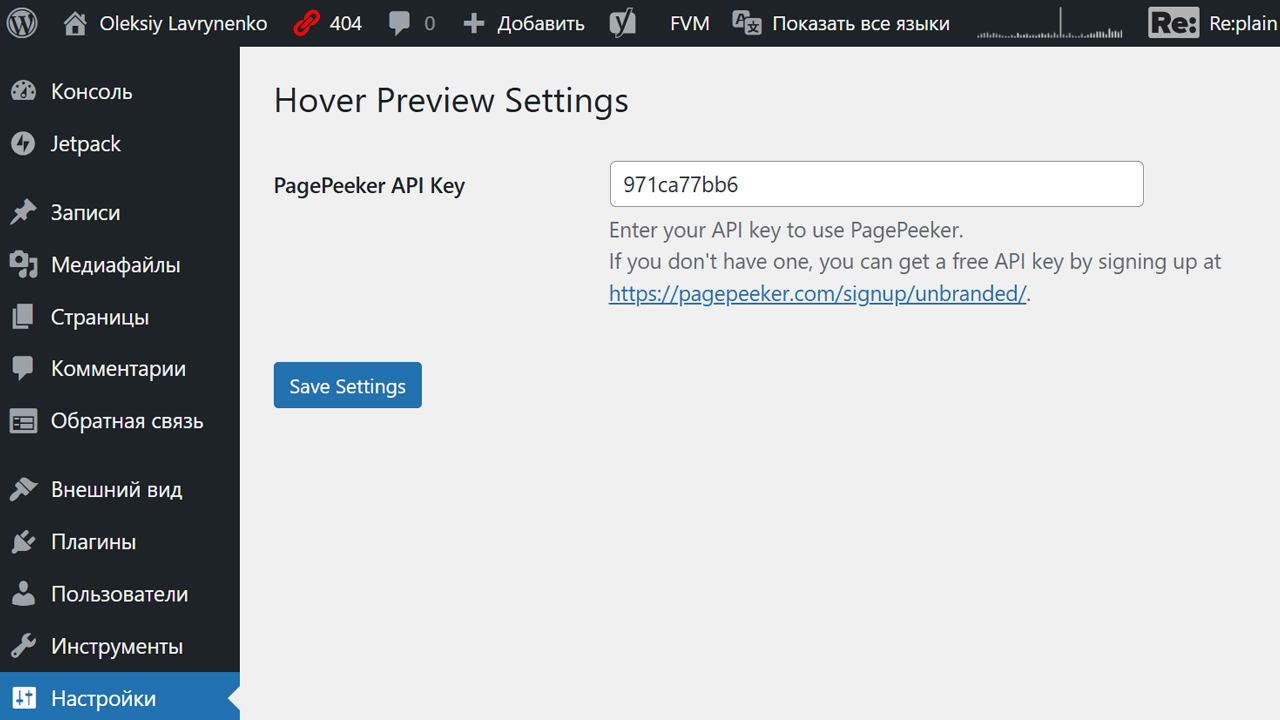
- Navigate to “Settings > Hover Preview” in the WordPress admin dashboard.
- Enter your PagePeeker API key. If you don’t have one, sign up for a free unbranded plan here:
https://pagepeeker.com/signup/unbranded/. - Save the settings and enjoy!
Active installations0+
Weekly downloads
10-28.57%
Version1.1
Last updated1/27/2025
WordPress version5.0
Tested up to6.7.2
PHP version7.4
Tags
hoverlink previewpreviewwebsite preview