
The Highlight.io WordPress Plugin allows you to easily integrate Highlight’s powerful session recording and monitoring capabilities into your WordPress site. With this plugin, you can gain valuable insights into user behavior, troubleshoot issues, and improve your website’s performance.
Features:
- Easy Setup: Install and configure the plugin in just a few clicks.
- Session Recording: Capture user interactions on your WordPress site.
- Error Monitoring: Automatically detect and log errors with detailed information for troubleshooting.
- Performance Monitoring: Monitor and analyze website performance metrics like page load times and resource usage.
- Network Recording: Optionally record network requests for deeper insights.
- Console Log Recording: Capture and review console logs to help identify and fix issues quickly.
Configuration
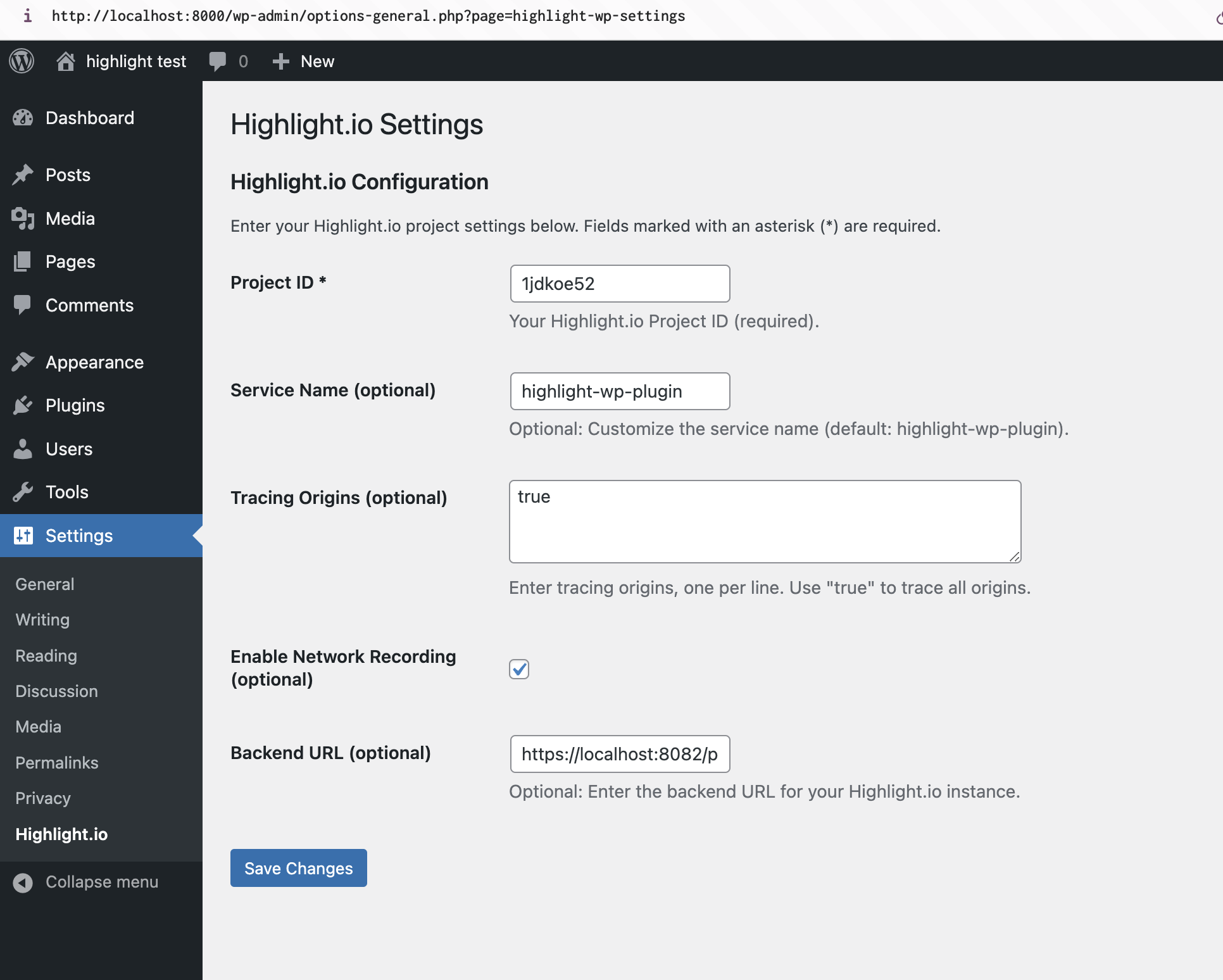
Navigate to “Settings” > “Highlight.io” in your WordPress admin panel. The only required configuration option is your Highlight project ID.
Advanced Configuration options include:
- Custom Service Name: Useful for identifying different environments or sites.
- Tracing Origins: Control which domains are traced, helpful for complex setups with multiple subdomains or external services.
- Network Recording: When enabled, captures network requests, which can be valuable for debugging API calls or third-party integrations.
Third-Party Services
This plugin sends data to the following external services:
-
Highlight.io
- Purpose: Core functionality – session recording, error monitoring, and performance tracking
- Service URL: https://highlight.io
- Terms of Service: https://highlight.io/terms
- Privacy Policy: https://highlight.io/privacy
-
Mixpanel (optional – only if configured)
- Purpose: Integrates with Mixpanel if enabled in custom configuration (learn more: https://www.highlight.io/docs/general/integrations/mixpanel-integration)
- Service URL: https://mixpanel.com
- Privacy Policy: https://mixpanel.com/legal/privacy-policy/
- Terms of Service: https://mixpanel.com/legal/terms-of-service/
You can also see mention of https://securetoken.googleapis.com and https://www.googleapis.com/identitytoolkit in the JavaScript source for the Highlight plugin. However, these domains are only strings used as the default values for our urlBlocklist configuration (learn more: https://www.highlight.io/docs/sdk/client#urlBlocklist)
Data Collection and Privacy:
* All session data, including user interactions and errors, is transmitted to Highlight.io’s servers
* Authentication tokens are processed through Google’s Identity Platform
* Usage analytics are collected through Mixpanel
* No personal data is stored locally on your WordPress installation
* All data transmission is encrypted using HTTPS
Where can I find my Project ID?
You can find your Project ID in your Highlight.io project settings at https://app.highlight.io/setup.
Is this plugin GDPR compliant?
The plugin integrates with third-party services for its functionality:
- All session recording and monitoring data is processed by Highlight.io. Please review Highlight.io’s privacy policy and GDPR compliance information at https://highlight.io/privacy.
- Optionally, through additional configuration, analytics data can be processed by Mixpanel. Their GDPR compliance information can be found at https://mixpanel.com/legal/privacy-overview/.
To ensure GDPR compliance:
* Inform your users about data collection through your privacy policy
* Include appropriate consent mechanisms on your site
* Configure the plugin’s privacy settings according to your needs
* Review and configure data retention settings in your Highlight.io dashboard
Are there any best practices for using this plugin?
- Always test the plugin on a staging environment before deploying to production.
- Regularly review your tracing origins and network recording settings to ensure you’re capturing necessary data while respecting user privacy.
- Use a descriptive service name to easily identify your WordPress site in the Highlight dashboard.
What should I do if I encounter issues with the plugin?
If you encounter issues, please check the following:
1. Ensure your Project ID is entered correctly in the plugin settings.
2. Verify that the plugin is activated and up to date.
3. Check your browser’s console for any JavaScript errors that might interfere with the Highlight script.
4. If network recording is enabled, ensure it’s not conflicting with other plugins or security measures on your site.
For further assistance, please refer to our support documentation or contact our support team.


