No more struggling with complicated page builders or the need for coding expertise in WordPress editor.
Introducing GutenKit for Gutenberg, the best Gutenberg page builder with ready custom blocks to experience the best website design experience right inside the WordPress block editor.
Gutenkit block builder plugin brings the familiar ease of drag-and-drop design to Gutenberg, making it feel just like using a page builder—but faster and more lightweight. With Gutenberg’s native drag-and-drop interface, 65+ page builder blocks, 20+ versatile modules, and 900+ pre-designed templates, GutenKit finds itself among the best Gutenberg addons where you can create professional, responsive web content in minutes.
With features like a Gutenberg mega menu, query loop builder, dynamic content, flexible containers, advanced parallax effect, and responsive breakpoints, GutenKit is easily the best Gutenberg page builder for your WordPress website.
⚓Explore GutenKit capabilities in action: Check Live Demo
Let’s experience the future of web design with GutenKit for Gutenberg Blocks – design without limits.
GutenKit Home Page | Custom Gutenberg Blocks | GutenKit Templates | Blog | Documentation | Need Support? | How to get started with GutenKit Pro |
Key Features
👉 Complete page building functionalities for Gutenberg
👉 Easiest way to build COMPLEX LAYOUTS
👉 Perfect FULL SITE EDITOR (FSE) compatible solution
👉 RESPONSIVE BREAKPOINTS for mobile, desktop & tab
👉 MEGA MENU BUILDER for Gutenberg
👉 QUERY LOOP BUILDER for dynamic websites
👉 Full-width flexible CONTAINER with inline editing
👉 MOTION ANIMATION effects for WordPress blocks
👉 COPY PASTE STYLES across Gutenberg block builder
👉 65+ WordPress block editor-supported blocks
👉 Pre-designed 900+ TEMPLATES AND PATTERNS
👉 A Gutenberg Website Builder with faster loading assets & optimized for PERFORMANCE
Design Responsive Pages with Custom Breakpoints
GutenKit’s Breakpoints module revolutionizes how you design a responsive website in the block editor. Now you can adjust the responsive breakpoint settings right inside the Gutenberg editor where you design your pages.
With GutenKit’s six additional custom breakpoints, every block is a responsive block in your Gutenberg editor. You can add breakpoints for mobiles, desktops, laptops, tablets, wide screens, and landscape mode.
This ensures that your website design, content layouts, and every responsive block fits perfectly into any screen, providing a seamless user experience across all devices.
Gutenberg Mega Menu Builder
GutenKit comes with the easiest way to build the mega menu in Gutenberg.
With the Gutenberg Mega Menu builder block you can create multi-dimensional dropdown menus with submenus.
Using this Gutenberg addon you can create an entire mega menu inside the block editor. You just need to add submenu items and link them to existing website pages. But with this Gutenberg mega menu builder for WordPress, you can even add new items in the menu that will be automatically saved as draft pages on your WordPress site.
GutenKit’s Gutenberg Mega Menu Builder lets you add any blocks as menu items including containers, carousels, tabs & more. So provide a smoother browsing experience with better navigation using GutenKit mega menu builder.
Build No-code Dynamic Websites in Gutenberg
⭐ Query Loop Builder
Query Loop Builder block is a dynamic Gutenberg block that helps to show your website post dynamically. You can filter the content based on the post type, taxonomy, meta query, date query, author, post status, and more.
Do all of the advanced filtering without even writing a single line of code. You can visually query the WordPress database and show your website post dynamically with the unmatched flexibility of this advanced Gutenberg blocks plugin.
⭐ Gutenberg Dynamic Content
GutenKit’s Dynamic Content for Gutenberg feature turns Gutenberg builder into a dynamic block editor. This pro feature enables the dynamic insertion of elements like post tags, site titles, author names, and user information by selecting ‘Dynamic Content’ in the block’s options.
Additionally, a fallback value can be set to display default content when specific data isn’t available. This functionality enhances content personalization and adaptability on WordPress sites.
⭐ Display Conditions
Display Condition module from the GutenKit Gutenberg addon provides a versatile way to control the visibility of your content based on various conditions. Through the easy-to-use interface of this WordPress Gutenberg block conditions plugin, you can set specific criteria. This ensures that only relevant content is displayed to your visitors, enhancing their experience and improving your website’s overall effectiveness.
Build Faster Loading, SEO-Friendly Website in Gutenberg Block Editor
GutenKit blocks comes with-
🚀 Fast Loading Assets
🚀 Optimal Performance Ratings
🚀 Higher SEO Scores
🚀 Block API Version 3 Support
Full Site Editing with GutenKit Page Builder
Create pages layouts, header footer and block patterns for the entire website in the site editor with GutenKit page builder blokcs.
All GutenKit blocks, block patterns, and templates seamlessly work in WordPress’s Full Site Editor (FSE) to help you make a unique design for your website.
Overall, this WordPress full site editor compatible Gutenberg addon ensures a user-friendly and dynamic touch to your content creation.
Create Eye-catchy Web Pages With Vibrant Animations
This WordPress page builder block editor empowers you to create visually stunning and engaging web pages with its dynamic animation features. By seamlessly integrating animation into your content, you can captivate your audience and leave a lasting impression.
Design Stunning Websites (NO CODE) with GutenKit’s Templates Library and Icons
🔥 900+ Pre-designed Patterns & Templates
GutenKit is packed with over 900 ready-made block patterns and templates. These exclusive block patterns and templates simplify the design process and provide a quick start for building beautiful and functional layouts within the WordPress Gutenberg editor.
➡️Get access to this WordPress Gutenberg page builder’s library of professionally designed pre-made templates & Patterns.
🔥 900+ Inline SVG Font Icons
This amazing GutenKit icon library offers an efficient loading mechanism, allowing users to access and utilize individual icons without loading the entire library. It leads to a swift user experience.
Create Complex Layouts in WordPress Block Editor
Let GutenKit’s page builder blocks help you bring your website to life hassle-free. With 65+ blocks, you can easily design dynamic and beautiful web pages within the Gutenberg WordPress block editor.
🔷 Use Containers with page-builder-like controls
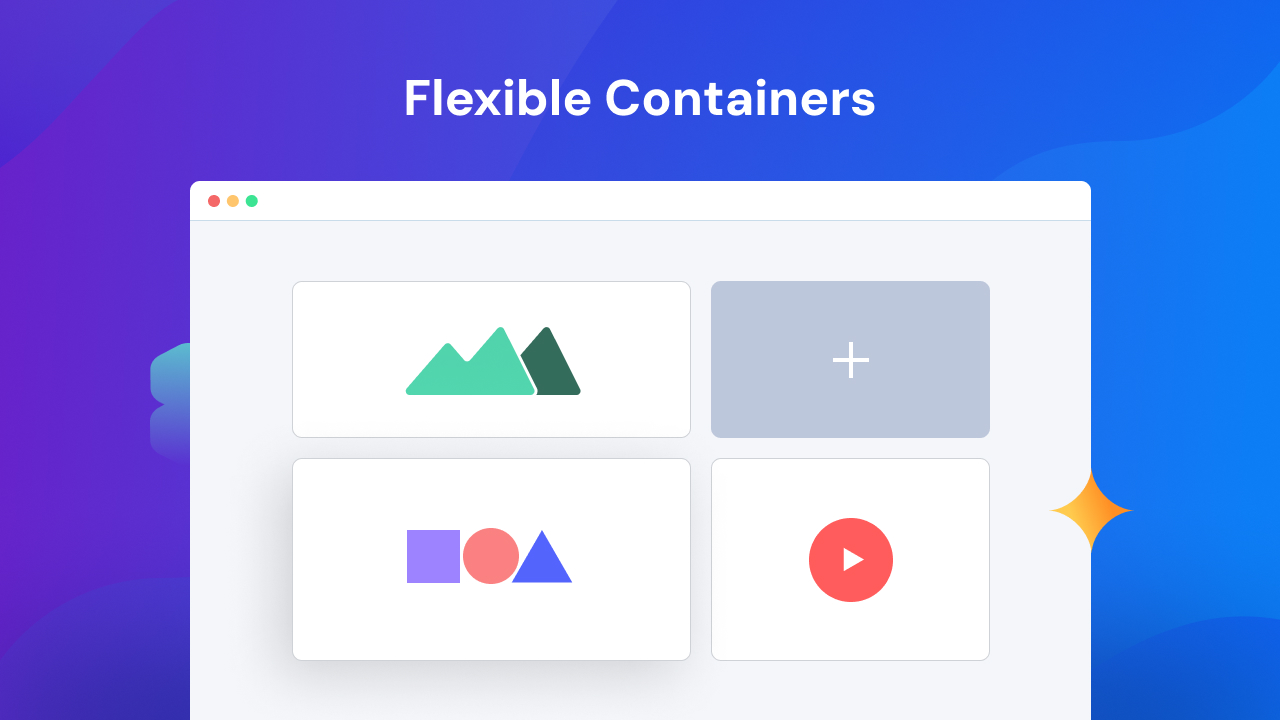
The Gutenberg Container block makes the block editor a true page builder. This allows you to create custom sections and group content within the Gutenberg editor. You can adjust container width simply by dragging the mouse cursor to right or left, much like the inline editing experience in page builders.
Besides, this page builder block offers a range of layout options, enabling effortless customization including full-width and boxed containers with background, padding, and endless customizations.
🔷 Advanced Parallax Effect
Create Advanced Parallax Effect and give an immersive experience to the site visitors with advanced parallax effect for Gutenberg. Choose from a wide range of styles include transparency, classic, parallax rotate, lower bounce, horizontal scroll, and more.
🔷 Advanced Video Gallery
Create A Filterable Video Gallery using ready blocks. Showcase the best videos in your website with a few clicks. Let your visitors filter them based on their need.
🔷 Copy Paste Styles
The Gutenberg copy-and-paste styles across blocks let you apply a stunning design you’ve crafted to other elements in seconds. So, it ensures a consistent and professional look for your website without repetitive adjustments.
🔷 Organize Content in Advanced Tab
With the Gutenberg Advanced Tab Block, you can organize information into tabbed sections for a convenient browsing experience. You’ll get pre-designed templates for the tabs, global styles, advanced customization settings, and so on.
🔷 Present Content Smartly with Advanced Accordions
The Gutenberg Accordion block in GutenKit is your key to creating sleek and interactive content. This drag-and-drop WordPress accordion block allows you to create collapsible sections. You can organize any content in a structured and tidy way with this WordPress Gutenberg Plugin.
🔷 Craft Catchy Headings
Create eye-catching headers effortlessly with the GutenKit Header block in the WordPress block editor. You can craft stunning H1, H2, and H3 headers with a wide range of customization options. One great convenience is the ability to add URLs to your headings which makes it easier for users to navigate.
🔷 Off-canvas menu
Now you can design and integrate space-saving off-canvas menus with our Gutenberg Offcanvas block. The handy tool allows you to make menus that slide smoothly into view and ensures easy access to all your important website sections.
🔷 Global Color Scheme
Take control of your website’s color palette with our seamless Gutenberg block editor integration. Design cohesive layouts by leveraging the Global Color Scheme feature.
Create User-Friendly WordPress Menus
Besides the mega menu, GutenKit helps you create menus in the WordPress block editor in the easiest way. You can design different types of menus including Nav Menu, or Offcanvas menu that perfectly complements your website’s aesthetic, ensuring a smooth user experience.
🔷 Make Beautiful Nav Menu
With GutenKit’s Nav Menu, making stunning navigation menus becomes a breeze. You can design WordPress navigation menus that perfectly ensure a site-wide smooth user experience and complement your website’s aesthetic.
🔷 Modernize Design with Offcanvas Menu
In terms of modernizing and space optimization, the Offcanvas block from this Gutenberg add-on is the perfect solution in the WordPress block editor. You can design and integrate space-saving off-canvas menus with our Offcanvas block. The handy tool allows you to make menus that slide smoothly into view and ensures easy access to all your important website sections.
Start Your Blogging Site With Various Post Blocks
Ready to begin blogging journey with different GutenKit Post Blocks? From captivating headlines to engaging multimedia, you can create posts that resonate with your audience and leave a lasting impression.
☑️ Post Grid
Visualize your latest content elegantly with the Gutenberg Post Grid block in the WordPress block editor. It helps to showcase posts in a grid layout, providing a modern and engaging way for users to discover your latest articles or products.
☑️ Blog Posts
GutenKit Blog Posts for Gutenberg lets you display posts by category, date, or popularity in stylish layouts, with support for text, images, videos, and more.
☑️ Post Tab
GutenKit Post Tab block helps to organize the blog posts into different categories or topics. For your WordPress site, you can create post tabs for each category, allowing readers to easily navigate and find the content they’re interested in.
☑️ Reading Progress Bar
The Reading Progress Bar block in WordPress Block editor serves as a visual representation of progress or completion. Our block functionality includes a diverse range of templates and styles, allowing customization of percentages, progress, and duration indicators.
Interactive Response to Visitor’s Actions
Give an exceptional interactive experience to every part of your website that visitors touch. The Gutenkit interaction module allows the implementation of various interaction effects such as transformation, scrolling, rotation, changing opacity, and showing, hiding, or toggling elements in a “zero-code” way.
More Advanced Blocks for Your WordPress Site
In addition to the core features of a Gutenberg page builder, GutenKit offers a suite of advanced blocks to enhance your website’s functionality and visual appeal.
🔷 Showcase with Icon Boxes
With the Icon Box block in GutenKit, you can add icons from our vast library without slowing down your site. It’s super quick because it only loads the specific icons you choose.
🔷 Highlight with Image Boxes
GutenKit’s Image Box block is an awesome feature that displays images in a beautifully designed box. Don’t worry about your images—crop, resize, adjust them on the fly, and style them accordingly to fit seamlessly within your design.
🔷 Dual Buttons for Versatility
The Dual Button block of the GutenKit WordPress Block editor Plugin offers an intuitive way to integrate paired buttons with personalized styles into your content. With this block, you can create & customize two buttons, while also inserting text in the middle to provide context or information.
🔷 Pricing Table
Showcase your product/service prices in style with our Pricing Table block. It lets you create crystal-clear pricing tables that convert, and highlight key features, pricing structures, calls to action, and many more.
🔷 Showcase Before/After Image Comparison
This Image Comparison block of GutenKit is ideal for highlighting transformations, or any scenario where visual impact matters. With this drag-and-drop WordPress block, you can slide smoothly between the before and after comparison of an image.
🔷 Create Urgency with Countdown Timers
The GutenKit’s Countdown Timer block allow users to create visually appealing and highly customizable Countdown Timers within the WordPress Gutenberg editor. At the same time, it can effectively add a sense of urgency to promotions and prompt swift, time-sensitive actions from their audience.
🔷 Attractive Gallery Style
Increase the visual appeal of your website using this Gutenberg Gallery plugin, which includes an intuitive grid and masonry-style image and video galleries. Displays visual content in versatile & dynamic layouts for optimal visitor engagement.
Who will benefit from GutenKit?
Here are the highlights of the diverse audience segments and professionals who can utilize GutenKit’s Gutenberg addons potential to achieve their goals and enhance their digital experiences.
➡️ Website owners, bloggers, and small business owners
GutenKit is a perfect solution with powerful blocks for creating captivating, responsive content and building a professional online presence, no coding required.
➡️ Content Creators
GutenKit helps content creators enhance visual appeal with top WordPress blocks and flexible design, making content more engaging & shareable.
➡️ Marketers and SEO Professionals
Marketers and SEO professionals can use GutenKit to build user-friendly pages that boost engagement, SEO, traffic, and conversions.
➡️ Web Designers and Developers
GutenKit saves time and simplifies workflows for website designers and developers with its intuitive drag-and-drop tools and rich design library.
➡️ E-commerce Website Owners
GutenKit helps e-commerce owners enhance product listings with responsive design, pricing tables, and icons for a better shopping experience.
➡️ Freelancers & Digital Agencies
Digital agencies and freelancers can deliver fast, professional websites using GutenKit’s templates and no-code modules, impressing clients without needing advanced coding skills.
➡️ Anyone Seeking a User-Friendly Solution
GutenKit Gutenberg plugin is designed for accessibility for all, ensuring that individuals with varying technical backgrounds can create visually stunning websites with ease.
☂️ OUR OTHER PLUGINS
Check out our other plugins:
ElementsKit – All-in-one Addons for Elementor.
ShopEngine – Complete Elementor WooCommerce builder.
MetForm – The most flexible and easy-to-use form builder.
GetGenie Ai – An advanced Ai assistant for SEO-friendly content.
WP Social – Promote your social media presence with WP social.
EmailKit – Effortless way to change your email-building experience.
FundEngine – The perfect plugin to create a WordPress crowdfunding and donation site.
Wp Ultimate Review – Manage customer reviews with Wp Ultimate Review plugin.
PopupKit – WordPress Gutenberg popup plugin to build exceptional popup for diverse needs within the WordPress block editor.
TableKit – Make fully-customizable multipurpose table & generate data table within Gutenberg block editor.
Genie Image – Generate images directly on your WordPress website with the magic of AI.
Visit Wpmet to learn more about how to get the best of WordPress with Tutorial, Tips & Tricks!