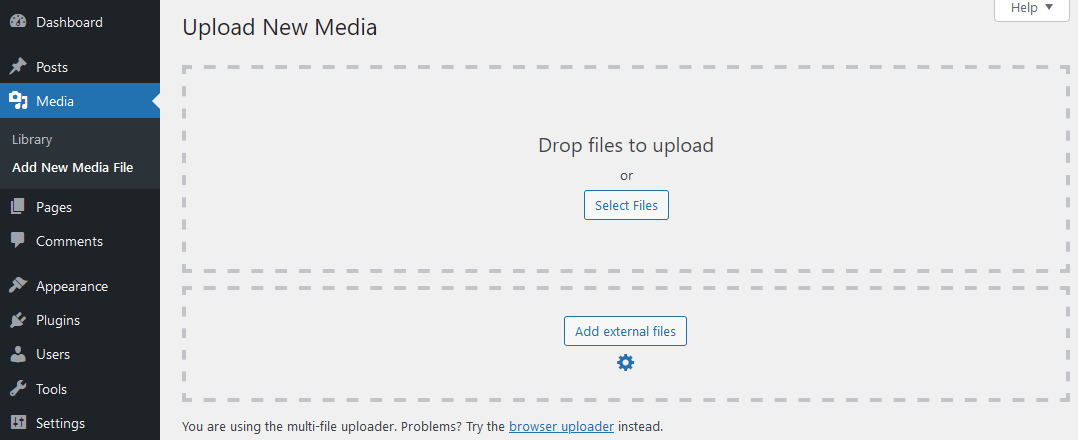
Field to add external files in Media > Add New Media File.
Add one or more files with their URLs under Media > “Add New Media File”. You can use these external files anywhere the media library is used.
Feature
Embed your files from AWS S3, DropBox, Google Drive, Google Cloud Storage, FTP, your local hosting, another website in your multisite, other WordPress REST APIs, YouTube or many other possible sources. Use them in your preferred editor such as Block Editor, Elementor, Divi, Classic Editor, WpBakery and many more as if the files were stored normally in your media library.
Automatically synchronize external directories containing files with your media library at intervals you specify.
And even more:
✅ Add the files with their external dates. This allows you to get the date, helpful for SEO, for example.
✅ Import them as real files instead of just linking to them in your media library. This allows you to import any amount files into your project.
✅ Check their availability (only for HTTP connections) to ensure that the external files are actually available.
✅ Configure, which users in your project are allowed to use the external files options.
✅ Extract ZIP files from any external source into your media library.
Support for other plugins
Use external URLs when importing products via CSV in a WooCommerce store (including access data for these e.g., via an FTP).
Add external files on download lists of Download Lists with Icons.
Sort your external files in a folder of CatFolders, Filebird, Folderly, Folders, iFolders, Media Library Organizer or assign them into categories from Enhanced Media Library and Real Media Library Lite. You can import and synchronize them in these plugins.
And compatible with Network Media Library for use in multisites.
And it is also compatible with multilingual plugins like Polylang to translate the media files.
The plugin is also compatible with a variety of other plugins not listed here. If, contrary to expectations, something does not work properly, please report it in the support forum.
REST API
You can manage your external files with REST API requests as documented here.
Mass-Import
You can import complete directories from any of the supported TCP protocols. Just enter the directory as path to import, and the plugin will import any supported files from it or use the external source tools to navigate to the directory to import.
For large directories, there is also an automatically processed queue. You could also use the WP CLI for large directories.
TCP Protocols
You can use the following TCP-protocols to import external files in your media library:
📡 http://
📡 https://
📡 ftp://
📡 ftps://
📡 sftp://
📡 ssh://
📡 file://
Some of them require credentials, for http(s) it is optional.
Service plugins
Support for additional platforms as external sources is enabled by additional service plugins. These are now:
➕ External files from AWS S3 in Media Library (incl. support for AWS S3, Backplaze S3, Cloudflare R2 and DigitalOcean Spaces)
➕ External files from Google Cloud Storage in Media Library
➕ External files from Google Drive in Media Library
➕ External files from WebDav in Media Library (incl. any WebDav-provider like NextCloud or Seafile)
They can be installed manually or in the backend of your WordPress under Media Library > Add External Files.
Use cases
Here are a few examples of how this plugin can help you:
💡 Store particularly large files in a different storage location so that you save storage space on your hosting.
💡 Import files that your graphic designer provides you in a shared directory.
💡 Automatically synchronize photos from your vacation for display on your website.
💡 Use regularly newly generated PDF files from a shared directory for output on your website.
💡 Get images for your products from a central directory.
Find more here
ClassicPress
This plugin is compatible with ClassicPress.
Repository, documentation and reliability
You find some documentations on this plugin page and in GitHub.
The development repository is on GitHub.
Each release of this plugin will only be published if it fulfills the following conditions:
✅ PHPStan check for possible bugs.
✅ Compliance with WordPress Coding Standards.
✅ No failures during PHP Compatibility check.
✅ No exceptions during PHP Unit Tests.