
Expiry Time Coupon for WooCommerce
by Morteza Geransayeh on WordPress.org
Add a time-of-day component to WooCommerce coupon expiry that works together with the built-in expiry date.
(0)
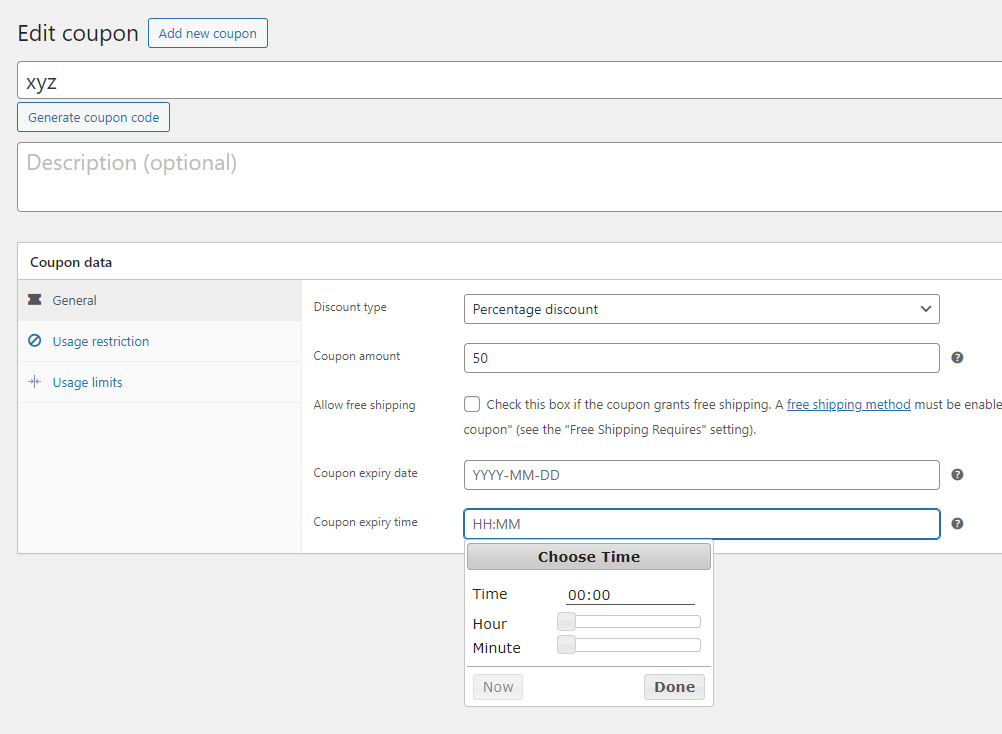
Timepiker coupon for WooCommerce
WooCommerce lets you set a coupon “Expiry date” but not an exact time.
This lightweight plugin adds a “Coupon expiry time” field (HH:MM, 24h) to the coupon edit screen.
When both date and time are set, the coupon will expire on that date at the time you specify.
Key points
* Works alongside WooCommerce’s native coupon expiry date.
* Time is stored internally as seconds since midnight and combined with the date.
* No changes to your theme or checkout templates required.
Usage
- Set Expiry date as usual in WooCommerce.
- Set Coupon expiry time in
HH:MM(24-hour) format, for example17:30. - The coupon will be valid until the combined timestamp; after that, it will be treated as expired.
Active installations0+
Weekly downloads
11–
Version1.0.1
Last updated10/1/2025
WordPress version6.1
Tested up to6.8.3
PHP version7.4
Tags
couponsexpirationexpirytimewoocommerce