Error Log Viewer by BestWebSoft
by bestwebsoft on WordPress.org
Get latest error log messages to diagnose website problems. Define and fix issues faster.
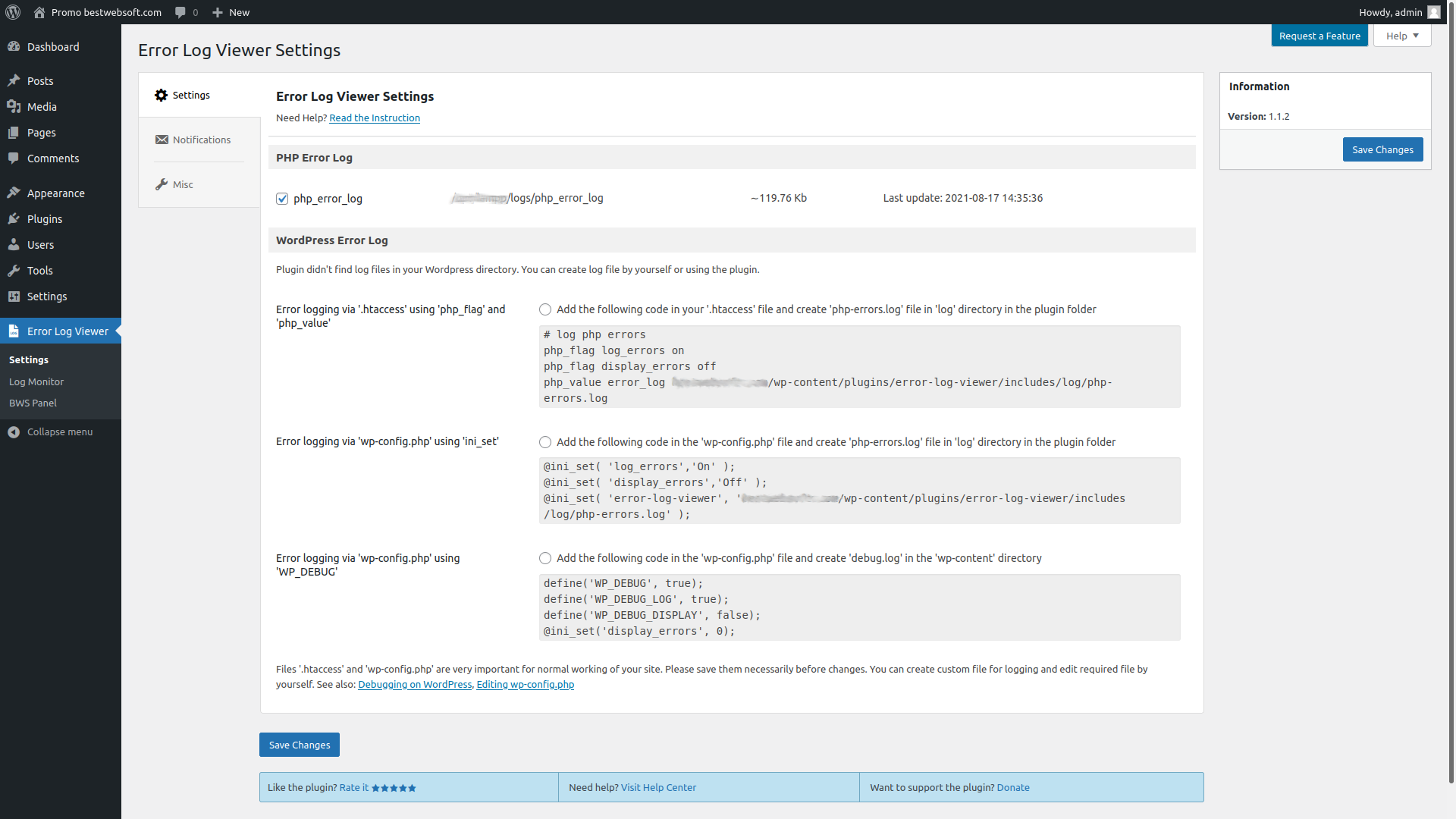
Settings page for create log file.
Simple utility plugin that helps to find and view log files with errors right from your WordPress admin dashboard. Get access to all your log files from one place. View the latest activity, select logs by date, or view a full log file. Get email notifications about log changes.
Get access to your website logs and troubleshoot issues faster!
Features
- Enable WordPress error logging with:
- .htaccess
- wp-config.php using
inl_set - wp-config.php using
WP_DEBUG
- Search and view error logs:
- PHP
- WordPress
- Configure email notifications about log changes:
- Set the email
- Change frequency
- Configure log monitor settings:
- Choose the log to be displayed
- Choose what to show in the log:
- Certain last lines in the file
- Log for a certain period of time
- Full file
- View or save the part of PHP error logs as TXT file
- Compatible with latest WordPress version
- Incredibly simple settings for fast setup without modifying code
- Detailed step-by-step documentation and videos
If you have a feature suggestion or idea you’d like to see in the plugin, we’d love to hear about it! Suggest a Feature
Documentation & Videos
Help & Support
Visit our Help Center if you have any questions, our friendly Support Team is happy to help – https://support.bestwebsoft.com/
Affiliate Program
Earn 20% commission by selling the premium WordPress plugins and themes by BestWebSoft — https://bestwebsoft.com/affiliate/
Translation
- Russian (ru_RU)
- Ukrainian (uk)
Some of these translations are not complete. We are constantly adding new features which should be translated. If you would like to create your own language pack or update the existing one, you can send the text of PO and MO files to BestWebSoft and we’ll add it to the plugin. You can download the latest version of the program for work with PO and MO files Poedit.
Recommended Plugins
- Updater – Automatically check and update WordPress website core with all installed plugins and themes to the latest versions.
Credits
- This plugin incorporates a license verification mechanism to ensure the authenticity of your license key and provide access to premium features and updates. The verification process involves connecting securely to our external service hosted at BestWebSoft website https://bestwebsoft.com. Privacy Policy https://bestwebsoft.com/privacy-policy/. End user license agreement https://bestwebsoft.com/end-user-license-agreement/.


