
Dynamic Template Parts
by Matt Watson on WordPress.org
Enhance your site’s flexibility with Dynamic Template Parts, allowing you to swap headers, footers, and more on a post-by-post basis.
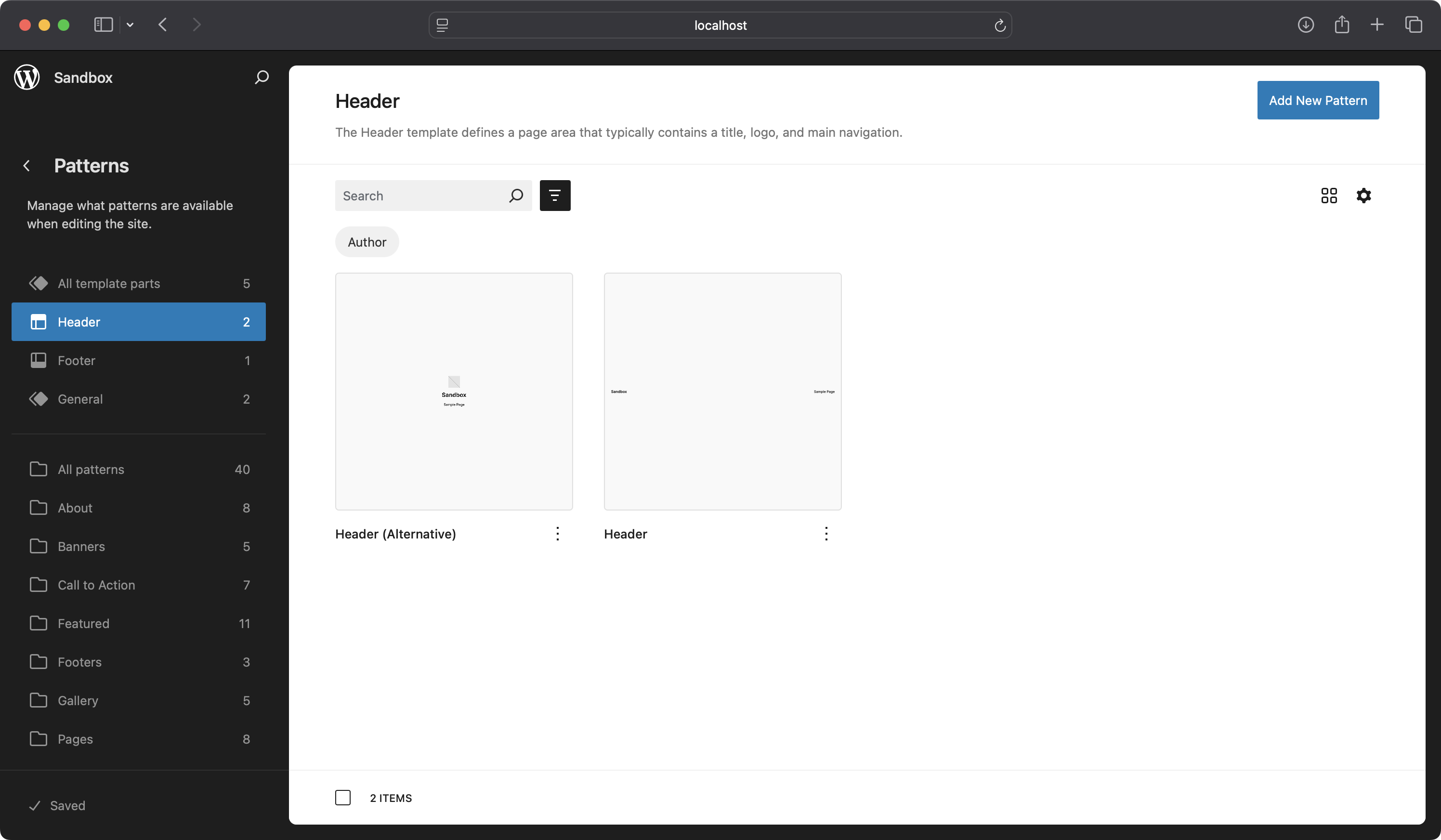
Use alternative Template Parts: Use the Full Site Editor to define your alternative template parts.
Transform the way you manage templates on your WordPress site with Dynamic Template Parts. This powerful plugin extends the Full Site Editor, letting you swap headers, footers, and other Template Parts dynamically based on the content you’re editing — say goodbye to managing multiple templates for every layout variation.
With Dynamic Template Parts, you gain the freedom to swap Template Parts directly within the block editor, whether it’s for posts, pages, or custom post types. The user-friendly interface allows you to preview changes in real-time, giving you complete control over the look and feel of each piece of content without needing custom code.
Key Features:
- Dynamic Template Part Swapping: Replace headers, footers, sidebars, or any template part within the block editor.
- Flexible Swapping Options: Define whether to swap within the same type, any type, or curated parts.
- Template Part Previews: Preview Template Parts before selecting, ensuring your content looks perfect.
- Supports All Content Types: Works with posts, pages, and custom post types.
- User-Friendly Interface: Simple setup—no coding required.”
Get Started:
To implement an alternative Header Template Part using the Full Site Editor, please follow the example workflow below:
- Create an Alternative Header Template Part: Design and save a new Header Template Part within the Full Site Editor to serve as an alternative to your default header.
- Edit the Single Posts Template: Navigate to the Single Posts template and select the Header Template Part, and view the block sidebar.
- Enable the Dynamic Template Part Option: In the Template Part attributes panel, enable the Dynamic Template Part setting.
- Configure Swapping Preferences (Optional): Adjust your swapping preferences according to your requirements (choose to swap your Template Part with differnt Template Part types, or use a curated list of Template Parts).
- Edit a Post and Access the Dynamic Template Part Sidebar: Open a post for editing and select the Dynamic Template Part sidebar from the editor interface.
- Select the Alternative Header Template Part: Choose the alternative Header Template Part you created to replace the default header in this specific post.
- Save and Preview the Post: Save your changes and preview the post to verify that the alternative header is displayed correctly.
- Confirm Default Header on Other Posts: Ensure that all other posts without specific configurations continue to display the default header as intended.
Unlock the power of dynamic templating and take control of your site’s design like never before!
Hooks and Filters
Dynamic Template Parts provides filters to allow developers to customise its behaviour. Below are the available filters and how to use them.
Show Deselected Template Part
The dynamic_template_parts_show_deselected_template_part filter lets you control whether a previously selected template part that is no longer available for selection should still be displayed. By default, the plugin keeps the part visible to avoid unintended changes, but you can override this to automatically remove unavailable template parts.
Example:
If you want to ensure that unavailable template parts are removed and replaced with the default template part, you can use the following code:
add_filter( 'dynamic_template_parts_show_deselected_template_part', function( $show_deselected, $template_parts, $selected_part ) {
    // Always hide deselected template parts and fall back to the default.
    return false;
}, 10, 3 );
Parameters:
$show_deselected(bool): Whether to show the deselected template part. Defaults totrue.$template_parts(array): The list of available template parts.$selected_part(string): The currently selected template part.
User Permissions
The dynamic_template_parts_user_can_switch filter lets you customise which users are allowed to switch template parts. By default, any user with the edit_posts capability can access this functionality, but you can restrict it to specific roles or capabilities.
Example:
If you want to restrict template part switching to administrators only, you can use the following code:
add_filter( 'dynamic_template_parts_user_can_switch', function( $can_switch ) {
    // Allow only administrators to switch template parts.
    return current_user_can( 'manage_options' );
} );
Parameters:
$can_switch(bool): Whether the current user has permission to switch template parts. Defaults to checking theedit_postscapability.
Roadmap
- Support for additional content types: Support additional content types such as authors, terms and archive pages.
Requirements
- WordPress version 5.8 or higher.
- PHP version 7.4 or higher.
Known Issues
See the Roadmap section for known issues.