
Dynamic Field for Elementor Forms – Populate Anything
by add-ons.org on WordPress.org
Pull data from URL Query Parameter, posts, users, terms, Database, CSV, or custom sources and display them directly inside your forms.
Add a Dynamic Field to Elementor form.
Dynamic Field for Elementor Forms extends the default Elementor Forms widget by allowing you to add fields that display dynamic data.
Instead of only static inputs, you can populate fields with values from posts, taxonomies, users, or even custom queries.
DEMO: https://demo.add-ons.org/demo-dynamic-field/?key=wordpress.org&checkbox=Check1|Check2|checkURL&radio=Radio%202
Document: https://add-ons.org/document-dynamic-field-for-elementor-forms/
Pro Version: https://add-ons.org/plugin/dynamic-field-for-elementor-forms/
Dynamic Options for Select, Radio, Checkbox
Features
- Support all fields type.
- Dynamic Options of Select, Checkbox, Radio type.
- Populate form fields from posts, taxonomies, users, or custom values.
- Database, .CSV external data sources.
- Option to filter and conditionally display dynamic values.
- Developer-friendly with hooks/filters for custom sources.
Perfect for
- Populating select, radio, or checkbox options with data from WordPress.
- Auto-filling hidden fields with user or post information.
- Advanced forms that adapt to site content.
URL Query Parameter
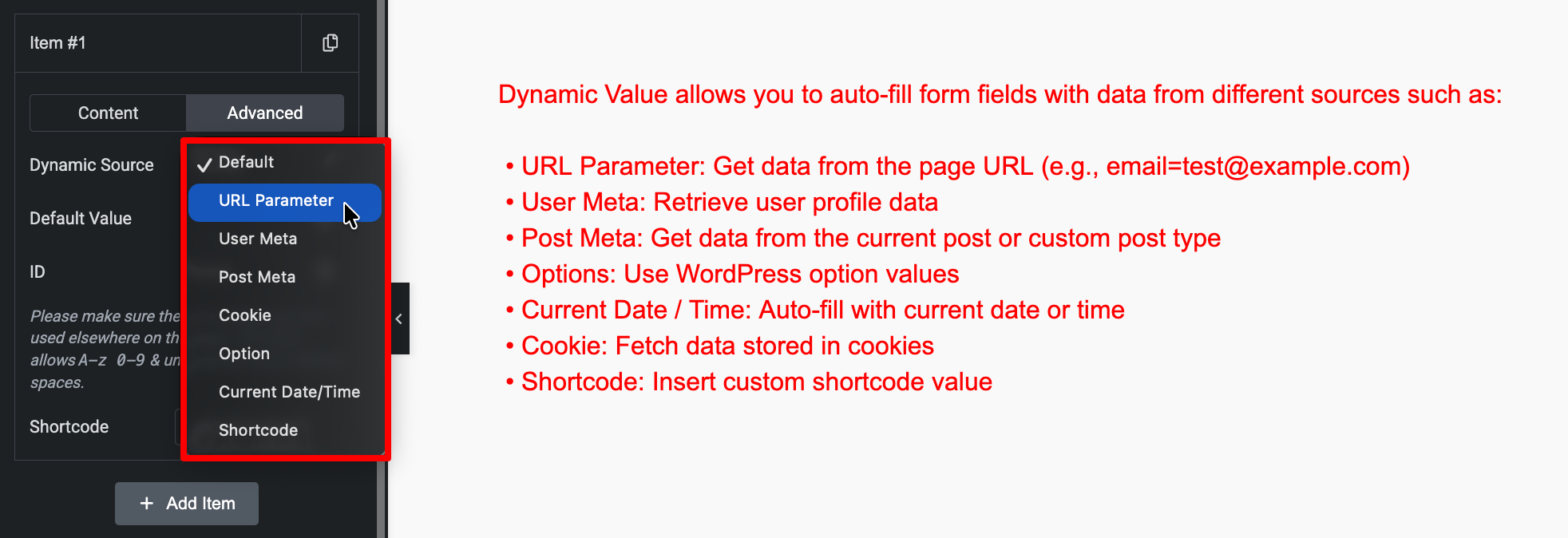
Automatically get values from the URL query string (e.g. ?product_id=15).
Set the query key (product_id, ref, etc.) and use that value to prefill or filter another field.
Ideal for pre-filled or linked forms.
Posts
Pull data from any post type (e.g. posts, pages, products, custom post types).
Select which post type to load, and choose to display Title, Slug, ID, or Custom Field (meta value).
Useful for dropdowns like “Select Product” or “Select Blog Post”.
Users
Load a list of registered WordPress users.
Display their Username, Display Name, Email, or any custom meta key.
Ideal for forms where users can assign or select another user.
Terms
Retrieve taxonomy terms (categories, tags, or any custom taxonomy).
Filter by taxonomy and show term name, slug, or ID.
Perfect for dynamic category selection.
Options
Get values from the WordPress Options Table (wp_options).
Use it to load site-wide settings, theme options, or plugin values.
Example: display a list of custom settings or dropdown values stored in options.
Current Time
Automatically insert the current date and/or time into the field.
Supports PHP date formats (e.g. Y-m-d H:i:s).
Useful for hidden fields that log when a form is submitted.
Shortcode
Run a WordPress shortcode and use its output as the dynamic value.
Any valid shortcode that returns a list or string can be used.
Example: [my_custom_list] will populate your field automatically.
(Available in Pro)
Database
Fetch data directly from a custom database table.
Specify Table Name, Column Name, and optional WHERE condition.
Great for integrating with custom systems or CRMs.
(Available in Pro)
CSV
Import options from a .csv file — either uploaded via Media Library or by URL path.
Each line becomes one option (value/label pair if formatted properly).
Perfect for large or frequently updated datasets.
(Available in Pro)