
Customize Admin
by Johan van der Wijk on WordPress.org
With this plugin you can use customize the appearance of the WordPress login page, dashboard and head section tags.
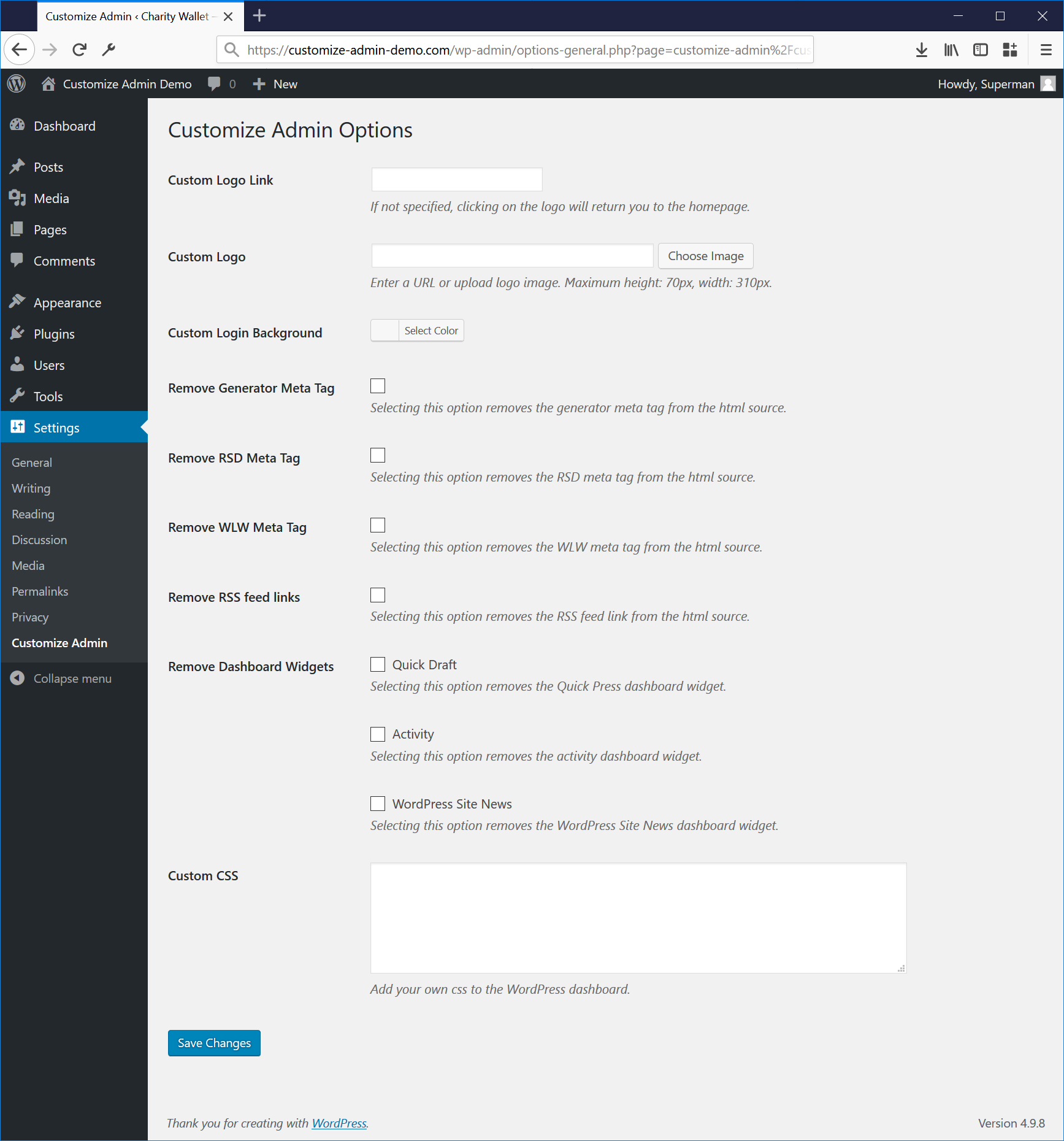
You can specify the logo image and clickthrough link on the options page. It is also possible to disable the generator meta tag and specified dashboard widgets.
Customize Admin is a powerful WordPress plugin that puts you in control of your website’s login page and dashboard layout. With its intuitive features, you can effortlessly tailor the look and feel of your WordPress login page and dashboard, creating a seamless and branded experience for your users.
Key Features:
Personalized Login Screen: Easily upload your custom image or logo to the login screen and define the link associated with the logo. Take your brand identity to the forefront and leave a lasting impression on your visitors from the very first interaction.
Streamlined HTML: Trim down and fine-tune your website’s HTML source code by selectively removing meta tags from the head section. Enjoy better control over your site’s code and optimize it for improved performance and SEO.
Dashboard Widget Management: Take charge of your dashboard widgets! Customize Admin enables you to disable selected widgets, allowing you to declutter and streamline your WordPress dashboard effortlessly.
Want to see the magic of Customize Admin in action? Check out the plugin homepage for more information and an enlightening screencast video that showcases the plugin’s capabilities.


