
Custom URL Mapper
by freeliancenow on WordPress.org
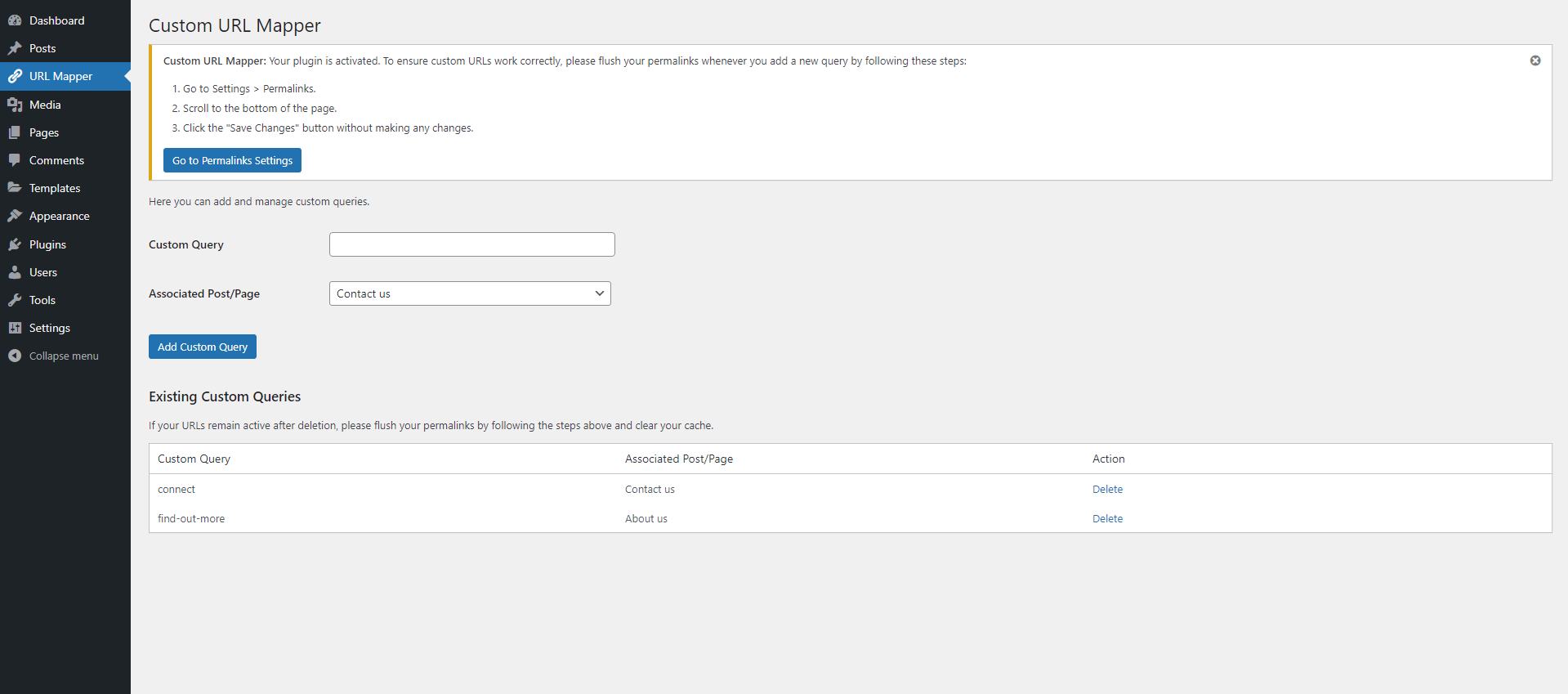
Admin panel where you add custom URL mappings.
Custom URL Mapper, created and maintained by Michael Kiamanesh and Grigor Nikolov, is a totally free plugin that allows you to easily create custom URLs on your WordPress site and map them to specific posts or pages. Whether you need to create short, clean, or personalized URLs for a better user experience, this plugin makes it simple to redirect any custom URL to existing content on your site. No coding required—just add your custom URL, select the target post or page, and you’re set!
We built this plugin out of necessity as a way to manage redirects on our own websites without the headache of coding or overcomplicated tools. We’re sharing it for free, hoping it will help others facing similar challenges.
How It Works
Adding a custom URL is simple and straightforward. Here’s a step-by-step guide:
-
Enter a Custom Query: In the Custom Query field, type the word or phrase you want to use in the URL. For example, let’s say your website has a page called “Contact” with the URL
yourwebsite.com/contact. You can enter a word like “test” into the Custom Query field. -
Select the Target Post/Page: From the Associated Post/Page dropdown menu, select the page or post where you want the custom URL to redirect. In this case, you would choose your “Contact” page.
-
Save and Test: After saving, whenever someone types
yourwebsite.com/testinto their browser, they will automatically be redirected to your “Contact” page. You can create as many custom queries and redirects as you need for any posts or pages on your site.
Key Features
- Completely Free: No hidden costs or premium versions.
- Unlimited Custom URLs: Create as many custom URLs as you need and map them to any post or page.
- Seamless Integration: Works flawlessly with WordPress’s native permalink structure.
- SEO-Friendly Redirects: Automatically handles URL redirects with a 301 (permanent) redirect to maintain SEO integrity.
- Easy-to-use Admin Interface: For adding and managing your custom URLs.
- Secure and Lightweight: No impact on website performance.
- No Technical Knowledge Required: Set up your redirects with simple point-and-click actions.


