
Contact Form 7 – PayPal & Stripe Add-on
by Scott Paterson on WordPress.org
Easily add PayPal and Stripe to Contact Form 7. Accept credit card payments with Stripe & PayPal on your site today. Offical PayPal & Stripe Partner.
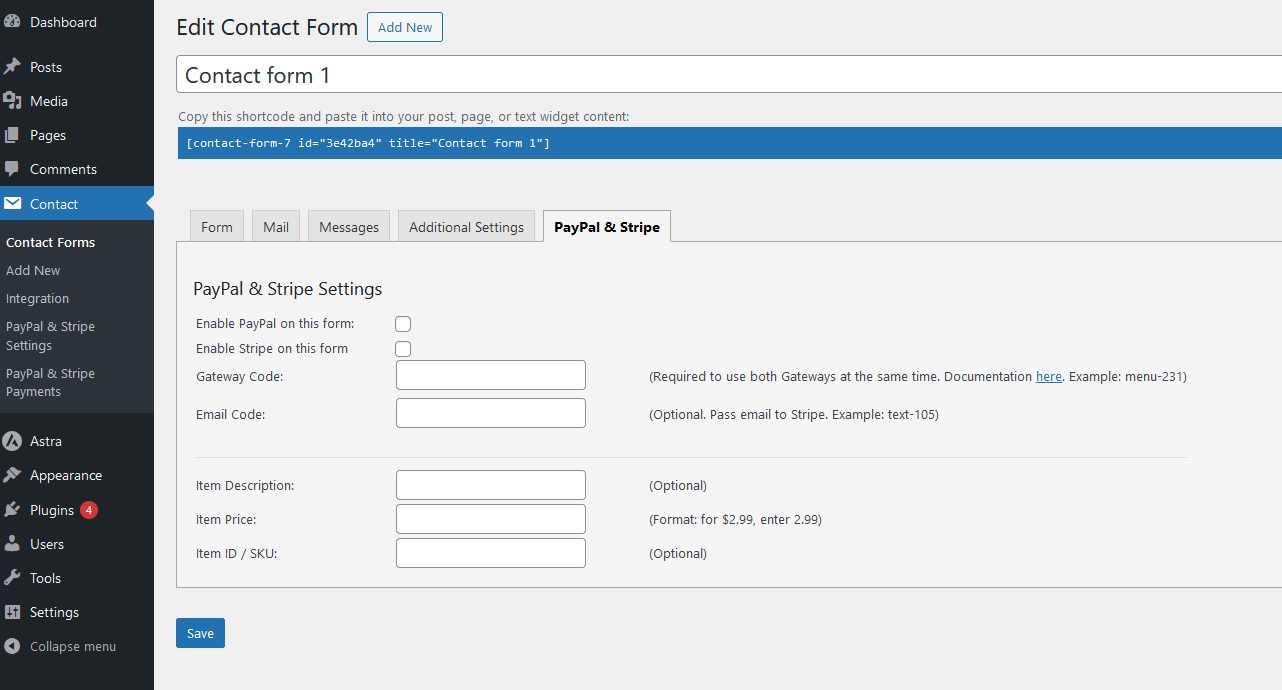
Options while editing a contact form - Note: This plugin works with both the old and new Contact Form 7 interface, screenshots from old version.
This plugin seamlessly integrates PayPal & Stripe with Contact Form 7
Do you use Contact Form 7 and want to accept PayPal & Stripe payments easily? This plugin can do just that. It’s easy to setup and use. On top of that we’re an official PayPal and Stripe partner.
Do you have questions or problems?
We’re here to help! Please create a support post in the support forum and we’ll get back to you right away!
Watch this short video to see how the plugin works:
Each contact form can have its own PayPal & Stripe settings. When a contact form is enabled to use PayPal or Stripe, and the user submits the form it will send the email as usual, then auto redirect.
Note: This plugin works with both the old and new Contact Form 7 interface. A PayPal account, which is free, is required to use PayPal. A Stripe account, which is also free, is required to use Stripe. You can use the plugin with only PayPal enabled, only Stripe or PayPal and Stripe at the same time.
Plugin Features
- View payments history for PayPal & Stripe
- Set items name, price, SKU/ID per contact form
- Built in support for 18 languages (PayPal currently supports 18 languages)
- Built in support 25 currencies (PayPal currently supports 25 currencies)
- PayPal testing through SandBox
- Choose a cancel payment URL
- Choose a successful payment URL
- Supports PayPal Express
Pro Version
We offer a Pro version of this PayPal plugin for business owners who need more features.
Here is a short video of how the Pro version works:
- Only send Contact Form 7 email if PayPal or Stripe payment is successful.
- No 2% per transaction application fee (only pay normal PayPal & Stripe fees).
- Link a form item to quantity – A form item can be a textbox, dropdown, radio button, etc. anything that is a number.
- Link a form item to price – The price field can be linked to any form item. Pipes are supported to allow for dropdown text options for each price.
- Link up to 5 different price elements per form
- Link form items to option text fields – The text field can be linked to any form item.
- Charge Tax & Shipping
- Skip redirecting based upon form elements
- Amazing plugin support agents from California and Colorado
- Choose a success / cancel payment URL per contact form
Our other Contact Form 7 plugins
About Us
WP Plugin is based in Boulder, Colorado. You can visit the WP Plugin website at wpplugin.org. Various trademarks held by their respective owners.


