Converting PNG/JPG images to WebP
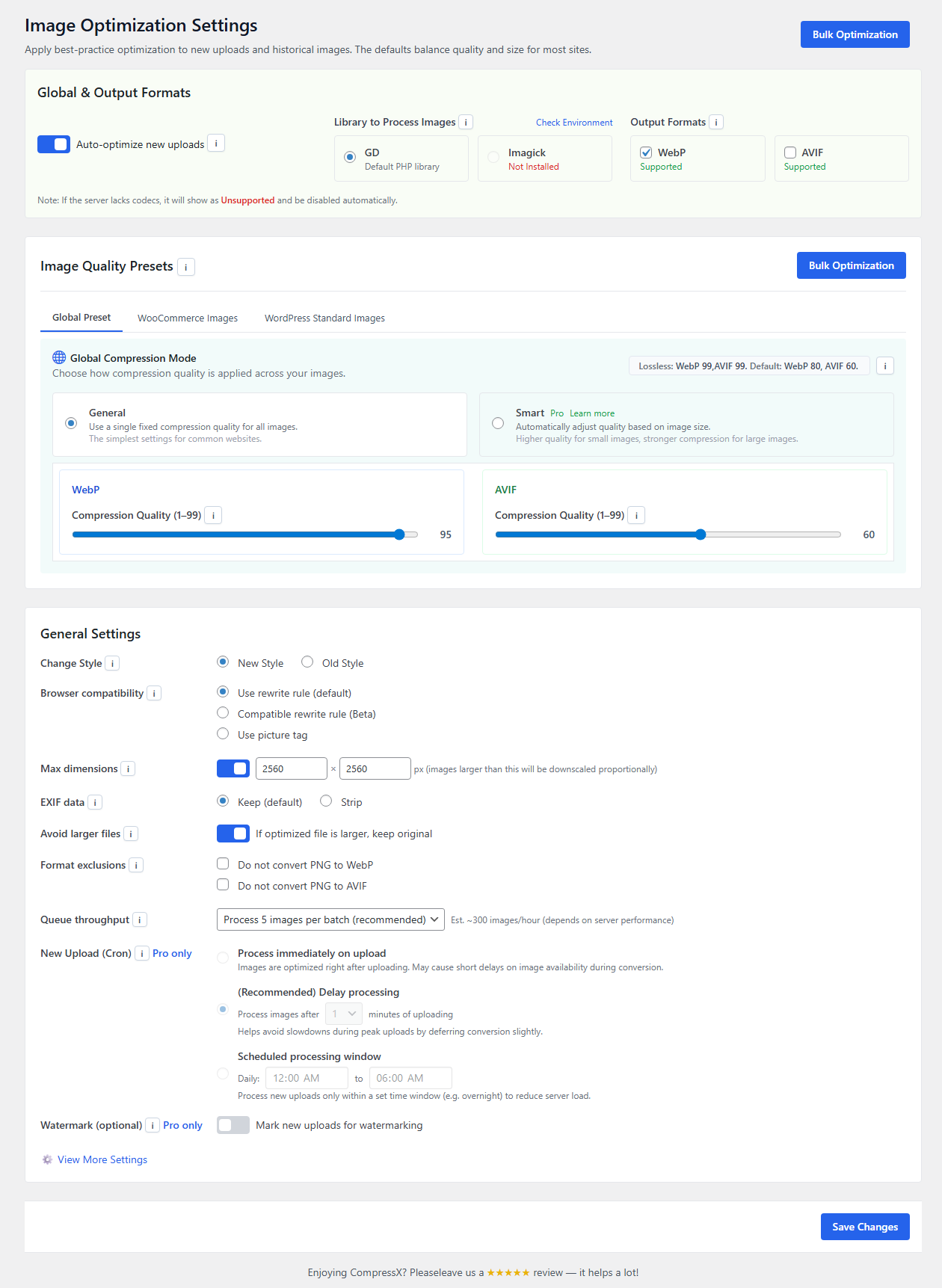
CompressX is a free, lightweight WebP & AVIF conversion and media replacement plugin for WordPress. It allows you to easily convert JPG and PNG images to WebP and AVIF formats, compress WebP and AVIF images, and replace media files without changing their URLs or attachment IDs. All AVIF and WebP conversions are performed locally on your web server.
Core Features
1. Convert AVIF & Compress AVIF
Convert jpg, png, and WebP images on your WordPress website to AVIF format, and compress AVIF images according to the compression level you set.
If the original image is already in AVIF format which is supported since WordPress 6.5, the original AVIF image will only be compressed.
2. Convert WebP & Compress WebP
Convert jpg, png images on your WordPress website to WebP format, and compress WebP images according to the compression level you set.
If the original image is already in WebP format which is supported since WordPress 5.8, the original WebP image will only be compressed.
3. Media Replacement & Auto Re-Optimization
Safely replace an existing media file without changing its URL or attachment ID. When a new image is uploaded as a replacement, the system automatically regenerates thumbnails, applies your configured format conversion and compression rules, resizes where needed, and re-optimizes the file.
4. Exclude Folders
Select specific folders in your media library and prevent images inside them from being processed.
5. Custom Folders
Select folders that are in the wp-content folder but outside the Uploads (media library) and process images inside them.
6. Auto-Process New Images
Automatically convert new images uploaded to a WordPress website to WebP/AVIF format and compress WebP/AVIF images upon upload.
7. Auto-Remove Large Images
Automatically remove converted AVIF/WebP images when they are larger than original images.
8. Restore Original Images
Your images will be reverted to their original state and all AVIF/WebP images and data in the database generated by CompressX will be removed when CompressX is uninstalled.
Minimum Requirements to use CompressX
- Character Encoding UTF-8
- PHP version 7.0
- MySQL version 4.1
- WordPress 5.8
External Services
This plugin optionally connects to the Cloudflare API to purge your CDN cache. It sends the Cloudflare Zone ID, account email, and Global API Key whenever the “Purge Cloudflare Cache” button is clicked or automatically upon optimization completion (if enabled in settings). This service is provided by Cloudflare, Inc: Terms of Service, Privacy Policy.