
Clone / Duplicate Orders for WooCommerce
by YMMV Plugins on WordPress.org
One-click WooCommerce order cloning, duplication & copying. Clone order, duplicate order, copy order for WooCommerce. HPOS compatible.
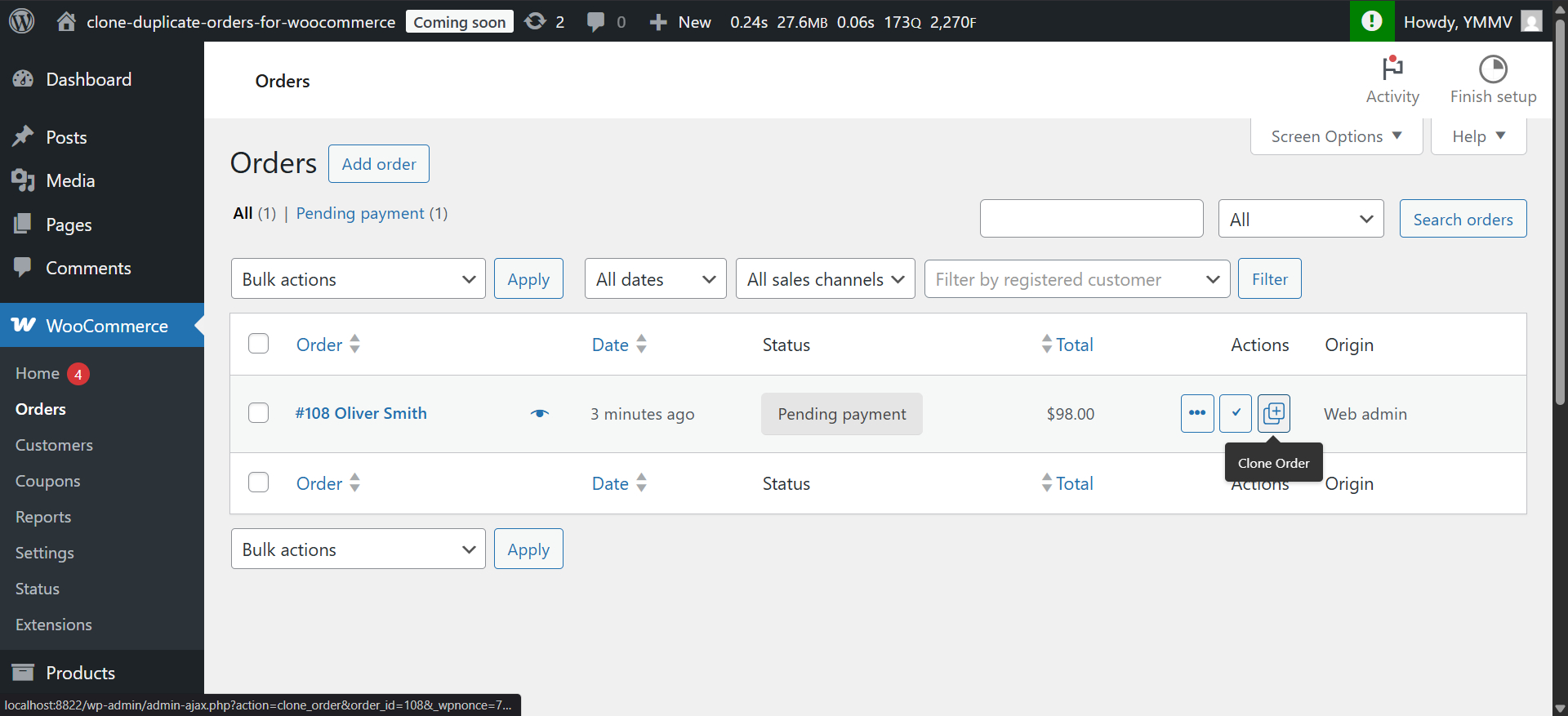
WooCommerce Orders Index - Showing new duplicate/clone icon under Actions.
Clone / Duplicate Orders for WooCommerce is the perfect solution to streamline your order management process. This simple but powerful extension for WooCommerce adds a Clone Order button to your Orders table, as well as an Action option and metabox on individual order pages, so duplicating / cloning an order is always accessible to you and your staff in just one-click.
With Clone / Duplicate Orders for WooCommerce, you can easily duplicate, copy or clone any WooCommerce order, including default WooCommerce fields, custom fields, Advanced Custom Fields (ACF) and Secure Custom Fields (SCF).
Whether you’re working with repeat customers or need to recreate similar orders, Clone / Duplicate Orders for WooCommerce simplifies the process. It automatically copies shipping and billing details from the original order, ensuring a seamless workflow by assigning the clone to the same customer.
🌟 The simplest way to copy an order in WooCommerce 🌟
With one click, you can copy an existing order ready for processing and shipment. Save time and effort with Clone / Duplicate Orders for WooCommerce – your go-to tool for efficient order duplication!
🪄 Use Cases for a WooCommerce Order Cloner / Duplicator
Having the ability to duplicate orders helps streamline your processes and respond to customer requests more efficiently. Here are some ways it can make your work easier:
✔ Creating similar orders for multiple customers: Instead of manually entering the same order over and over, you can create it once, then clone the order as many times as needed, updating customer details as necessary.
✔ Processing repeat orders for existing customers: Duplicate their last order and make any necessary updates. This speeds up the process, saving time and reducing repetitive tasks.
✔ Handling returns and exchanges: Simply refund the returned items on the original order, clone it to create a new, empty order, and add the exchanged item. This way, you can follow your usual order fulfilment process, and your reporting remains accurate.
What details are duplicated
➜ Order status on clone is Pending Payment
➜ Doesn’t adjust stock levels on clone
➜ Uses the original orders pricing
➜ Includes out of stock products
➜ Uses original order shipping choice
➜ Removes original payment info
➜ After clone, doesn’t redirect
➜ Doesn’t clone original order notes
➜ Adds a note to new order about being cloned
➜ Copies original customer note
➜ New order uses date time of clone
➜ Copies custom fields / ACF fields
If our default clone options do not suit your needs, you can use our extensive range of filters to customise the clone as you need.
Supports
- Supports High Performance Order Storage (HPOS)
- Supports custom Order numbers
- Supports sequential order numbers
- Supports ACF/SCF fields
- Supports custom metafields
Compatible with popular WooCommerce plugins:
- Custom Order Numbers by tychesoftware
- Sequential Order Numbers by WebToffee
- Sequential Order Numbers by BeRocket
- Sequential Order Numbers for WooCommerce by SkyVerge
- PDF Invoices & Packing Slips for WooCommerce by WP Overnight
- WooCommerce PDF Invoices, Packing Slips, Delivery Notes and Shipping Labels by WebToffee
- Print Invoice & Delivery Notes for WooCommerce by tychesoftwares
- Checkout Field Editor for WooCommerce by acowebs
- Advanced Custom Fields by Delicious Brains
- Secure Custom Fields
and many more WooCommerce plugins. Please report any incompatibility issues in our Support Forum.
How does the cloned / duplicated order affect stock levels
Stock levels are controlled by the orders status. The status of the newly cloned order is Pending Payment. Because the payment is not confirmed, the stock levels will not be reduced until the order is changed to another status such as On Hold or Processing. For more information on Order Statuses please consult the WooCommerce Documentation.
Clone / Duplicate Orders is always improving, help us!
If there are new features of this plugin you want, let us know. The team behind Clone / Duplicate Orders is actively working on this plugin to make it the best duplicate order plugin there is. If you have any request or encounter problems, please open a support ticket and we will fix the issue.
Other Plugins from YMMV
If you like this plugin, please consider checking out our other projects:
Automatically Import External Images – automatically imports any external images into your WordPress Media Library when you save a post, page, or custom post type. Saves hours of work.
HPOS Status Indicator – Simple way for developers to know if HPOS is enabled on a WooCommerce store.


