Chinese horoscope
by Jeroen Visbeek on WordPress.org

width screen
Calculates the year element of the Chinese horoscope based on the (birth) date.
In the Chinese horoscope the year of the Chinese calendar is under the influence of one of the twelve sings and one of the five elements. The calculation generates the following descriptions:
- Character of the year sign (e.g. Rat)
- Character of one of the five variations of the year sign (e.g. Fire Rat)
- Character of the year element (e.g. Wood Yin)
The twelve signs are Rat, Ox, Tiger, Hare, Dragon, Snake, Horse, Goat, Monkey, Rooster, Dog, Pig
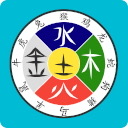
The five elements are Fire, Wood, Earth, Metal, Water.
In the setting page you can easily adjust the following:
- Descriptions of the twelve signs
- Descriptions of the five variants of each of the twelve signs (e.g. Fire Rat)
- Descriptions of the five elements and their yin and yang types (e.g. Metal Yang)
- Change the language
You can change your settings in the wp-admin menu.
Settings > Chinese Horoscope
Software designed only for years after 1850.
Pro version versus free version
The free version only calculates the year pillar of the T’zu Ping system. This astrology consists of four pillars:
- Day pillar: Character of the animal sign, its variant and the element (pro version)
- Month pillar: Character of the animal sign, its variant and the element (pro version)
- Hour pillar: Character of the animal sign, its variant and the element (pro version)
- Year pillar: Character of the animal sign, its variant and the element (pro and free version)
Get the pro version: https://wp-plugins.zodisign.fr/chinese-horosoop/
Languages
This plug-in is available in 17 languages.
- Arabic
- Chinese (Mandarin)
- Dutch
- English
- French
- German
- Hindi
- Italian
- Japanese
- Indonesian (Javanese)
- Malay
- Persian (Farsi)
- Polish
- Portuguese
- Spanish
- Russian
- Turkish
The translations are made with Google translate from Dutch so they won\’t be perfect but in your settings you can easily adjust the texts.
If you are a little familiar with building websites you can adjust all translations.
location language files: /wp-content/plugins/chinese-horoscope/languages/
In the language files, all used texts are defined in strings. You can adjust the text and save the file.
If you want to add your own language, please use this file:
use-this-file-for-custom.php
After you finished your translations, please change the filename to:
custom-chho.php
and save it in the same directory.
This is safe, because this file won\’t be updated.
Save this file in the same directory, and go to the Nine Star Ki Settings and
check ‘Restore default texts of chosen language’
and click on ‘save changes’
If the custom-chho.php file is present, this file will always be used, no matter what language you select in the Nine Star Ki settings page. If you change the file name (e.g. custom-chho-old.php) or delete it, you will be able to select the languages.
Adjust styles
You can adjust the style to your own preferences in the stylesheet file chho-styles.css
All the content of the plug-in is closed-in the div-tag with the class name \”container-chho\”, so you can access and change the styles of all tags.
location stylesheet: /wp-content/plugins/chinese-horoscope/css/chho-styles.css


