BP Profile Search
by Andrea Tarantini on WordPress.org
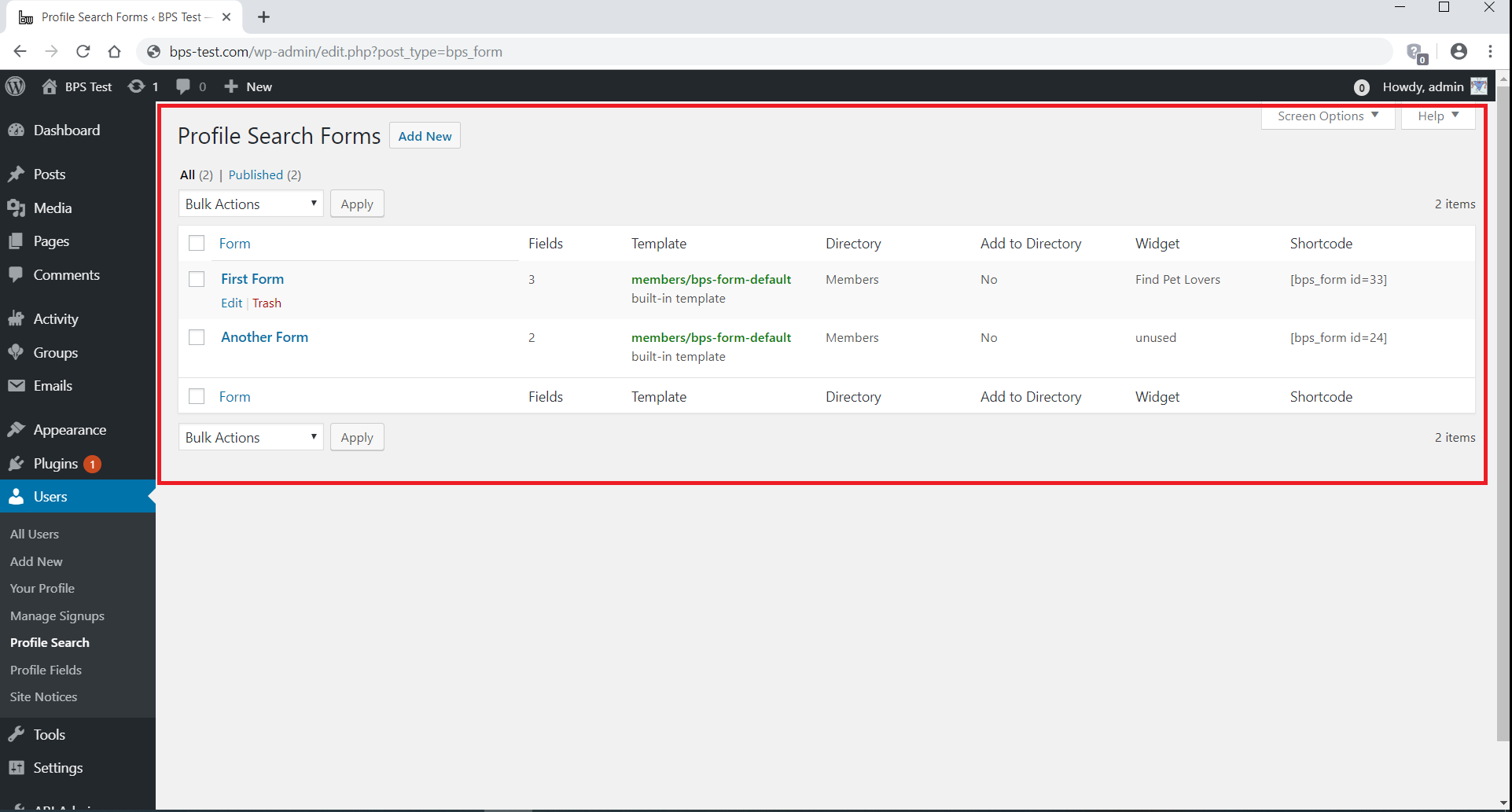
The Profile Search Forms admin page
BP Profile Search is a member search and member directories plugin for BuddyPress. It provides:
- A form builder to build the member search forms
- The [bps_directory] shortcode to customize the BuddyPress Members directory, or to build additional member directories
Each search form has a target directory. When you run a search, you are redirected to the form’s target directory, filtered according to your search.
Build a search form
With the form builder you can:
- Add, edit, rearrange, and remove the search fields
- Use as search fields the BuddyPress profile fields, the users and usermeta data (including roles), the BuddyPress user groups, and the user taxonomies (including BuddyPress member types)
- Use search by distance fields when you install the free companion plugin BP Distance Search
- Select, for each search field, one of the available search modes
- Select the BuddyPress Members directory, or one of the member directories built with this plugin, as the target directory
- Select the form template to display your form
- If in doubt, use the Help tab above the screen title
The form template works just like any other BuddyPress template. To override a form template, copy it to the buddypress/members directory in your theme’s root, then edit the new copy according to your needs.
Display a search form
After you build your search form, you can display it:
- In its target directory, using the option Add Form to Directory in the form settings
- In a sidebar or widget area, using the widget Profile Search
- In a post or page, using the shortcode [bps_form]
Run a search
On the front-end, when you hit the Search button in a form, BP Profile Search shows the form’s target directory filtered according to your search. Both the All Members tab and the My Friends tab are filtered.
Additionally, the plugin:
- Displays an active filters section containing the active search filters and a Clear button to clear them
- Displays for each member a member details section containing the values of the searched fields
- Adds to the Order By drop-down the options to sort the directory by the searched fields
The active filters section and the member details section are displayed by two dedicated templates, that can be overridden just like any other BuddyPress template.
Build a member directory
With the [bps_directory] shortcode you can:
- Customize the BuddyPress Members directory, or build additional member directories
- Add hidden filters to a directory
- Add more sort options to a directory
- Show additional member information in each member details section, e.g. the value of profile fields
- Use a different Members directory template for each directory
You can enter the shortcode in an empty page to build a new member directory, or you can enter it in the BuddyPress Members page to customize the BuddyPress Members directory.
Additional documentation
In the screenshots below, the City field is provided by the free companion plugin BP Distance Search.