
Block Editor: Reverse Columns on Mobile
by Mickaël Larguier on WordPress.org
Adds a "Reverse on Mobile" option to the Columns, Row, Stack and Media & Text blocks in Gutenberg.
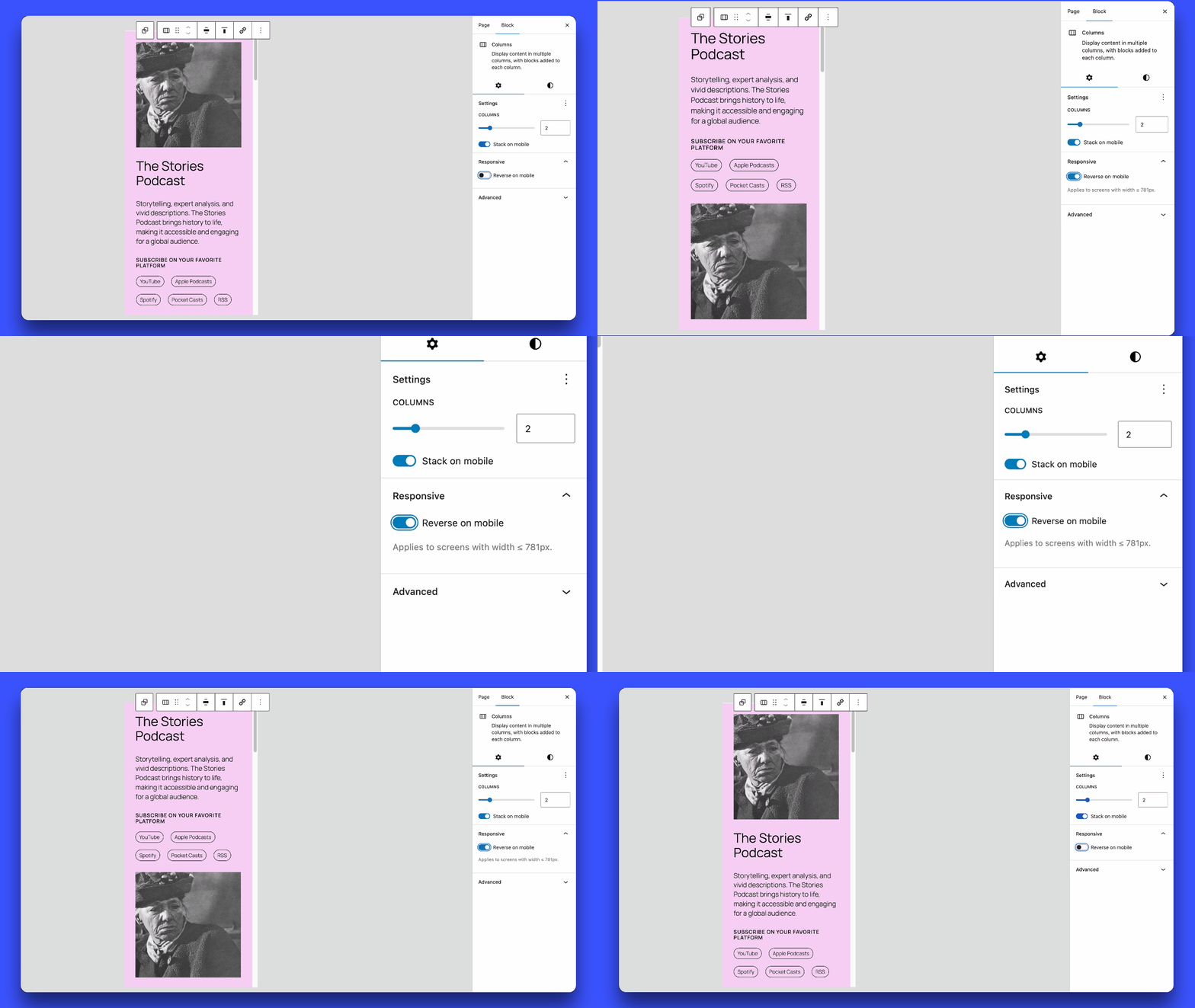
Enabling and disabling the "Reverse on Mobile" option in the block settings panel.
This plugin adds a “Reverse on Mobile” option to the Columns, Row, Stack and Media & Text blocks in the WordPress Gutenberg block editor.
A common layout challenge: you have two columns on desktop, image on the right, text on the left. On mobile, they stack vertically, but the image ends up below the text. With this plugin, you can reverse the stacking order so the image appears first, without touching your desktop layout.
Simply enable the “Reverse on Mobile” toggle in the block settings and the order is automatically adjusted on small screens.
If this plugin saves you time, buy me a coffee ☕ or leave a ★★★★★ review. It really helps!