
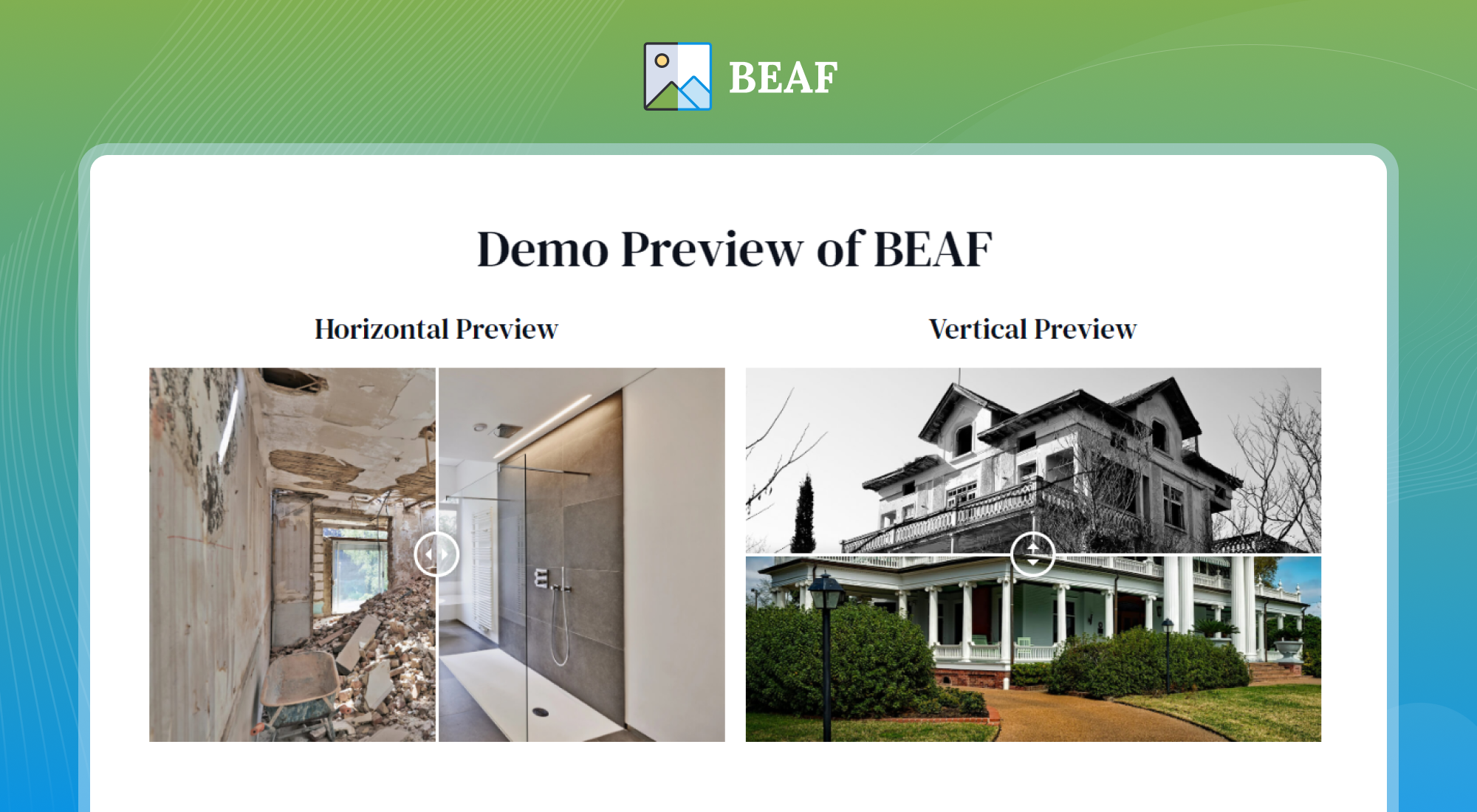
Multiple Layouts (Vertical & Horizontal)
A Simple and Flexible Before After Image Slider & Gallery Plugin for WordPress
👉 Official Demo Link: BEAF Live Preview
👉 Explore Pro: Play with Backend Options
👉 BEAF Pro Version: Check Pro
👉 Documentation: Written Installation Guide
👉 Video Guide: Complete Step by Step Guide
👉 Get Support: Click Here
👉 Join Our FB Community: BEAF Facebook Group
Looking for a WordPress Before and After Slider & Gallery plugin? BEAF helps you easily create image comparison sliders for Elementor, Gutenberg, Bricks, WP Bakery, and other page builders. With BEAF, you can effortlessly create a stunning Before and After image comparison slider for elementor, gutenberg, bricks, wp bakery or any page builder or block editor. The best part? You can add an unlimited number of sliders and galleries to your WordPress site—for free!
BEAF also provides advanced features in the Pro version to help you showcase your Before After image portfolio more effectively. This all-in-one Before and After Slider WordPress plugin is packed with a full range of basic to advanced options, giving you everything you need to create eye-catching and beautiful image comparison sliders aka Before After slider:
- Horizontal or Vertical layout
- Multi-Column Before and After Gallery
- Title, Description & Read More button
- Alt tag on each image for Better SEO
- Label Color and Background Change
- Disable Overlay
- Mouse Hover Options
- Easy-to-use option panel
- Shortcode generator
- 10 Preview Styles (Pro)
- Filterable Before – After Gallery (Pro)
- Before After Video Slider (Pro)
- 3 Images Before After Slider (Pro)
- Single Image Slider (Pro)
- Watermark for Before After Images (Pro)
- Titles, Description & Read More Button on Single Image BEAF, Gallery and Filterable Gallery (Pro)
- Custom Width – Height – Alignment (Pro)
- Auto Slider (Pro)
- On Scroll Slider (Pro)
- Change Read More text (Pro)
- Disable slider handle (Pro)
- Uploaded Before After Image Preview Without Login(Pro)
Demo Link
Check out the demo to see it in action!
With this Before After WordPress plugin, You can showcase your portfolio by comparing two before and after images.
Pro Version
We believe the free version is good enough for most businesses. However, we have a Pro version of this plugin which has more advanced features including 10 Awesome looking Preview Styles, Before-After with Single Image, 3 Images comparison slider, Before After Video Slider, Multi-Columns Filterable Gallery, Auto Slide, On Scroll Slide and many more.
Video Tutorials:
Before After for WooCommerce:
Do you need a before and after image slider for WooCommerce? Then check this plugin of ours here.
Features:
Here are the most important features of BEAF. If you need any further information, please feel free to contact us. Below are the best offerings of BEAF:
Multiple layout
Display Sliders in Horizontal or Vertical Layout. Click here for a quick preview.
Before and After Gallery
Create 2 Columns, 3 Columns, and 4 Columns Before After Gallery in WordPress with BEAF. Click here for a quick preview.
Titles, Description & Read More Button
You can add the Title, Description & Read More buttons on all the above Preview Styles. Note that, from backend, you can show/hide any/all of the 3 fields (title, description & read more). You can also edit styles (color, font size, alignment) of all 3 fields as shown below. Click here for a quick preview.
Label Change
You can easily change the Label of Before-After to something you want from BEAF’s Option panel. Click here for a quick preview.
Label Color Change
You can easily change the color and background of each Label. Click here for a quick preview.
Disable Overlay
You can disable the overlay from the options panel. Click here for a quick preview.
Mouse Hover
You can move slider on Mouse hover. Click here for a quick preview.
Image Alt tag
You can add Alt tag on each images for Better SEO.
Easy-to-use Option Panel
BEAF has built in easy-to-use option panel. You can add or remove any options from this panel.
Shortcode Generator
After your publish, a shortcode will generate so that you can publish the slider anywhere on your website.
More Features
-
Support for Block Editor & popular page builders: BEAF is fully compatible with Gutenberg & popular page builders like Elementor, Bricks WP Bakery, DIVI, Beaver etc. See the list below.
-
Responsive and Touch Compatibility : BEAF is fully responsive and also supports touch on mobile devices.
-
Awesome UI: Easy and clean user interface
-
Lightweight: The plugin is so lightweight that it won’t impact much on your speed.
-
Speed optimized: Compatible with any lazy load plugins. It also works with WEBP images.
-
Unlimited Slider: You can create an unlimited number of slider
-
SEO Friendly: Support WP Image alt as image alt and title.
-
Live Preview: See the preview of the slider/gallery while editing
-
Widget Support: Add before-after through widgets.
-
Flexible Image — You can use any image size.
Supported Page Builders :
- Elementor before and after slider: BEAF has built-in before after elementor addons for creating before and after slider with elementor.
- Bricks Builder: Since BEAF uses shortcodes, you can effortlessly create Bricks Builder Before and After slider or gallery.
- WP Bakery / Visual Composer: With BEAF’s shortcode functionality, creating a Before After slider in WP Bakery or Visual Composer is simple and quick.
- Divi Page Builder: Thanks to our shortcode-based system, you can easily build Divi Before and After slider.
- Beaver Builder: Using BEAF shortcodes, you can seamlessly create Beaver Builder Before-After slider.
- Gutenberg: BEAF’s shortcode system allows you to easily create Gutenberg Before After slider or gallery.
Pro Features
You will get more features and advantages on the pro version. Here are few feature of the Pro Version:
- 10 Preview Styles
- Filterable Before – After Gallery
- 3 Images Comparison Slider
- Before After Video Slider
- Watermark for Images
- Single Image Slider
- Titles, Description & Read More Button on Single Image BEAF, Gallery and Filterable Gallery
- Custom Width – Height – Alignment
- Auto Slider
- On Scroll Slider
- Change Read More text
- Disable slider handle
All Free Features
The Pro version includes all the features of the Free version (as described above). Plus:
10 Preview Styles
The Pro version includes 10 Additional Awesome looking Preview Styles. Click here for a quick preview.
Filterable Before – After Gallery
Create 2 Columns, 3 Columns and 4 Columns Filterable Before After Gallery in WordPress with BEAF Pro. The galleries can be combination of all the above mentioned Preview Styles & Single Image Styles. The color and padding of the filters can be edited from the options panel. Click here for a quick preview.
Three Images Comparison Slider
Create slider with 3 images. Click here for a quick preview.
Before After Video Slider
Create slider with 2 different videos. Click here for a quick preview.
Image Watermark
Create slider with Watermark in Images. Fully Customizable based on available options. Click here for a quick preview.
Single Image Slider
Create slider using a single image. The Single image has filter effects like Grayscale, Blur, Saturate, Sepia etc. The filter can be added on Before or After image.
Titles, Description & Read More Button on Single Image
You can add Title, Description & Read More button on Single Image Slider, Normal Gallery and Filterable Gallery.
Custom Width – Height – Alignment
Setup Custom Width – Height – Alignment for each slider. Click here for a quick preview.
Auto Slider
Slider will slide automatically. Options to add Pause on hover. Click here for a quick preview.
On Scroll Slider
Slider will slide on Scroll (based on User Scrolling). Click here for a quick preview.
Disable slider handle
You can easily disable the slider handle. Click here for a quick preview.
Our Support
Yes, we provide full support on the WordPress.org forums & Our Website. You can also join our BEAF Facebook Group to stay informed with latest news and updatesc. Check our Support Policy.
Privacy Policy
Ultimate Before After Image Slider & Gallery – BEAF uses Appsero SDK to collect some telemetry data. Appsero SDK does not gather any data by default. The SDK only starts gathering basic telemetry data when a user allows it via the admin notice. Appsero SDK DOES NOT IMMEDIATELY start gathering data, without confirmation from users in any case. We use this data to troubleshoot problems faster, make product improvements & ensure a great user experience for all our users.
Credit
BEAF is based on the famous TwentyTwenty script that developed by Zurb team. Our icon is taken from Iconfinder.
How can I report security bugs?
You can report security bugs through the Patchstack Vulnerability Disclosure Program. The Patchstack team help validate, triage and handle any security vulnerabilities. Report a security vulnerability.
Our Plugins
- Tourfic – Ultimate Hotel Booking, Travel Booking & Apartment Booking WordPress Plugin
- Ultimate Addons For Contact Form 7
- Instantio – WooCommerce Quick Checkout | Floating Cart, Side Cart & Popup Cart
- Hydra Booking – All in One Appointment Scheduling and Booking Calendar Solution
- Reviewfic – The Ultimate Testimonial Slider, Carousel, Grid Plugin


