
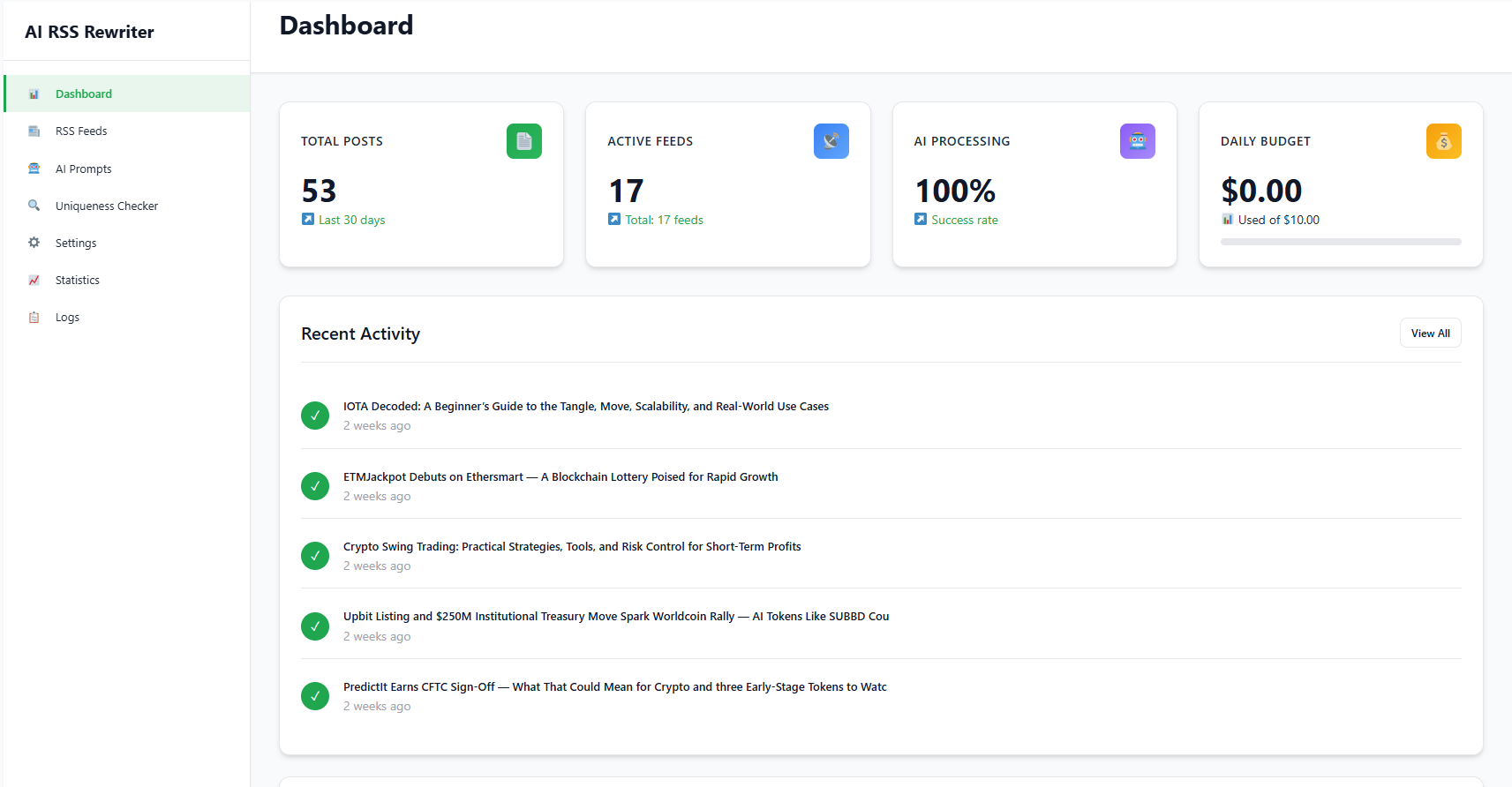
Modern dashboard with real-time statistics screenshot-1.png
🚀 AI RSS Rewriter – The Ultimate Content Automation Solution! Transform RSS feeds into unique, SEO-optimized articles using cutting-edge AI technologies from OpenAI.
✨ Why Choose AI RSS Rewriter?
AI RSS Rewriter is the most powerful content automation tool that enables you to:
– 📰 Automatically import content from RSS feeds
– 🤖 Rewrite articles using GPT-5 and DALL-E 3
– 🎯 Create unique content without plagiarism
– 📈 Improve SEO rankings automatically
– 💰 Control AI processing costs
🎯 Perfect For:
- 📰 News & Media Websites – Automatic content updates
- 📝 Bloggers & Content Marketers – Scale content production
- 🏢 SEO Agencies – Manage client content
- 🛒 Affiliate Sites – Import product information
- 📊 Content Aggregators – Process large volumes of information
⚠️ Important: External Service Dependency
This plugin requires an OpenAI API key for AI functionality. Without a valid API key, only basic RSS importing (Simple Mode) is available.
AI features include:
– Content rewriting
– Image generation
– SEO optimization
Please ensure you have a valid OpenAI API key before using AI features.
🔥 Key Features
🤖 AI Power
- 🔄 AI Content Rewriting – Transform RSS content into unique articles using GPT-5 and GPT-4o models
- 🎨 DALL-E 3 Image Generation – Automatically create contextual images for articles
- 🧠 Smart Model Selection – Automatically choose optimal AI models based on content complexity
- ⚙️ Custom AI Prompts – Create, test, and manage custom prompts for different content types
💰 Cost Control
- 📊 Budget Management – Set daily spending limits with real-time cost tracking
- 💡 Smart Savings – Automatic model selection can reduce costs by 40-60%
🚀 Performance & Optimization
- 🖼️ Image Optimization – WebP conversion and compression for better performance
- ⚡ Speed Optimization – Optimized database queries and caching
- 📱 Modern Interface – Clean, responsive design with real-time statistics
📝 Content & SEO
- 📄 Content Extraction – Extract full article content when RSS feeds provide only summaries
- 📅 Flexible Post Dating – Use original RSS dates or current parsing time
- 🎯 SEO Optimization – Auto-generate meta descriptions and tags
- ✅ WordPress Standards – Fully compliant with WordPress coding standards
⚙️ Processing Modes
🔧 Simple Mode
Perfect for beginners or limited budgets
* 📥 Basic RSS importing without AI processing
* 🆓 Free mode (no OpenAI API required)
* ⚡ Fast content import
* 📝 Preserve original text
🤖 AI Mode
Full artificial intelligence power
* 🔄 AI content rewriting
* 🎨 Automatic image generation
* 🎯 SEO optimization
* 💰 AI cost control
🧠 Supported AI Models
🏆 GPT-5 (Premium Quality)
- Best quality content rewriting
- High accuracy and creativity
- Recommended for important content
⚖️ GPT-5 Mini (Recommended Balance)
- Optimal balance of quality and speed
- Cost-effective option with good quality
- Perfect for regular use
⚡ GPT-5 Nano (Fastest)
- Fastest processing
- Most economical option
- Suitable for mass processing
🔄 GPT-4o Mini (Fallback)
- Fallback option when other models unavailable
- Stable performance
- Compatible with all features
🎯 Perfect For
📰 News & Media Websites
- Automatic content aggregation from multiple sources
- Fast news updates
- Create unique content from RSS feeds
📝 Content Marketers
- Scale content production
- Automate content strategy
- Save time on article writing
✍️ Bloggers
- Automated content with unique approach
- Expand blog topics
- Constant flow of fresh content
🏢 SEO Agencies
- Manage client content
- Automate SEO optimization
- Scale services
🛒 Affiliate Sites
- Import product information
- Automatically create product descriptions
- SEO-optimized content for sales
📋 System Requirements
💻 Technical Requirements
- WordPress: 5.0 or higher
- PHP: 7.4 or higher (PHP 8.0+ recommended)
- GD Extension: for image optimization
- Memory: minimum 128MB (256MB recommended)
🔑 OpenAI API (Required for AI Features)
- Get API Key: platform.openai.com/api-keys
- AI Rewriting: requires GPT-4 or GPT-4o models
- Image Generation: requires DALL-E 3 access
- Without API Key: only Simple Mode available (basic RSS import)
💰 Estimated Costs
- Content Rewriting: $0.01-0.05 per article
- Image Generation: $0.04-0.08 per image
- SEO Tags: $0.001-0.005 per article
- Smart Model Selection: can reduce costs by 40-60%
⚠️ Important
- API key must have sufficient credits and proper permissions
- Without OpenAI API key, only basic RSS import is available
- All data is sent to OpenAI according to their privacy policy
Assets
icon-128×128.png
icon-256×256.png
banner-772×250.png
External Services
This plugin relies on OpenAI’s API services to provide AI-powered content processing features. By using this plugin, you acknowledge and agree to the following:
OpenAI API Usage
Service: OpenAI API (https://openai.com/)
Purpose: Content rewriting, image generation, and AI model interactions
Data Sent:
* RSS feed content (titles, descriptions, full text)
* Custom prompts and instructions
* Image generation requests and descriptions
When Data is Sent:
* When processing RSS feeds in AI mode
* When generating images with DALL-E 3
* When validating API keys and model availability
* When using custom prompts for content enhancement
Legal Information:
* Terms of Service: https://openai.com/terms/
* Privacy Policy: https://openai.com/privacy/
* Usage Policies: https://openai.com/policies/usage-policies
Data Handling:
* All data sent to OpenAI is subject to their privacy policy and terms of service
* OpenAI may use submitted data to improve their services (as per their policies)
* The plugin does not store OpenAI responses permanently beyond WordPress posts
* API keys are stored securely in your WordPress database
User Control:
* You can disable AI processing by switching to “Simple Mode”
* You control what content is sent by managing your RSS feeds
* You can delete generated content at any time
* API usage and costs are controlled by your OpenAI account settings
Privacy Policy
This plugin:
* Sends content to OpenAI for AI processing (subject to OpenAI’s privacy policy)
* Stores API keys encrypted in your WordPress database
* Logs processing activities locally
* Does not collect personal user data
* Does not send data to third parties except OpenAI for processing
Support
For support, documentation, and feature requests, please visit the plugin support forum or contact the developer.
Credits
- OpenAI for GPT and DALL-E APIs
- WordPress community for development standards
- Contributors and testers