Admin Notes WP
by Steve Puddick on WordPress.org
Add 'how to' instructional videos, slide shows, and more directly in individual WordPress admin pages.

The Global Help Tab is separate from the Help Tab post type. This special help tab appears on every admin page.
Admin Notes WP allows you to embed instructional ‘how to’ videos and other embeddable media from major platforms directly in the WordPress admin help tabs. Useful, instructional videos can be included on the relevant admin pages to help website admin users learn how your plugins and theme work.
For more quick videos on the features of Admin Notes WP visit the Web Rockstar YouTube channel
Other features include:
- Along with embedded media, rich text can also be included in help tab content to explain how features work
- Custom notices can be placed on any admin screen, communicating important information about the page and how it works
- The custom admin footer text provide a subtle and unobtrusive information about about the company or person who setup/created the site
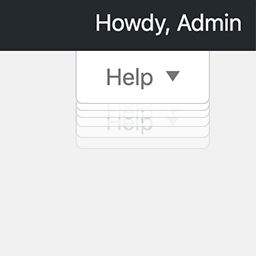
- Some users are not aware of the WordPress help tab. A bounce animation (similar to MacOS icon bounce) displays once per user until clicked to help them discover it for the first time
- Determining what ‘screen id’ a help tab should display on can be tricky. The Admin Screen ID Identifier Tool allows you to copy the screen id with the click of a button
- A default WordPress install comes with many built in help tabs that may not be relevant for your website and cause confusion. These default help tabs can be hidden if desired.
Components that are not relevant for your unique needs can be easily deactivated, removing them from the admin menus.
Useful Third Party Plugins and Other Techniques
The following are some additional third party plugins and useful techniques which can nicely enhance the functionality
of Admin Notes WP.
Post Expirator
The Post Expirator can allow you to set Help Tab and Notice
posts to expire (not display) after a certain time or date.
Post Dating Posts
Setting the Help Tab or Notice post published date in the future will cause that post to only start appearing once that
date and time has been reached.
User Role Editor
The User Role Editor plugin allows you to manage the user capabilities
associated with Admin Notes WP. Refer to the Frequently Asked Questions section for the full list.